

Description
Improve your website’s navigation and keep visitors happy with Creative Scroll to Top.
Long pages can be frustrating for users. This plugin adds a lightweight, interactive “Back to Top” button that makes returning to the header instant. Unlike basic scroll plugins, we offer 16 professionally designed styles ranging from minimal arrows to fun, gamified animations like launching rockets.
It also includes a Reading Progress Bar, giving your readers a clear visual indicator of how far they are down the page—perfect for blogs and long-form content.
Why use this plugin?
* Better UX: Saves users time and reduces friction.
* Lightweight: Loads assets only when needed to keep your site fast.
* Accessible: Fully keyboard navigable and screen-reader friendly.
🎨 16 Button Styles (No Coding Required)
We have organized styles into categories to fit any site design:
- Essential: Classic Arrow, Minimal Glass, Floating Bubble.
- Indicators: Progress Circle, Side Progress Bar.
- Fun & Animated: Rocket Launch, Magic Wand, Floating Bubble.
- Modern Effects: Neon Pulse, Holographic, Cosmic Sparkle.
✨ Core Features
- Live Customization: Change colors (normal and hover states) to match your brand identity perfectly.
- Reading Progress Bar: distinct vertical progress bar that fills up as the user reads.
- Smart Positioning: Place the button Bottom-Right, Bottom-Left, or Bottom-Center.
- Scroll Trigger: You decide when the button appears (e.g., after scrolling 300px).
- Speed Control: Adjust the smooth-scroll speed (Slow, Normal, or Fast).
- Page Targeting: Show or hide the button on specific post types (Homepage, Posts, Pages, etc.).
- Mobile Friendly: Works perfectly on phones and tablets.
♿ Accessibility First
We believe navigation should be for everyone. This plugin is built with WCAG compliance in mind:
* Keyboard navigation support (Tab key).
* Proper ARIA labels for screen readers.
* Respects user “Reduced Motion” settings in browsers.
Screenshots
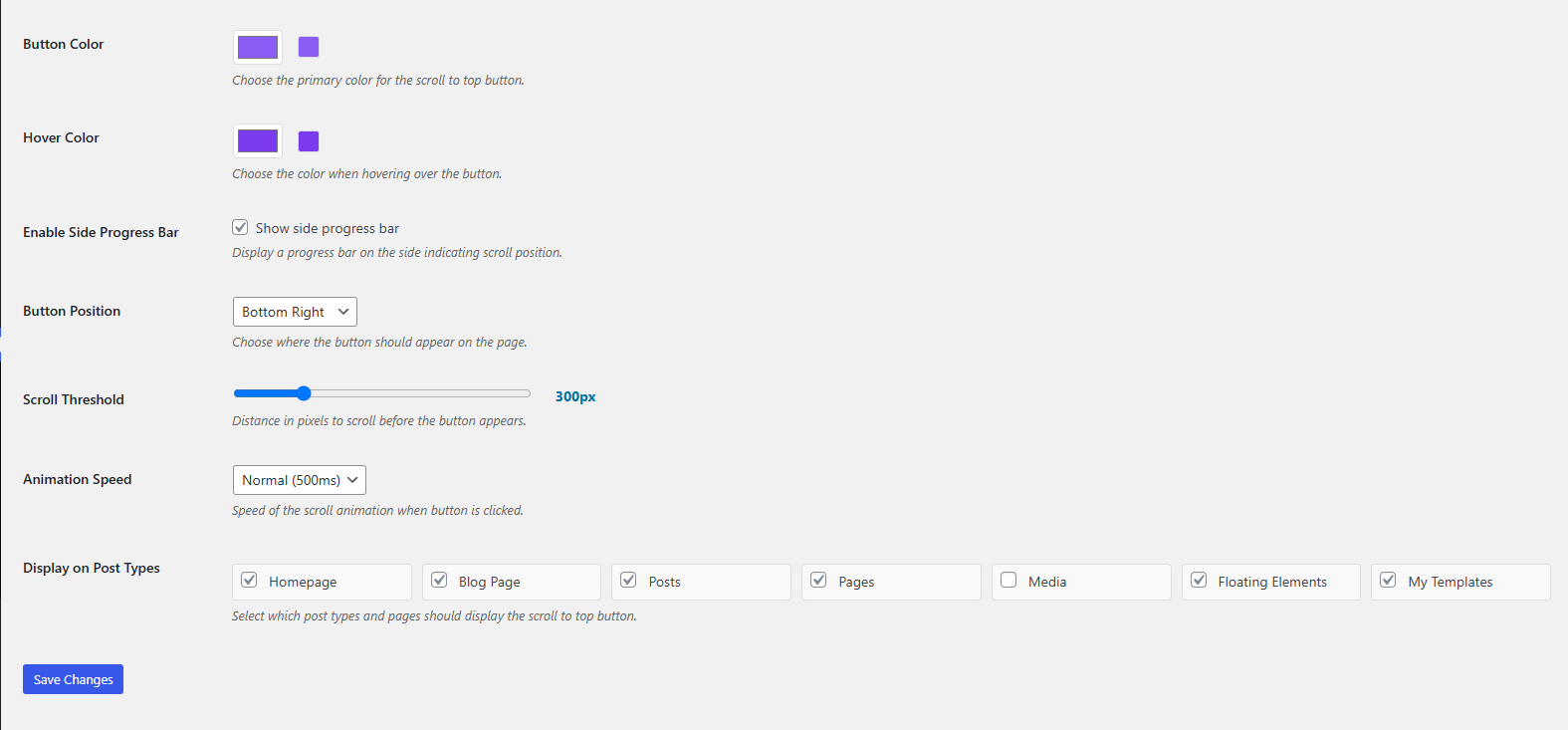
General Settings – Choose your style, position, and scroll speed. 
Style Library – A preview of the 16 available button designs.
Installation
Automatic Installation:
- Log in to your WordPress dashboard.
- Go to Plugins > Add New.
- Search for “Creative Scroll to Top”.
- Click Install Now and then Activate.
- Go to Settings > Scroll to Top Button to configure your style.
Manual Installation:
- Download the zip file from the Creative Scroll to Top Button WordPress plugin repository.
- Go to Plugins > Add New > Upload Plugin.
- Select the file and click Install Now.
- Activate the plugin.
- Go to Settings > Scroll to Top Button to configure
FAQ
-
Will this slow down my website?
-
No. We prioritize performance. The plugin scripts are lightweight and only load on pages where the button is active. We do not use heavy frameworks or bloated libraries.
-
Can I use my own brand colors?
-
Yes. You have full control over the button color, symbol color, and hover effects using a simple color picker in the settings.
-
Does the Side Progress Bar work independently?
-
Yes. You can enable the Scroll to Top button, the Side Progress Bar, or both at the same time depending on your preference.
-
Is it mobile responsive?
-
Yes. The buttons and animations are tested on various screen sizes to ensure they don’t block content on mobile devices.
-
Check the “Scroll Threshold” setting. If it is set to a high number (like 1000px), you must scroll down that far before the button appears. Also, check if you have excluded the current post type in the settings.
-
Yes, you can select specific post types, pages, and even the homepage or blog page where you want the scroll-to-top button to be displayed.
-
Is the plugin accessible?
-
Yes, the plugin follows WordPress accessibility guidelines and includes proper ARIA labels, keyboard navigation support, and respects user preferences for reduced motion.
-
Can I disable the side progress bar?
-
Yes, the side progress bar is optional and can be enabled or disabled in the plugin settings.
-
How do I change the scroll threshold?
-
In the plugin settings, you can adjust the scroll threshold using a slider (100-1000 pixels) to control when the button appears.
-
Are there any animation options?
-
Yes, you can control the scroll animation speed (slow, normal, fast) and some button styles include special animations like rocket launch and magic sparkles.
-
Can I use this with any WordPress theme?
-
Yes, the plugin is designed to work with any properly coded WordPress theme. If you experience any conflicts, please contact support.
-
Is the plugin translation ready?
-
Yes, the plugin is translation ready and includes proper text domains for easy translation into other languages.
Reviews

Contributors & Developers
“Creative Scroll to Top – Smooth Back to Top Button & Progress Bar” is open source software. The following people have contributed to this plugin.
Contributors
Translate “Creative Scroll to Top – Smooth Back to Top Button & Progress Bar” into your language.
Interested in development?
Browse the code, check out the SVN repository, or subscribe to the development log by RSS.
Changelog
1.0.0
- Initial release.
- Added 16 button styles (Rocket, Neon, Classic, etc.).
- Added vertical reading progress bar.
- Implemented color pickers and position settings.
- Added accessibility support (ARIA & Keyboard).