

描述
W3Responsive Tabs by http://w3itinfo.com
This plugin will add an expand collapse tab feature inside a post or page. You can embed w3responsivetab via shortcode in everywhere you want, Even theme files.
Plugin Features
- Shortcode System
- Very Lightweight. Only 7KB.
- Easy documentation
& many More.
Live Preview: http://w3itinfo.com/plugins/w3responsivetab
螢幕截圖
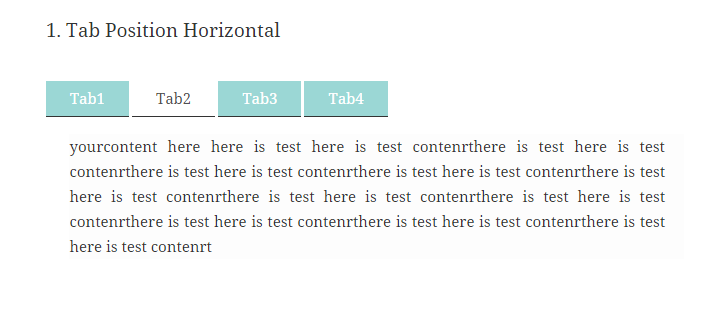
This is an example of Horizontal Tab.
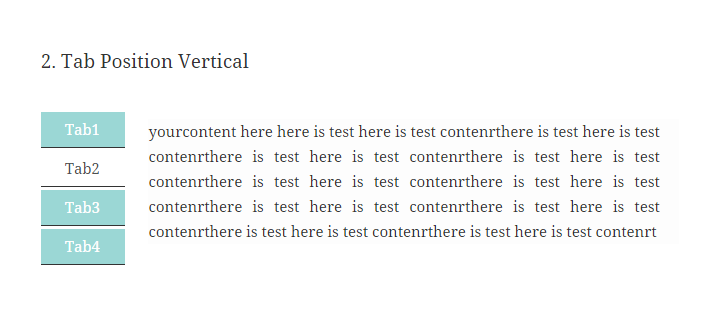
This is an example of Vertical Tab.
安裝
This section describes how to install the plugin and get it working.
e.g.
- Upload
plugin-directoryto the/wp-content/plugins/directory - Activate the plugin through the ‘Plugins’ menu in WordPress
- Use shortcode in page, post or in widgets.
- If you want W3Responsive Tabs in your theme php, Place
<?php echo do_shortcode('YOUR_SHORTCODE'); ?>in your templates - You have to use shortcode for generate W3Responsive Tabs in post or page. Example shortcode is given below.
************** Tab Position Horizontal
[w3itinfotab tab_id="Tab Id" position="Horizontal"]
[tabtoggle tabname="Name" tabtitle="Title"]....[/tabtoggle]
[tabtoggle tabname="Name" tabtitle="Title"]....[/tabtoggle]
[tabtoggle tabname="Name" tabtitle="Title"]....[/tabtoggle]
[tabtoggle tabname="Name" tabtitle="Title"]....[/tabtoggle]
[/w3itinfotab]
************** Example Horizontal
[w3itinfotab tab_id="Mytab" position="Horizontal"]
[tabtoggle tabname="tab1" tabtitle="tab11"]....[/tabtoggle]
[tabtoggle tabname="tab1" tabtitle="tab11"]....[/tabtoggle]
[tabtoggle tabname="tab1" tabtitle="tab11"]....[/tabtoggle]
[tabtoggle tabname="tab1" tabtitle="tab11"]....[/tabtoggle]
[/w3itinfotab]
************** Tab Position Vertical
[w3itinfotab tab_id="Tab Id" position="Vertical"]
[tabtoggle tabname="Name" tabtitle="Title"]....[/tabtoggle]
[tabtoggle tabname="Name" tabtitle="Title"]....[/tabtoggle]
[tabtoggle tabname="Name" tabtitle="Title"]....[/tabtoggle]
[tabtoggle tabname="Name" tabtitle="Title"]....[/tabtoggle]
[/w3itinfotab]
************** Example Vertical
[w3itinfotab tab_id="mytab1" position="Vertical"]
[tabtoggle tabname="tab1" tabtitle="tab11"]....[/tabtoggle]
[tabtoggle tabname="tab1" tabtitle="tab11"]....[/tabtoggle]
[tabtoggle tabname="tab1" tabtitle="tab11"]....[/tabtoggle]
[tabtoggle tabname="tab1" tabtitle="tab11"]....[/tabtoggle]
[/w3itinfotab]
評價
There are no reviews for this plugin.
貢獻者及開發者

修改日誌
1.0
- Initial release