
描述
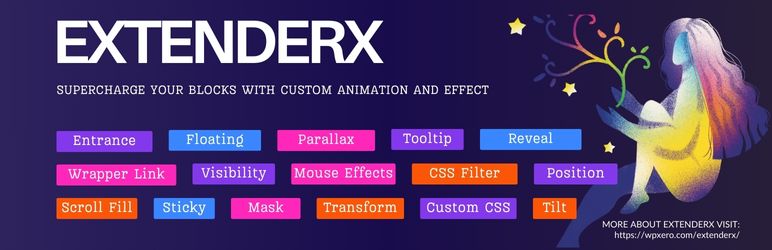
ExtenderX is the ultimate all-in-one WordPress enhancement plugin that brings together Gutenberg block animations, dark mode, content protection, scroll effects, sticky header, back to top, and 60+ powerful site enhancements — all from a single, lightweight plugin. Whether you want to animate blocks on scroll, protect your content from copying, enable dark mode, or add professional UI features like scroll progress bars and smooth scrolling — ExtenderX does it all without slowing down your website.
ExtenderX combines two powerful feature sets: Gutenberg Block Animations that extend every core and third-party block with animation controls, visibility options, tooltips, and wrapper links — directly from the block settings sidebar. Plus 60+ site-wide enhancements including dark mode, content protection, scroll effects, and UI tools that work seamlessly with any WordPress theme, page builder, or plugin — including Elementor, Divi, Beaver Builder, and more. No shortcodes, no conflicts, no bloat.
🎯 What Makes ExtenderX Different?
Most WordPress plugins solve one problem. ExtenderX solves dozens — block animations, website appearance, content security, UI enhancements, marketing tools, and seasonal effects — all managed from a single, beautifully designed dashboard. Enable only what you need. Every feature loads conditionally, so your site stays fast.
- One-click activation from the dashboard
- Automatic dark theme generation for your entire site
- Works with any WordPress theme
- Floating toggle button for visitors
FREE FEATURES
Content Protection & Website Security
Protect your valuable content with a comprehensive suite of security tools. ExtenderX gives you four layers of protection to prevent unauthorized content theft:
✅ Disable Right Click
Prevent unauthorized copying by disabling right click on your WordPress site. When enabled, visitors cannot access the browser context menu, making it significantly harder to copy text, save images, or view page source code. Essential for photographers, writers, and content creators who want to keep their work safe.
✅ Disable Copy Paste
Prevent copy paste on your website to protect your written content from text theft. This feature blocks keyboard shortcuts (Ctrl+C, Ctrl+V) and text selection, ensuring your original articles, blog posts, tutorials, and copyrighted material cannot be easily lifted by content scrapers or competitors.
✅ Disable Inspect Element
Disable browser inspect element and developer tools to deter users from accessing your website’s source code. This feature blocks common keyboard shortcuts for opening developer tools (F12, Ctrl+Shift+I, Ctrl+Shift+J, Ctrl+U), making it harder for others to reverse-engineer your site’s design, study your CSS, or steal your code.
✅ Disable Image Drag
Prevent image downloading by disabling drag-and-drop functionality on all images across your site. Stop visitors from saving your photos, graphics, and illustrations by simply dragging them to their desktop or another application. Combined with disable right click, this provides robust image protection.
Gutenberg Block Animations & Effects
Transform static WordPress pages into engaging, interactive experiences. ExtenderX adds powerful animation and interaction controls to every Gutenberg block — core blocks and third-party blocks alike.
✅ Entrance Animations (Animate on Scroll)
Make blocks animate on scroll with smooth, eye-catching entrance effects. Choose from multiple animation presets — fade in, slide up, zoom in, flip, bounce, and more. Each entrance animation includes full customization options:
- Multiple animation presets to choose from
- Customizable animation duration and delay
- Easing control for natural motion curves
- Trigger animations when blocks scroll into the viewport
- Perfect for landing pages, portfolios, and storytelling layouts
✅ Floating Animations
Add subtle, continuous floating motion effects to any Gutenberg block. Floating animations create a sense of depth and liveliness on your page — perfect for hero sections, testimonials, feature highlights, and promotional banners. Make your interactive WordPress designs stand out.
Note: Floating animations do not work simultaneously with Entrance or Tilt animations.
✅ 3D Tilt Effect
Apply a stunning 3D tilt effect to any block. Blocks respond dynamically to cursor movement, creating an immersive sense of depth and interactivity. This feature uses the VanillaTilt.js library for smooth, GPU-accelerated performance. Great for cards, images, pricing tables, and portfolio items.
- Responds to mouse/cursor movement in real-time
- Adjustable tilt intensity and perspective
- Value reset functionality for easy adjustments
- GPU-accelerated for smooth performance
✅ Responsive Visibility Control
Control exactly which blocks appear on which devices. Show or hide any Gutenberg block on desktop, tablet, or mobile — essential for creating truly responsive web designs without duplicating content. Build adaptive layouts that look perfect on every screen size.
- Hide on desktop, tablet, or mobile independently
- Works with all core and third-party blocks
- No duplicate content needed
- Clean CSS-based visibility (no JavaScript overhead)
✅ Tooltips
Add informative tooltips to any Gutenberg block to display additional context, explanations, or guidance without cluttering your design. Tooltips appear on hover, powered by the Tippy.js library for smooth, accessible tooltip rendering. Perfect for feature comparisons, technical documentation, and interactive content.
✅ Wrapper Links
Turn any Gutenberg block into a clickable link. Wrapper Links let you wrap entire block containers (images, groups, columns, cards) with a custom URL — enabling better navigation, improved click-through rates, and more intuitive user flows. No need for extra HTML or custom code.
Additional Free Features
✅ Hide Admin Bar on Frontend
Remove the WordPress admin bar from the frontend for a cleaner, more professional visitor experience. Perfect for membership sites, client websites, and when you want a distraction-free frontend view for logged-in users.
✅ Centralized Dashboard
Manage all 60+ ExtenderX features from one comprehensive, beautifully designed dashboard. Toggle features on and off, configure settings, and monitor everything from a single admin page. No hunting through multiple menu items — everything is organized by category: Appearance, Animations, Content Protection, UI Enhancements, Marketing, Seasonal Effects, and Site Modes.
FREEMIUM FEATURES
✅ Dark Mode for WordPress
Enable dark mode on your WordPress website with a single click. Give your visitors the option to switch between light and dark themes for a comfortable browsing experience — especially in low-light environments. Dark mode is one of the most requested features by modern website visitors. ExtenderX uses the powerful DarkReader engine to deliver a smooth, reliable dark theme that works with any WordPress theme.
✅ Preloader (coming soon)
Display a stylish loading animation while your pages load to create a polished first impression. Preloaders mask content loading, prevent layout shifts, and give visitors visual feedback that your site is responsive. Choose from multiple animation styles and customize colors to match your brand.
✅ Skeleton Loader (coming soon)
Replace blank loading states with placeholder content shapes that mimic your actual layout. Skeleton loaders show visitors exactly where content will appear, reducing perceived load time and creating a smoother, more professional user experience on content-heavy pages.
✅ Back to Top Button
Add a customizable back to top button that appears as visitors scroll down your pages. Improve navigation and user experience on long-form content, blogs, and documentation sites. Fully configurable with custom positioning, styling, and scroll behavior.
✅ Scroll Progress Bar
Display a reading progress indicator at the top of your pages so visitors always know how far they’ve scrolled through your content. Perfect for blog posts, articles, tutorials, and long-form landing pages. Choose your bar color, height, and position.
✅ Smooth Scrolling
Enable buttery-smooth scrolling across your entire website for a polished, modern browsing experience. Replaces the default browser scroll behavior with fluid, natural-feeling scroll transitions. Works on all pages automatically.
✅ Sticky Header
Keep your navigation header visible at all times as visitors scroll down your pages. Sticky headers improve navigation accessibility, reduce bounce rates, and ensure important menu items and CTAs remain within reach — no matter how far down the page visitors scroll.
✅ Sticky Footer
Pin your footer to the bottom of the viewport on pages with minimal content, ensuring it always stays at the bottom of the screen. Sticky footers create a polished, professional appearance and prevent awkward floating footers on short pages.
✅ Scrollbar Styler
Customize your website’s scrollbar appearance to match your brand design. Replace the default browser scrollbar with custom colors, widths, and border-radius settings. Create a cohesive visual experience that extends to every detail of your site.
🏅 Why WordPress Users Choose ExtenderX
- All-in-One Solution – 60+ features replacing multiple plugins: animations, dark mode, content protection, scroll effects, marketing tools, and more.
- Zero Coding Required – Every feature is toggle-based. Beginners can set up advanced features in minutes.
- Universal Block Compatibility – Works with all core Gutenberg blocks and 12+ popular third-party block libraries.
- Performance Optimized – Conditional asset loading ensures only active features load. No unused CSS/JS bloat.
- RTL Ready – Full right-to-left language support for Arabic, Hebrew, and other RTL languages.
- Clean Codebase – Built with modern PHP (OOP, Singleton pattern, modular architecture) and WordPress best practices.
- Freemius Powered – Secure licensing, automatic updates, and a seamless upgrade experience.
- Regular Updates – Actively maintained with new features, compatibility patches, and performance improvements.
- Dedicated Support – Expert help when you need it from the WPXERO team.
🤝 Works Perfectly With any themes and page builders
ExtenderX is tested and compatible with all major WordPress themes, page builders, and Gutenberg block libraries:
- Astra
- Kadence
- GeneratePress
- flavor starter theme
- Divi
- OceanWP
- Avada
- BeTheme
- Flatsome
- Storefront
- WooCommerce
- Elementor
- Beaver Builder
- Kadence Blocks
- Spectra (formerly UAG)
- Stackable
- Essential Blocks
- Ultimate Blocks
- Ghostkit
- Gutenverse
- GutenKit
- Otter Blocks
- Greenshift
- CoBlocks
- And all other popular themes and page builders
👥 Who Is ExtenderX For?
- Bloggers & Writers – Protect your articles from content theft with copy and right-click protection while adding engaging scroll animations.
- Photographers & Artists – Prevent image downloads with drag protection and right-click disabling. Showcase your portfolio with 3D tilt and entrance animations.
- Web Designers & Agencies – Deliver polished, interactive client websites with smooth scrolling, dark mode, sticky headers, and professional UI features.
- eCommerce Store Owners – Boost conversions with countdown banners, floating CTA buttons, announcement bars, and WhatsApp chat support.
- Content Creators & Educators – Use tooltips, reading mode, and scroll progress bars to create the best content consumption experience.
- Developers – Add custom CSS/JS per block, leverage the modular architecture, and extend functionality with clean WordPress hooks and filters.
License & Disclaimer
This plugin is licensed under GPL v2 or later. No warranties are provided. You are free to modify and distribute it under the same license.
螢幕截圖

Centralized Dashboard – Manage all 60+ ExtenderX features from one beautifully organized dashboard. Toggle features on/off with a single click. 
Dark Mode – Enable dark mode on your WordPress website with a floating toggle for visitors to switch themes. 
Content Protection Settings – Configure disable right click, copy paste, inspect element, and image drag protection from one panel. 
Entrance Animations – Add scroll-triggered entrance animations to any Gutenberg block with customizable presets, duration, and easing.
安裝
-
Download & Install: Upload the
extenderxfolder to your/wp-content/plugins/directory, or search for ExtenderX in the WordPress Plugin Repository and click Install Now. -
Activate the Plugin: Navigate to Plugins > Installed Plugins in your WordPress dashboard and click Activate next to ExtenderX.
-
Configure Your Features: After activation, you’ll be redirected to the ExtenderX Dashboard where you can enable dark mode, content protection, animations, and all other features with a single click.
-
Use Block Animations: Open the Gutenberg Block Editor, select any block, and look for the ExtenderX panel in the block settings sidebar. From there, add entrance animations, floating effects, tilt effects, tooltips, visibility controls, and wrapper links.
-
That’s It! Your features are live. No coding, no shortcodes, no configuration headaches.
常見問題
-
How do I enable dark mode on my WordPress website?
-
Navigate to ExtenderX > Dashboard in your WordPress admin. Find the Appearance section and toggle on Dark Mode. Once enabled, your website will automatically support dark theme viewing. Visitors will see a floating toggle button to switch between light and dark modes. Dark mode works with every WordPress theme using the DarkReader engine.
-
How does content protection work in ExtenderX?
-
ExtenderX provides four layers of content protection that work together: Disable Right Click blocks the browser context menu, Disable Copy Paste blocks text selection and keyboard copy shortcuts, Disable Inspect Element blocks developer tools access, and Disable Image Drag prevents drag-and-drop image saving. You can enable any combination from the dashboard.
-
Can I disable right click on my WordPress site?
-
Yes! Go to ExtenderX > Dashboard, find the Content Protection section, and enable Disable Right Click. This instantly prevents visitors from accessing the browser context menu on your site, making it significantly harder to copy your text, images, or view your page source.
-
How do I prevent people from copying text from my website?
-
Enable the Disable Copy Paste feature from the ExtenderX dashboard. This blocks text selection, Ctrl+C/Ctrl+V keyboard shortcuts, and other copy mechanisms. It’s particularly effective for protecting original articles, blog posts, tutorials, recipes, and any written content from being stolen.
-
Can I disable inspect element and developer tools?
-
Yes. Enable Disable Inspect Element from the dashboard. This blocks F12, Ctrl+Shift+I, Ctrl+Shift+J, and Ctrl+U keyboard shortcuts that open browser developer tools, making it harder for users to access your source code, CSS, and HTML structure.
-
How do I add scroll animations to Gutenberg blocks?
-
Open any page or post in the Gutenberg editor, select any block, and look for the ExtenderX panel in the right sidebar. Click on Entrance Animation, choose your preferred animation preset (fade in, slide up, zoom, flip, etc.), set the duration and delay, and publish. Your blocks will now animate when they scroll into view.
-
What is the 3D Tilt Effect and how do I use it?
-
The 3D Tilt Effect makes blocks respond to cursor movement with a realistic 3D perspective tilt. Select any block in the editor, open the ExtenderX panel, and enable Tilt Effect. Adjust the tilt intensity and perspective to your liking. It’s powered by VanillaTilt.js and works beautifully on cards, images, and portfolio items.
-
How do I show or hide blocks on mobile, tablet, or desktop?
-
Select any block, open the ExtenderX panel, and use the Visibility Control options. You can independently toggle visibility for desktop, tablet, and mobile. This uses clean CSS media queries — no JavaScript overhead and no duplicate content.
-
Go to ExtenderX > Dashboard, find UI Enhancements, and enable Back to Top. A customizable scroll-to-top button will appear on your site. You can configure its position, style, and scroll behavior.
-
How do I add a scroll progress bar?
-
Enable Scroll Progress Bar from the UI Enhancements section in the dashboard. A reading progress indicator will appear at the top of your pages, showing visitors how far they’ve scrolled through your content.
-
What is Smooth Scrolling and how do I enable it?
-
Smooth Scrolling replaces the default jerky browser scroll with fluid, butter-smooth transitions. Enable it from UI Enhancements in the dashboard. It works across your entire website automatically.
-
How does the Sticky Header feature work?
-
The Sticky Header (Pro) keeps your site header/navigation fixed at the top of the viewport as visitors scroll. This ensures navigation links, your logo, and important CTAs are always visible. Enable it from the UI Enhancements section.
-
Yes! With ExtenderX Pro, enable the Sticky WhatsApp Button from the Marketing section. Configure your WhatsApp number and a custom message, and a floating chat button will appear on your site for instant customer communication.
-
Does ExtenderX support maintenance mode or coming soon pages?
-
Yes! ExtenderX Pro includes both Maintenance Mode and Coming Soon Mode. Maintenance Mode shows a maintenance page to visitors while you update your site (admins can still access everything). Coming Soon Mode displays a launch teaser page for new sites or upcoming products.
-
What seasonal effects are available?
-
ExtenderX Pro includes 14 seasonal and visual effects: Christmas Lights, Fireworks, Autumn Leaves, Falling Hearts, Halloween Bats, Ramadan Lanterns, Weather Effects, Particle Background, Fireflies, Twinkling Stars, Floating Emojis, Floating Shapes, Light Beams, and Mouse Trail. Each can be enabled/disabled individually.
-
Is ExtenderX compatible with all Gutenberg blocks?
-
Yes! ExtenderX is fully compatible with all core WordPress Gutenberg blocks and popular third-party block plugins including Kadence Blocks, Spectra, Stackable, Essential Blocks, Ultimate Blocks, Ghostkit, Gutenverse, GutenKit, Otter Blocks, Greenshift, CoBlocks, and more. Every block automatically gets access to ExtenderX animation and enhancement features.
-
Does ExtenderX work with third-party block libraries?
-
Absolutely. ExtenderX extends the Gutenberg editor itself, not specific blocks. This means any block — whether it’s a core WordPress block or from a third-party plugin — automatically receives ExtenderX’s animation controls, visibility options, tooltips, and wrapper link features.
-
Will ExtenderX slow down my website?
-
No. ExtenderX is built with performance as a top priority. Features use conditional asset loading — JavaScript and CSS for each feature are only loaded when that specific feature is enabled and used on the current page. Unused features add zero overhead. The plugin architecture uses WordPress best practices including settings caching, efficient database queries, and optimized script registration.
-
Does ExtenderX support RTL languages?
-
Yes! ExtenderX includes full RTL (right-to-left) stylesheet support. All stylesheets are registered with RTL alternatives, making ExtenderX fully compatible with Arabic, Hebrew, Persian, Urdu, and other RTL languages.
-
Do I need coding knowledge to use ExtenderX?
-
Not at all! ExtenderX is designed for complete beginners. Every feature is controlled through simple toggle switches and visual controls from the centralized dashboard. Add animations, enable dark mode, protect your content, and configure 60+ features — all without writing a single line of code.
-
Can I use dark mode, content protection, and animations together?
-
Yes! All ExtenderX features are designed to work together harmoniously. You can enable dark mode, activate all content protection features, add block animations, use scroll effects, and enable UI enhancements — all simultaneously without conflicts.
-
Is ExtenderX good for photographers and content creators?
-
ExtenderX is a must-have for photographers, artists, writers, and content creators. The content protection suite (disable right click, disable image drag, disable copy paste, disable inspect element) provides comprehensive protection for your original work. Combined with 3D tilt effects and entrance animations for showcasing portfolios, it’s the ideal plugin for creative professionals.
-
Yes! ExtenderX Pro includes both a Cookie Consent banner and a GDPR Notice feature. These help you comply with EU cookie laws, ePrivacy regulations, and GDPR data protection requirements.
-
What is the difference between free and Pro?
-
The free version includes dark mode, all content protection features (disable right click, copy, inspect, image drag), 6 Gutenberg block extensions (entrance animations, floating animations, tilt effect, tooltips, visibility control, wrapper links), back to top button, scroll progress bar, smooth scrolling, scrollspy, and hide admin bar. ExtenderX Pro unlocks 40+ additional features including seasonal effects, marketing tools, site modes, advanced appearance modes, premium UI enhancements, and parallax effects.
-
How do I upgrade to ExtenderX Pro?
-
Click the Upgrade or Pricing link in the ExtenderX dashboard within your WordPress admin. You can also visit wpxero.com/plugins/extenderx/pricing to view plans and purchase a license. After purchasing, install the Pro addon and activate your license key.
評價
There are no reviews for this plugin.
貢獻者及開發者
“ExtenderX – Block Animations, Dark Mode, Content Protection & 60+ Site Enhancements” 是一個開源的軟體。以下的人對這個外掛作出了貢獻。
貢獻者
修改日誌
1.6.0 – February 17, 2026
- Added: Back to Top button module for enhanced site navigation and user convenience.
- Added: Sticky Header module to keep headers visible while scrolling for better accessibility.
- Added: Sticky Footer module for persistent footer visibility across all pages.
- Added: Smooth Scroll module for seamless page navigation and improved browsing experience.
- Added: Scrollspy module for automatic navigation highlighting based on scroll position.
- Added: Scroll Progress Bar module to display reading progress indicator for visitors.
1.5.2 – February 09, 2026
- Fixed: Resolved compatibility issues with WordPress 6.9 for improved stability.
- Improved: Improved overall performance and system reliability.
- Improved: Dark mode support for the website, providing a comfortable viewing experience in low-light environments.
1.5.1 – January 23, 2026
- Added: Freemius SDK integration for better plugin management and updates.
1.5.0 – January 23, 2026
- Added: Dark Mode support for the website, providing a comfortable viewing experience in low-light environments.
- Added: Disable Right Click functionality to protect your website content from unauthorized copying.
- Added: Disable Copy Paste feature to prevent text content theft and improve content security.
- Added: Disable Inspect Element option to deter users from accessing browser developer tools on your site.
- Added: Disable Image Drag protection to prevent images from being easily downloaded via drag-and-drop.
- Added: Hide Admin Bar on Frontend option for a cleaner visitor experience without the WordPress admin bar.
- Improved: Introduced a comprehensive Dashboard for centralized plugin settings and feature management.
1.4.5 – December 12, 2025
- Improved: WordPress 6.9 compatibility.
1.4.4 – November 11, 2025
- Improved: Enhanced overall performance and system reliability.
1.4.3 – September 19, 2025
- Fixed: Resolved compatibility issues with WordPress 6.8.2 for improved stability.
- Improved: Enhanced overall performance and system reliability.
- Fixed: Corrected preview rendering issues for floating animations in the block editor.
- Fixed: Resolved preview display problems for tilt animations in the block editor.
1.4.2 – August 17, 2025
- Added: New animation presets for entrance effects.
- Improved: Further optimized loading times for animation scripts.
- Fixed: Compatibility issues with the latest WordPress 6.8.2.
- Fixed: Edge case where animations wouldn’t trigger on certain themes.
1.4.1 – July 10, 2025
- Improved: Enhanced tooltip styling and positioning for better user experience.
- Improved: Optimized plugin assets for faster loading and improved performance.
- Fixed: Resolved minor compatibility issues with WordPress 6.8.1.
- Fixed: Addressed a bug where tooltips would not display correctly on some third-party blocks.
1.4.0 – May 20, 2025
- Added: Tooltips feature added.
1.3.6 – May 01, 2025
- Fixed: Compatibility issues with WordPress 6.8.1 have been resolved.
1.3.5 – March 04, 2025
- Added: Unlock all pro features, happy designing:)
1.3.4 – February 17, 2025
- Improved: General performance enhancements and code optimizations for a smoother user experience.
1.3.3 – December 21, 2024
- Fixed: Resolved minor bugs and stability issues.
1.3.2 – December 21, 2024
- Improved: System optimizations to enhance overall functionality.
1.3.1 – November 29, 2024
- Fixed: Ensured full compatibility with WordPress 6.7.1, addressing any related issues.
1.3.0 – November 01, 2024
- Added: Wrapper Link feature introduced, allowing users to wrap entire blocks with custom links for better interaction.
- Fixed: Compatibility issues with WordPress 6.7 have been resolved.
1.2.0 – October 18, 2024
- Added: Floating Animations feature introduced, providing new motion effects to enhance visual appeal.
- Fixed: Resolved compatibility conflicts with Essential Blocks, Ultimate Blocks, and Kadence Blocks.
1.1.3 – October 10, 2024
- Fixed: Compatibility fixes for Ghostkit and Otter Blocks to ensure seamless integration.
- Fixed: Various minor bug fixes for improved stability.
1.1.2 – October 08, 2024
- Fixed: Addressed compatibility issues with Spectra and GutenKit block plugins.
1.1.1 – October 04, 2024
- Added: Easing Control added to Entrance Animations for smoother motion effects.
- Added: Value Reset functionality implemented for Tilt Animation, allowing users to revert changes easily.
- Improved: Enhanced Controls UI for a more intuitive user experience.
1.1.0 – October 03, 2024
- Added: Entrance Animations introduced, enabling blocks to animate on page load for better engagement.
1.0.0 – October 02, 2024
- Initial Release: First official release of the plugin with core functionalities.