

Àpèjúwe
Easily add Bootstrap popover to your site. You can create custom post and use as popover anywhere in your site with short code.
Just use like this: [wpob-popover id=””]
Post title will show as Popover text and post content will show as popover content.
Features
- Use Custom post as popover.
- Support any HTML in popover content.
- Customize color for popover title text.
- Customize color for popover body text.
- Set custom with for popover.
Àwọn àwòrán ìbòjú

Popover list in admin area 
How to use Popover 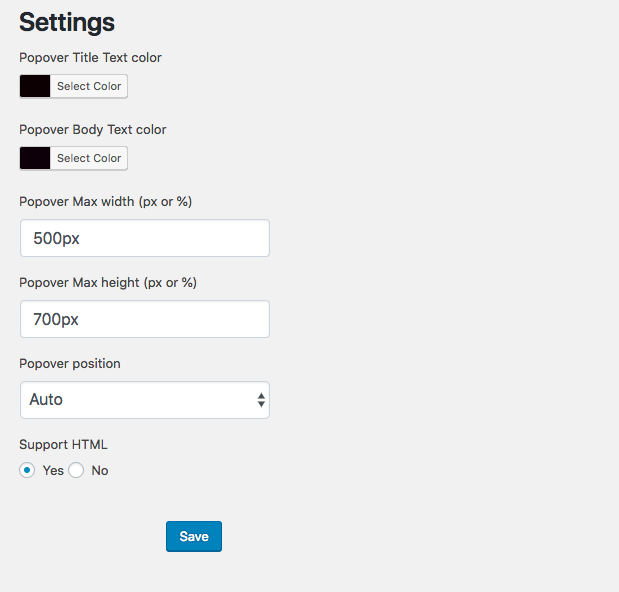
Settings Page 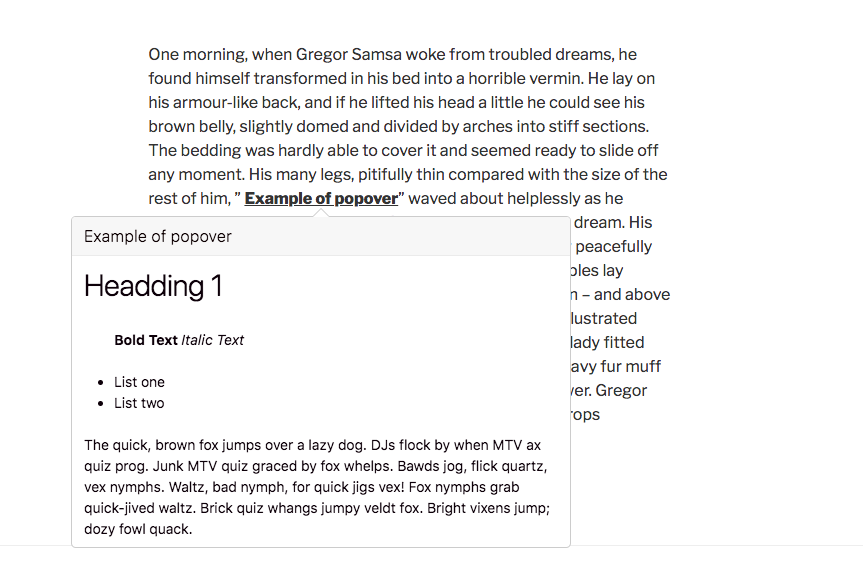
Front-end example
Ìgbéwọlẹ̀
- Download and install the plugin from WordPress dashboard. You can also upload the entire “wpob popover” folder to the
/wp-content/plugins/directory - Activate the plugin through the ‘Plugins’ menu in WordPress
FAQ
- Installation Instructions
-
- Download and install the plugin from WordPress dashboard. You can also upload the entire “wpob popover” folder to the
/wp-content/plugins/directory - Activate the plugin through the ‘Plugins’ menu in WordPress
- Download and install the plugin from WordPress dashboard. You can also upload the entire “wpob popover” folder to the
- What about support?
-
Create a support ticket at WordPress forum and I will take care of any issue.
- Can I change color popover text
-
Yes, you can change it from settings page.
- How I use this plugin
-
Please check ‘how to use’ sub menu form plugin.
- Can it support any page builder
-
Yes, it support any page builder in content.
Àwọn àgbéyẹ̀wò
Kò sí àwọn àgbéyẹ̀wò fún plugin yìí.
Àwọn Olùkópa & Olùgbéejáde
“WP Popover” jẹ́ ètò ìṣàmúlò orísun ṣíṣí sílẹ̀. Àwọn ènìyàn wọ̀nyí ti ṣe ìkópa sí plugin yìí.
Àwọn Olùkópa
Ṣe o nífẹ̀ẹ́ sí ìdàgbàsókè?
Ṣàwárí koodu, ṣàyẹ̀wò ibi ìpamọ́ SVN, tàbí ṣe àgbékalẹ̀ sí àkọsílẹ̀ ìdàgbàsókè nípasẹ̀ RSS.
Àkọsílẹ̀ àwọn àyípadà
1.0.0
- Initial release.