
Àpèjúwe
A simple plugin that you can use that will let your clients contact you from right on their dashboard. The email you get
from them will include a bunch of diagnostic info that you can use to help get an idea about the problem.
This includes:
- PHP Version
- Server type (Apache / Ngnix)
- MySQL version
- WordPress version
- Site URL
- Active plugins
- Inactive plugins
- And more!
If you have any questions feel free to visit my website http://www.moeloubani.com and ask.
Enjoy!
Àwọn àwòrán ìbòjú

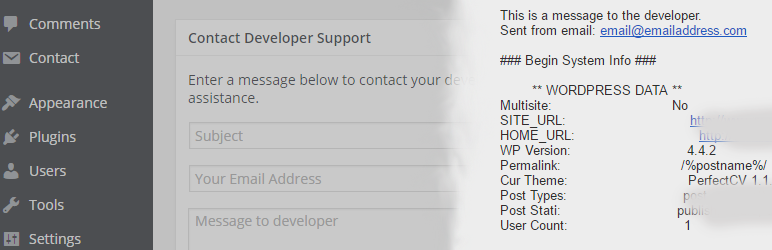
This shows how the default form looks on your dashboard. 
This is an example of the email you get when someone sends a message from the form.
Ìgbéwọlẹ̀
- Upload the plugin files to the
/wp-content/plugins/wpdashsupportdirectory, or install the plugin through the WordPress plugins screen directly. - Activate the plugin through the ‘Plugins’ screen in WordPress
- Make sure to set your developer email in the general settings area
FAQ
- Installation Instructions
-
- Upload the plugin files to the
/wp-content/plugins/wpdashsupportdirectory, or install the plugin through the WordPress plugins screen directly. - Activate the plugin through the ‘Plugins’ screen in WordPress
- Make sure to set your developer email in the general settings area
- Upload the plugin files to the
- Where can I find the settings page after IÌtumọ̀ Yorùbá: ’ve hidden it?
-
To get back to your settings page just go to http://yourwpsite.com/wp-admin/options.php?page=dash_support_settings
Àwọn àgbéyẹ̀wò
Kò sí àwọn àgbéyẹ̀wò fún plugin yìí.
Àwọn Olùkópa & Olùgbéejáde
“WP Dash Support” jẹ́ ètò ìṣàmúlò orísun ṣíṣí sílẹ̀. Àwọn ènìyàn wọ̀nyí ti ṣe ìkópa sí plugin yìí.
Àwọn Olùkópa
Túmọ̀ “WP Dash Support” sí èdè rẹ.
Ṣe o nífẹ̀ẹ́ sí ìdàgbàsókè?
Ṣàwárí koodu, ṣàyẹ̀wò ibi ìpamọ́ SVN, tàbí ṣe àgbékalẹ̀ sí àkọsílẹ̀ ìdàgbàsókè nípasẹ̀ RSS.
Àkọsílẹ̀ àwọn àyípadà
1.1.2
- Fixed bug with email field named wrong
1.1.1
- Fixed bug with missing file
1.1
- Added a settings page under the Settings area
- Added option to customize message above form
- Added a way to hide the settings once they are set
- Added an admin notice on activation to bug you until you set a developer email
1.0
- First version of the plugin