
Àpèjúwe
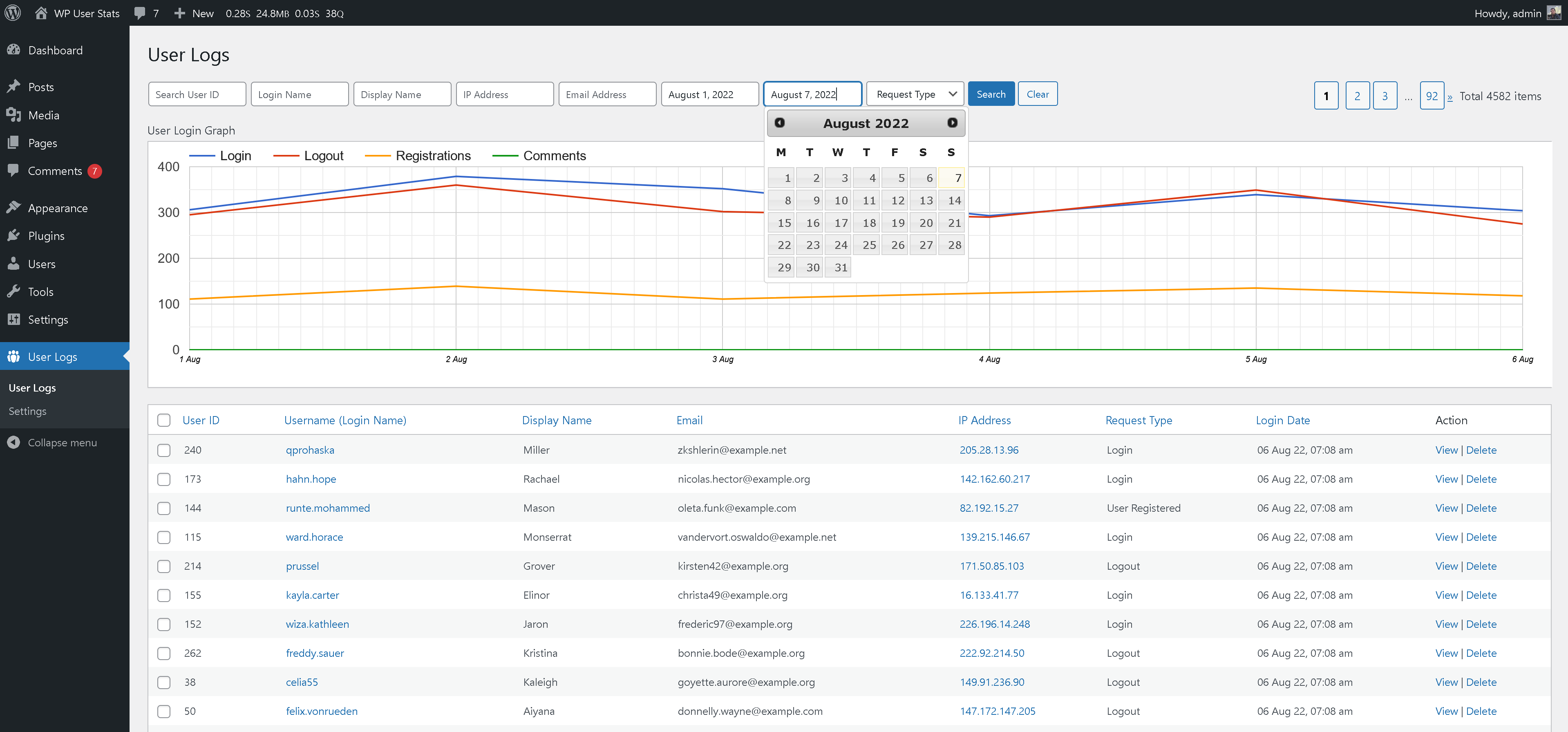
User Logs plugin allows you to monitor user activity on your website. View user logins, logouts, comments and user registrations.
- The plugin helps fight spam. Filter the logs by IP address to find out any suspicious activity.
- Interact with Google line chart for a better view at spikes in user registrations, logins, comments etc. Filter data as per your requirement.
- The plugin is Light weight and fast.
WhatÌtumọ̀ Yorùbá: ’s Next
If you find this plugin useful, please leave a good rating.
You can also provide us feedback here
Credits
This plugin is created by Vikas Sharma.
Àwọn àwòrán ìbòjú



Ìgbéwọlẹ̀
- Extract
user_logs.zipto your/wp-content/plugins/directory. - In the admin area, in plugins page, activate the plugin Ìtumọ̀ Yorùbá: – User Logs.
If you need any further help, please contact our support desk.
Àwọn àgbéyẹ̀wò

Ògún 8, 2023
With no complications or unnecessary options, this plugin does a perfect work.

Ògún 10, 2022
New plugin for viewing user logs.
Àwọn Olùkópa & Olùgbéejáde
“User Logs” jẹ́ ètò ìṣàmúlò orísun ṣíṣí sílẹ̀. Àwọn ènìyàn wọ̀nyí ti ṣe ìkópa sí plugin yìí.
Àwọn Olùkópa
Ṣe o nífẹ̀ẹ́ sí ìdàgbàsókè?
Ṣàwárí koodu, ṣàyẹ̀wò ibi ìpamọ́ SVN, tàbí ṣe àgbékalẹ̀ sí àkọsílẹ̀ ìdàgbàsókè nípasẹ̀ RSS.