

Àpèjúwe
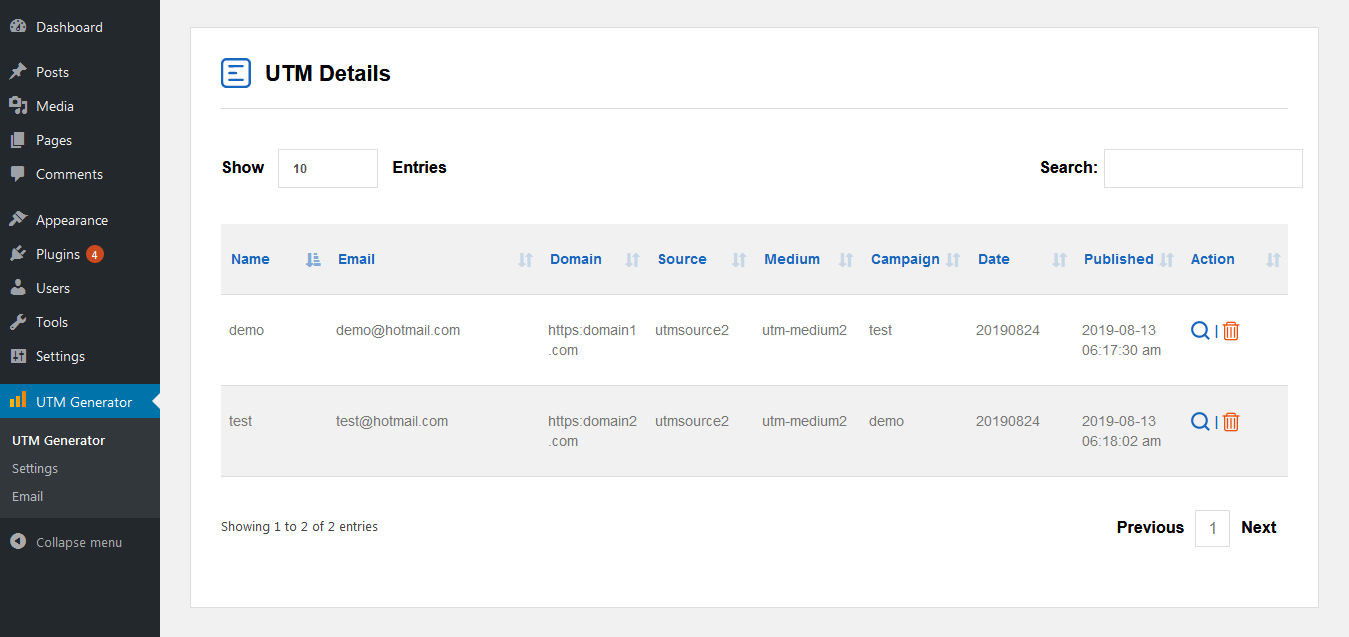
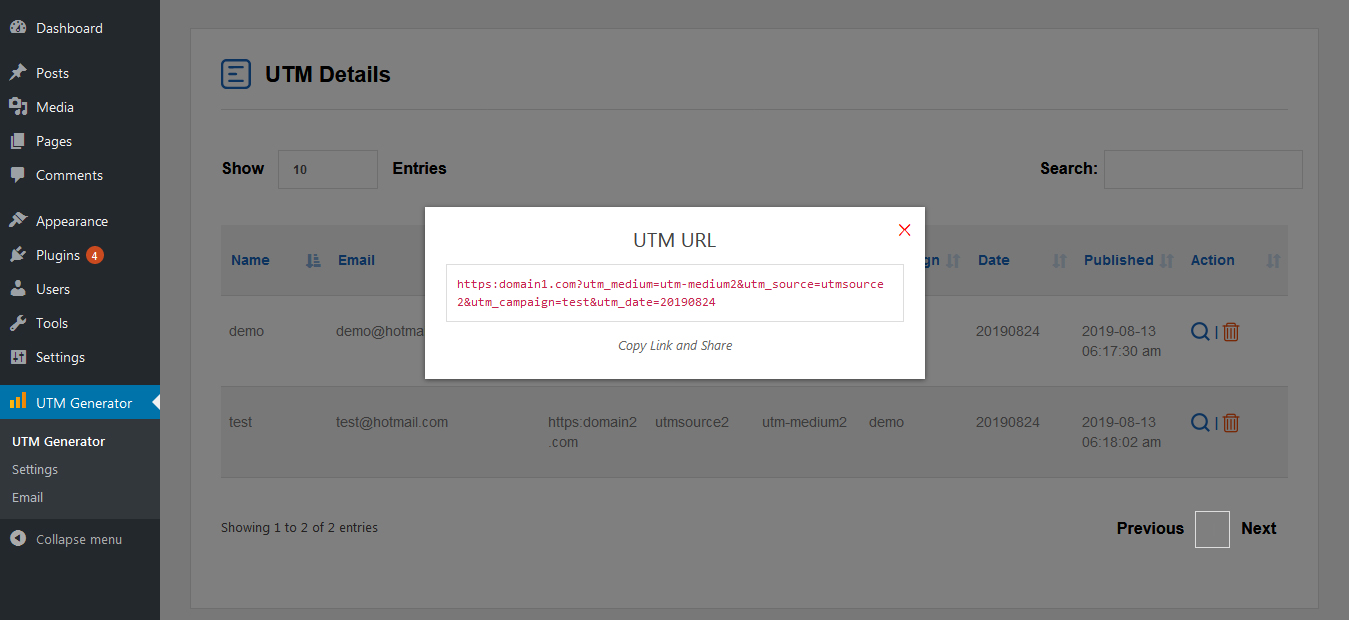
UTM Generator plugin allows you to easily add campaign parameters to URLs so you can track your Custom Campaigns for your website. These campaign parameters can be Campaign name, Source, Medium etc. that will be included into auto generated URL when you press Generate button.
You can add parameters and values to your URLs manually, but UTM Generator provides you the platform where you just need to enter desired parameters and it will auto-generate campaign URL for you.
How to use
- First Activate Plugin.
- Go to settings Menu and save settings.
- Paste shortcode [tru_utm_generator] in your pages or posts to generate utm links
Minimum requirements for UTM generator
- WordPress 3.3+
- PHP 5.x
- MySQL 5.x
If any problem occurs, please contact us at [email protected].
Àwọn àwòrán ìbòjú


Ìgbéwọlẹ̀
- Upload the
tru-utm-generatorfolder to the directory/wp-content/plugins/. - Activate the plugin using the ‘Plugins’ menu in WordPress.
Àwọn àgbéyẹ̀wò
Kò sí àwọn àgbéyẹ̀wò fún plugin yìí.
Àwọn Olùkópa & Olùgbéejáde
“UTM Generator” jẹ́ ètò ìṣàmúlò orísun ṣíṣí sílẹ̀. Àwọn ènìyàn wọ̀nyí ti ṣe ìkópa sí plugin yìí.
Àwọn Olùkópa
Túmọ̀ “UTM Generator” sí èdè rẹ.
Ṣe o nífẹ̀ẹ́ sí ìdàgbàsókè?
Ṣàwárí koodu, ṣàyẹ̀wò ibi ìpamọ́ SVN, tàbí ṣe àgbékalẹ̀ sí àkọsílẹ̀ ìdàgbàsókè nípasẹ̀ RSS.