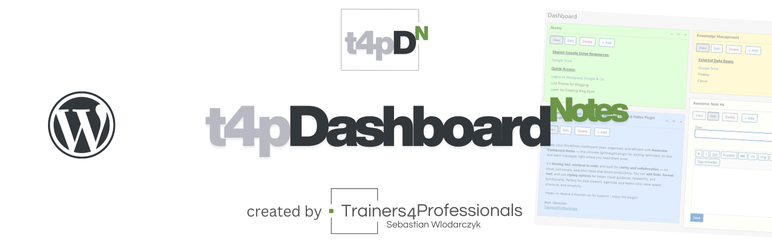

Àpèjúwe
T4P Dashboard Notes lets you create beautiful, formatted notes directly on your WordPress dashboard.
Ideal for:
Ìtumọ̀ Yorùbá: – Quick reminders for yourself or your team
Ìtumọ̀ Yorùbá: – Instructions for editors or clients
Ìtumọ̀ Yorùbá: – Internal documentation and workflow notes
Ìtumọ̀ Yorùbá: – Onboarding checklists
Ìtumọ̀ Yorùbá: – Sticky notes for tasks, ideas, and drafts
✨ Features
- Add unlimited dashboard notes
- Colored note backgrounds for visual organization
- Rich text editor with headings, lists, links, bold/italic formatting
- Custom note titles
- Drag & drop positioning of widgets
- Fast “Add Note” button directly on the dashboard
- Edit, View, and Delete actions directly on the note
- Lightweight & clean – no unnecessary scripts or settings
Perfect for agencies, site managers, editors, and anyone who wants to keep important information visible on the dashboard.
Àwọn àwòrán ìbòjú

Ìgbéwọlẹ̀
- Upload the plugin files to
/wp-content/plugins/t4p-dashboard-notes/, or install it through the WordPress Plugins screen. - Activate the plugin through Plugins Installed Plugins.
- Go to your Dashboard and click “Add Note”.
- Edit the title, add text, choose a background color, and save.
FAQ
-
Can I show notes only to administrators?
-
Yes. Dashboard notes appear only for logged-in users with access to the dashboard (typically Editors, Admins, or custom roles depending on your site).
-
Can I export or back up notes?
-
Yes. Notes are saved as custom post types and included in normal site backups.
-
Will this slow down my dashboard?
-
No. The plugin is lightweight, loads only on the dashboard, and adds no external scripts.
-
Can I customize the colors further?
-
More customization features are planned for upcoming releases.
Àwọn àgbéyẹ̀wò
Kò sí àwọn àgbéyẹ̀wò fún plugin yìí.
Àwọn Olùkópa & Olùgbéejáde
“T4P Dashboard Notes” jẹ́ ètò ìṣàmúlò orísun ṣíṣí sílẹ̀. Àwọn ènìyàn wọ̀nyí ti ṣe ìkópa sí plugin yìí.
Àwọn Olùkópa
Túmọ̀ “T4P Dashboard Notes” sí èdè rẹ.
Ṣe o nífẹ̀ẹ́ sí ìdàgbàsókè?
Ṣàwárí koodu, ṣàyẹ̀wò ibi ìpamọ́ SVN, tàbí ṣe àgbékalẹ̀ sí àkọsílẹ̀ ìdàgbàsókè nípasẹ̀ RSS.
Àkọsílẹ̀ àwọn àyípadà
1.0.4
- Initial public release
- Added rich text editor
- Added color selection
- Added drag-and-drop placement
- Added Add/Edit/Delete actions