
Àpèjúwe
There are a lot of really well done, inclusive membership plugins out there… but sometimes they are overkill. Simple Members Area
allows you to setup a section of your site that logged in users can access in a matter of minutes.
The premise is simple, you create your “members area” by creating pages and saving them as “private.” Then you can choose which
private page your members should be redirected to upon login. Conceivably this page would have links to your other private pages
(if there are any.)
With this plugin you can have a default landing page or have a specific page for each user as well.
Àwọn àwòrán ìbòjú
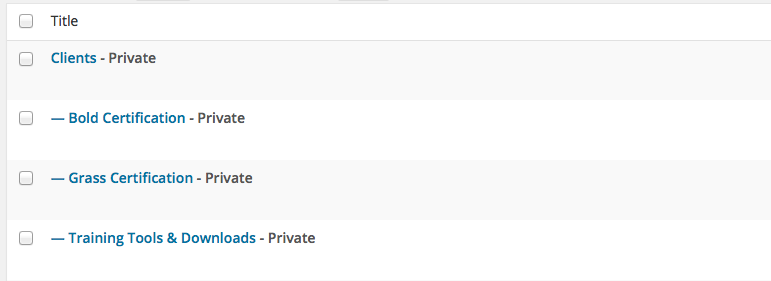
Members can be assigned a landing page

You can assign a “default landing page” for those who don’t have a page specified

All you have to do is make pages “private” and you have a members area
Ìgbéwọlẹ̀
This section describes how to install the plugin and get it working.
e.g.
- Upload the ‘simple-members-area’ to the ‘/wp-content/plugins/’ directory
- Activate the plugin through the ‘Plugins’ menu in WordPress
- Create a page that you’d like to be the landing page for your users and save it as “private”
- Add a user with the role of “member”
- Select the private page you just added as their login page
- You’re done! When the user logs in they will be redirected to the appropriate page
FAQ
- Do pages have to be private?
-
Technically no, but then anyone can access them if they have the web address.
- How do I remove “PRIVATE” from the begining of the page title?
-
I’d recommend using the WordPress Helpers plugin
- Can I have an entire members section?
-
Absolutely. Create as many private pages as you’d like, then make one parent page that has links to all of them. Just
select the parent page as the users landing page.

Àwọn Olùkópa & Olùgbéejáde
“Simple Members Area” jẹ́ ètò ìṣàmúlò orísun ṣíṣí sílẹ̀. Àwọn ènìyàn wọ̀nyí ti ṣe ìkópa sí plugin yìí.
Àwọn Olùkópa
Túmọ̀ “Simple Members Area” sí èdè rẹ.
Ṣe o nífẹ̀ẹ́ sí ìdàgbàsókè?
Ṣàwárí koodu, ṣàyẹ̀wò ibi ìpamọ́ SVN, tàbí ṣe àgbékalẹ̀ sí àkọsílẹ̀ ìdàgbàsókè nípasẹ̀ RSS.
Àkọsílẹ̀ àwọn àyípadà
1.0
- Initial release