

Àpèjúwe
SEO Custom Fields plugin allows you to add custom meta tags for category and tag pages. This plugin will be useful for you in case if your SEO plugin doesn’t support setting of meta tags for category and tag pages.
You can override the title and set meta description and meta keywords for category and tag pages.
It doesn’t demand spacial tuning or coding. Just usual installation
Àwọn àwòrán ìbòjú

Set a limit number of symbols for meta tags 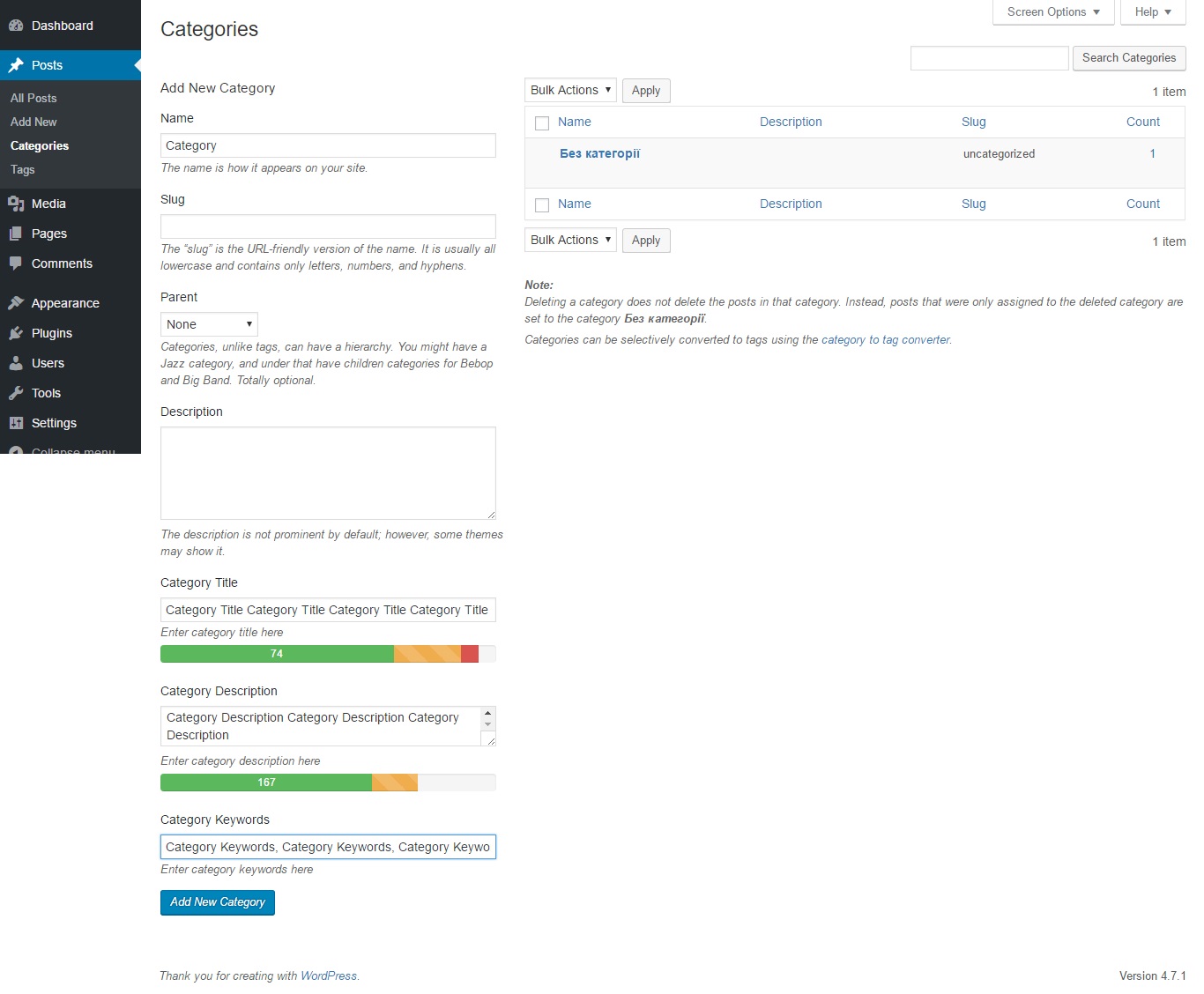
Add custom meta tags for category 
Edit meta tags for category
Ìgbéwọlẹ̀
From your WordPress dashboard
- Visit ‘Plugins > Add New’
- Search for ‘SEO Custom Fields’
- Activate SEO Custom Fields from your Plugins page.
From WordPress.org
- Download SEO Custom Fields.
- Upload the ‘SEO Custom Fields’ directory to your ‘/wp-content/plugins/’ directory, using your favorite method (ftp, sftp, scp, etc…)
- Activate SEO Custom Fields from your Plugins page.
Once Activated
- Visit plugin options (Settings – SEO Custom Fields)
- Set a limit number of symbols for meta tags, title and description.
- Fill in appropriate tag words and description in additional fields which are appeared on categories and tag pages of WP menu after plugin installation.
- That’s it!
Àwọn àgbéyẹ̀wò
Kò sí àwọn àgbéyẹ̀wò fún plugin yìí.
Àwọn Olùkópa & Olùgbéejáde
“SEO Custom Fields” jẹ́ ètò ìṣàmúlò orísun ṣíṣí sílẹ̀. Àwọn ènìyàn wọ̀nyí ti ṣe ìkópa sí plugin yìí.
Àwọn Olùkópa

Túmọ̀ “SEO Custom Fields” sí èdè rẹ.
Ṣe o nífẹ̀ẹ́ sí ìdàgbàsókè?
Ṣàwárí koodu, ṣàyẹ̀wò ibi ìpamọ́ SVN, tàbí ṣe àgbékalẹ̀ sí àkọsílẹ̀ ìdàgbàsókè nípasẹ̀ RSS.
Àkọsílẹ̀ àwọn àyípadà
1.0.2
- Fixed bug with tag pages, correction styles
1.0.1
- Correction of a lack of formation of styles administrator’s panels
1.0.0
- Startup version
For more details visit plugin page