

Àpèjúwe
Have you ever been frustrated with finding contact info or some other short important info? Now you have the ability to provide these info quick and easy with PopUp Everything.
No hard work, all you need to do, is provide the plugin with the info you want display and your siteguests can easily find your info.
Filling out the phone no. will let mobile device visitors be able to click on the icon to call you directly.
Also supports links with icons to the major Social Networks.
– Facebook
– Instagram
– Twitter
– Google+
– LinkedIn
– Pinterest
You can even add a popup with WordPress shortcodes to the new content area to display a contact forms or newsletter signups.
Àwọn àwòrán ìbòjú

Here we have a look at the admin option panel. 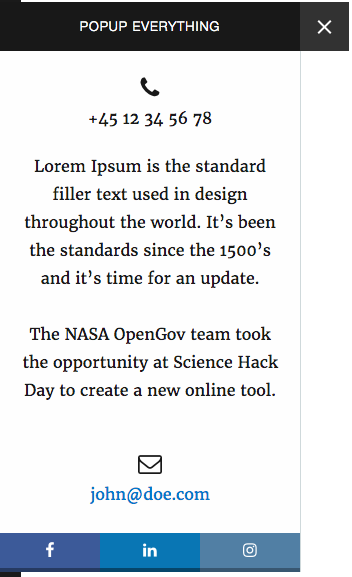
Here we are looking at how it could look on the front-end. The real result may vary from your options.
Ìgbéwọlẹ̀
From your WordPress dashboard
1. Visit \’Plugins > Add New\’
2. Search for \’PopUp Everything\’
3. Activate PopUp Everything from your Plugins page.
4. Visit \’Settings > PopUp Everything\’ and fill out the fields that you wish to display. (You can always delete the content later on.)
Manually from WordPress.org
1. Download PopUp Everything.
2. Upload the \’popup-everything\’ directory to your \’/wp-content/plugins/\’ directory, using your favorite method (ftp, sftp, scp, etc…)
3. Activate PopUp Everything from your Plugins page.
4. Visit \’Settings > PopUp Everything\’ and fill out the fields that you wish to display. (You can always delete the content later on.)
FAQ
How do I change color on the toggle icon?
Use following styles in your theme:
- Installation Instructions
-
From your WordPress dashboard
1. Visit \’Plugins > Add New\’
2. Search for \’PopUp Everything\’
3. Activate PopUp Everything from your Plugins page.
4. Visit \’Settings > PopUp Everything\’ and fill out the fields that you wish to display. (You can always delete the content later on.)Manually from WordPress.org
1. Download PopUp Everything.
2. Upload the \’popup-everything\’ directory to your \’/wp-content/plugins/\’ directory, using your favorite method (ftp, sftp, scp, etc…)
3. Activate PopUp Everything from your Plugins page.
4. Visit \’Settings > PopUp Everything\’ and fill out the fields that you wish to display. (You can always delete the content later on.) - contactbox-checkbox-toggle:hover { background: blue; }
-
Note: Change red and blue with the color codes you like. Use hex or rgb(a).
Àwọn àgbéyẹ̀wò
Kò sí àwọn àgbéyẹ̀wò fún plugin yìí.
Àwọn Olùkópa & Olùgbéejáde
“PopUp Everything” jẹ́ ètò ìṣàmúlò orísun ṣíṣí sílẹ̀. Àwọn ènìyàn wọ̀nyí ti ṣe ìkópa sí plugin yìí.
Àwọn Olùkópa

Túmọ̀ “PopUp Everything” sí èdè rẹ.
Ṣe o nífẹ̀ẹ́ sí ìdàgbàsókè?
Ṣàwárí koodu, ṣàyẹ̀wò ibi ìpamọ́ SVN, tàbí ṣe àgbékalẹ̀ sí àkọsílẹ̀ ìdàgbàsókè nípasẹ̀ RSS.
Àkọsílẹ̀ àwọn àyípadà
1.0.1 – 02. August 2016
* Added screenshots and updated description.
1.0 – 29. July 2016
* Initial release.