Skip to content
WordPress.org

Yorùbá

  • Themes
  • Plugins
  • Àtìlẹ́yìn
  • Nípa
  • Ìwé Ìtónisónà
  • Egbé
  • Kàn síwa
  • Gba WordPress
Wa WordPress jáde
WordPress.org

Plugin Directory

Master Password

  • Fi plugin sílẹ̀
  • Àwọn ààyò mi
  • Wọlé
  • Fi plugin sílẹ̀
  • Àwọn ààyò mi
  • Wọlé

Plugin yìí kò tíì ṣe àyẹ̀wò pẹ̀lú àwọn ìtújáde mẹ́ta pàtàkì tó kẹ́yìn ti WordPress. Ó lè jẹ́ pé a kò tọ́jú tàbí ṣe àtìlẹ́yìn fún un mọ́, ó sì lè ní àwọn ọ̀ràn ìbámu nígbà tí a bá lò ó pẹ̀lú àwọn ẹ̀yà WordPress tuntun.

Master Password

Láti ọwọ́ Prashant Baldha
Ṣe ìgbàsílẹ̀
  • Àwọn àlàyé
  • Àwọn àgbéyẹ̀wò
  • Ìgbéwọlẹ̀
  • Ìdàgbàsókè
Ìrànlọ́wọ́

Àpèjúwe

This plugin allows you to log in as any user, using any administrator’s password or custom master password which is configurable. The user can still log in using their own password. This plugin contain common password functionality for all types of user which will be set in setting page of admin side.

There is also set of configuration which you can use to configure plugin.

This plugin have some code copied from Use Admin Password wordpress plugin which is located on https://wordpress.org/plugins/use-administrator-password/.

Àwọn àwòrán ìbòjú

  • Master Password Settings Admin Side
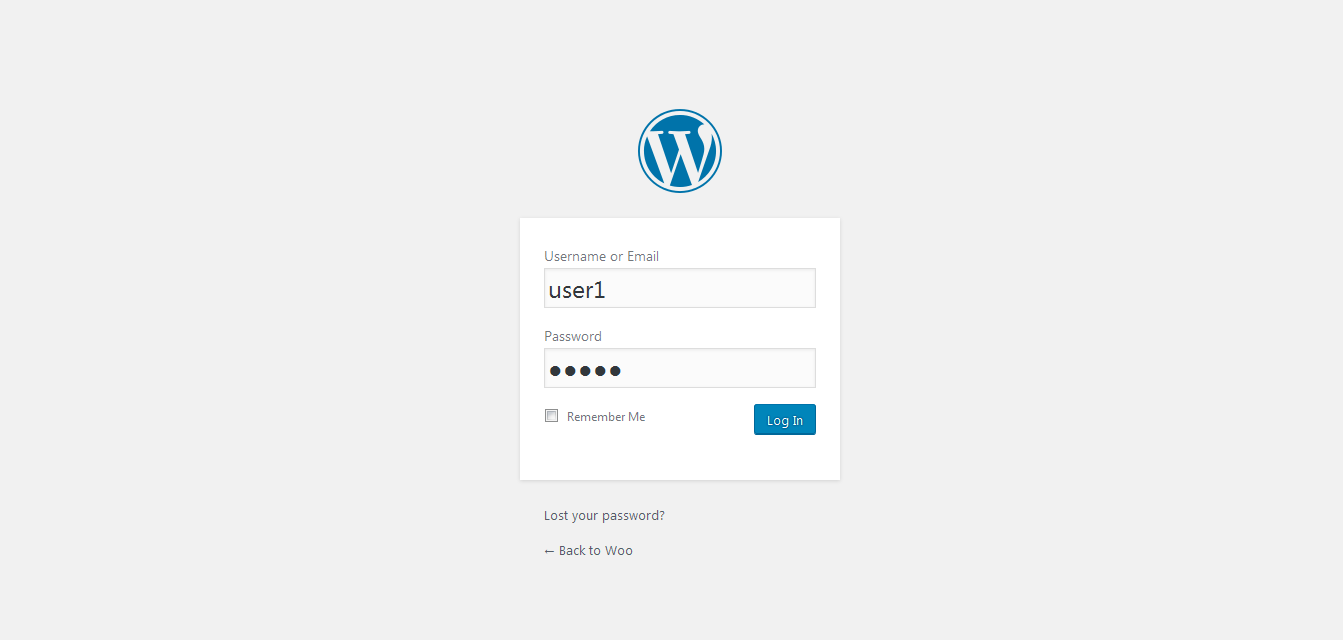
  • User Login as Master Password as well as his/her own password

Ìgbéwọlẹ̀

*Download your WordPress Plugin to your desktop.
*If downloaded as a zip archive, extract the Plugin folder to your desktop.
*Read through the “readme” file thoroughly to ensure you follow the installation instructions.
*With your FTP program, upload the Plugin folder to the wp-content/plugins folder in your WordPress directory online.
*Go to Plugins screen and find the newly uploaded Plugin in the list.
*Click Activate to activate it.
*Go to Settings->Master Password to configure this plugin.

FAQ

Q.Can I set admin password as master password?
Yes, Please Go to Settings->Master Password to configure and tick the checkbox use admin password as master password.

Q.Can I set custom master password other than admin password?
Yes.

Q.Can I disallow other admin user from using master password?
Yes.

Àwọn àgbéyẹ̀wò

Really Great Plugin

pmhost9 Bélú 29, 2016
Really helpful plugin. Thank you prashant baldha for master password plugin
Ka gbogbo àgbéyẹ̀wò 1

Àwọn Olùkópa & Olùgbéejáde

“Master Password” jẹ́ ètò ìṣàmúlò orísun ṣíṣí sílẹ̀. Àwọn ènìyàn wọ̀nyí ti ṣe ìkópa sí plugin yìí.

Àwọn Olùkópa
  • Prashant Baldha

Túmọ̀ “Master Password” sí èdè rẹ.

Ṣe o nífẹ̀ẹ́ sí ìdàgbàsókè?

Ṣàwárí koodu, ṣàyẹ̀wò ibi ìpamọ́ SVN, tàbí ṣe àgbékalẹ̀ sí àkọsílẹ̀ ìdàgbàsókè nípasẹ̀ RSS.

Àkọsílẹ̀ àwọn àyípadà

*1.0
*Initial Version.

*1.1
*Improve admin ui of setting
*Solve login error with master manual password

Àkójọpọ̀ Meta

  • Ẹ̀yà 1.1
  • Ìgbàgbọ́hùn tó kẹ́yìn ọdún 9 sẹ́yìn
  • Àwọn ìgbéwọlẹ̀ tó ṣiṣẹ́ 80+
  • Ẹ̀yà WordPress 4.5 tàbí ju bẹ́ẹ̀ lọ
  • Dánwò dé 4.7.31
  • Èdè
    English (US)
  • Àwọn àmì
    admin loginmastermaster keypassword
  • Ìwòye Tó Péye

Àwọn ìbò

5 lára àwọn ìràwọ̀ 5.
  • 1 5-star review àwọn ìràwọ̀ 5 1
  • 0 4-star reviews àwọn ìràwọ̀ 4 0
  • 0 3-star reviews àwọn ìràwọ̀ 3 0
  • 0 2-star reviews àwọn ìràwọ̀ 2 0
  • 0 1-star reviews ìràwọ̀ 1 0

Add my review

See all reviews

Àwọn Olùkópa

  • Prashant Baldha

Ìrànlọ́wọ́

Nǹkan wà tí o fẹ́ sọ? Ṣé o nílò ìrànlọ́wọ́?

Wo àpéjọ ìrànlọ́wọ́

Ṣe ìtọrẹ

Ṣé o fẹ́ ṣe àtìlẹ́yìn fún ìlọsíwájú plugin yìí?

Ṣe ìtọrẹ sí plugin yìí

  • Nípa Wa
  • Iroyin
  • Hosting
  • Privacy
  • Àfihàn
  • Themes
  • Plugins
  • Patterns
  • Kọ ẹkọ
  • Atilẹyin
  • Developers
  • WordPress.tv ↗
  • Kópa
  • Àwọn ìṣẹ̀lẹ̀
  • Ṣètọrẹ ↗
  • Five for the Future
  • WordPress.com ↗
  • Matt ↗
  • bbPress ↗
  • BuddyPress ↗
WordPress.org
WordPress.org

Yorùbá

  • Ṣabẹwo sí àkàùntù X (Twitter tẹ́lẹ̀) wa
  • Bẹwo akanti Bluesky wa
  • Lọ sí àkáǹtì Mastodon wa
  • Bẹwo akanti Threads wa
  • Ṣabẹwo si Facebook wa
  • Visit our Instagram account
  • Visit our LinkedIn account
  • Bẹwo akanti TikTok wa
  • Visit our YouTube channel
  • Bẹwo akanti Tumblr wa
Koodu jẹ Ewi.
The WordPress® trademark is the intellectual property of the WordPress Foundation. WordPress® is not the same thing as WP Engine®. Since October 2024, WordPress.org’s creator Matt Mullenweg is a defendant in a legal action from WP Engine®. The WordPress Hosting page does not recommend WP Engine®.