

Àpèjúwe
With this plugin you can add Rakuten products in your website.
Links: Rakuten Developers | Author’s Profile | Author’s Site
Àwọn àwòrán ìbòjú

Click on the Rakuten Button
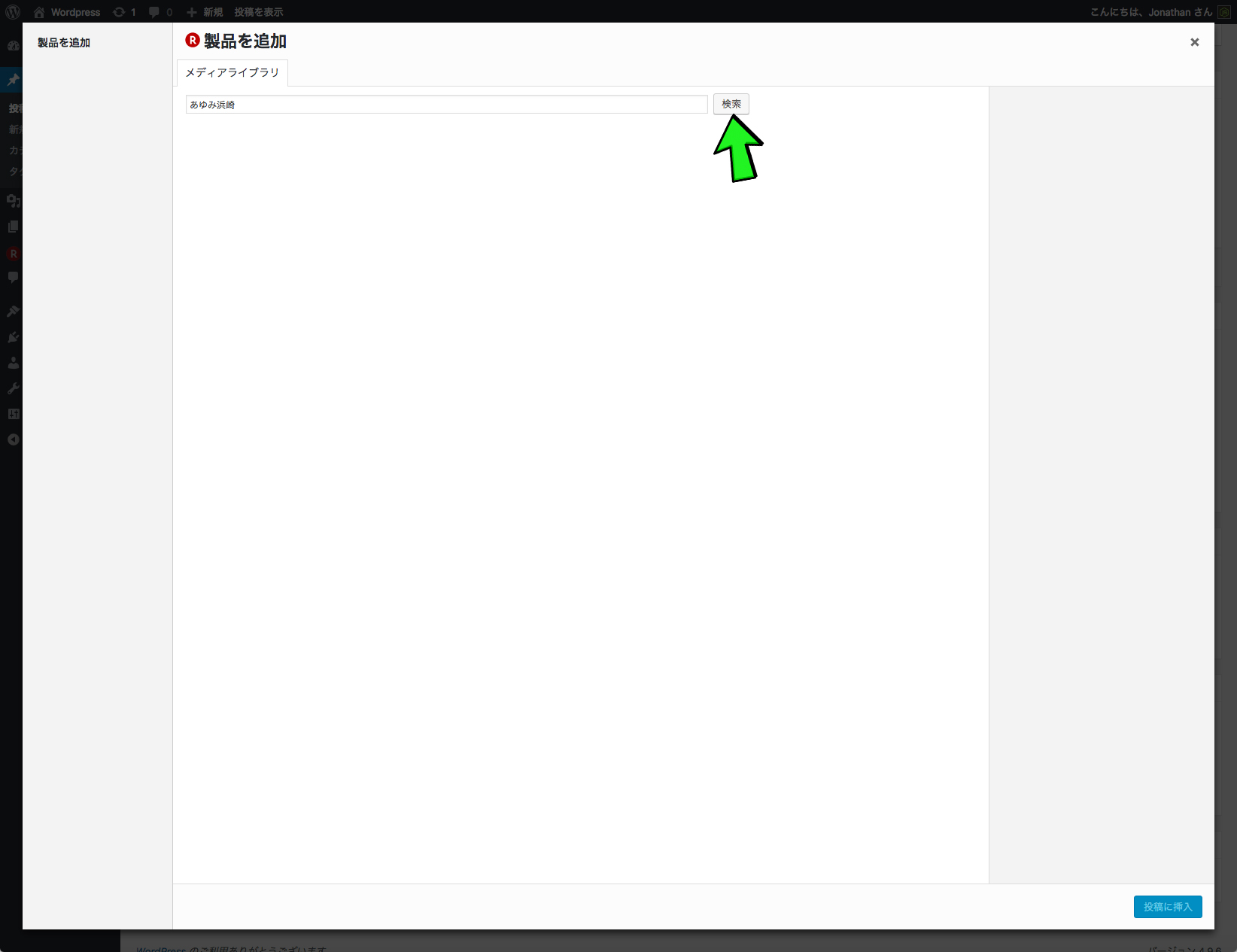
Search your item(s) (ex: あゆみ浜崎)

Select the items that you want to add in your post

A Shortcode will be create

After publish your post, you can see your items
Ìgbéwọlẹ̀
- Visit Plugins > Add New
- Search for “Ad Rakuten”
- Activate Ad Rakuten from your Plugins page
- Click on the new menu item “Rakuten” and enter your Rakuten API key.
FAQ
- Installation Instructions
-
- Visit Plugins > Add New
- Search for “Ad Rakuten”
- Activate Ad Rakuten from your Plugins page
- Click on the new menu item “Rakuten” and enter your Rakuten API key.
Àwọn àgbéyẹ̀wò
Kò sí àwọn àgbéyẹ̀wò fún plugin yìí.
Àwọn Olùkópa & Olùgbéejáde
“Ad Rakuten” jẹ́ ètò ìṣàmúlò orísun ṣíṣí sílẹ̀. Àwọn ènìyàn wọ̀nyí ti ṣe ìkópa sí plugin yìí.
Àwọn Olùkópa
A ti túmọ̀ “Ad Rakuten” sí èdè agbègbè 1 kan. Ọpẹ́lọpẹ́ fún àwọn atúmọ̀ èdè fún àwọn ìkópa wọn.
Ṣe o nífẹ̀ẹ́ sí ìdàgbàsókè?
Ṣàwárí koodu, ṣàyẹ̀wò ibi ìpamọ́ SVN, tàbí ṣe àgbékalẹ̀ sí àkọsílẹ̀ ìdàgbàsókè nípasẹ̀ RSS.
Àkọsílẹ̀ àwọn àyípadà
0.0.9
- add additional search options: Keyword (default)
New: Genre ID, Item code, Shop code
0.0.8
- add the first customize options for the no developers peoples.
=> The developers can use the wordpress filter, example:
add_filter( “rakuten_item_price_color”, “my_custom_price_color”, 10, 1 );
=> or the developers can use the wordpress hook, example:
add_action(‘wp_head’, ‘my_custom_head’);
0.0.7
- remove $rakuten_translation + rakuten_translation() and use __() function (@garyj, @tobifjellner and @peexy : thank you for your help)
0.0.6
- add the function : get_rakuten_item_tpl() + apply_filters
- translate second test
0.0.3
- translate test: https://translate.wordpress.org/
0.0.2
- first commit
0.0.1
- first release