WordPress Nonce Cache

WordPress Nonce Cache

by admin

WordPress Nonces system protects URLs and forms from certain types of misuse, malicious or otherwise.

The meaning of the Nonce is “number used once” and a Nonce has a life time. If it expired, the request which contains a Nonce cannot be completed and the request fails.

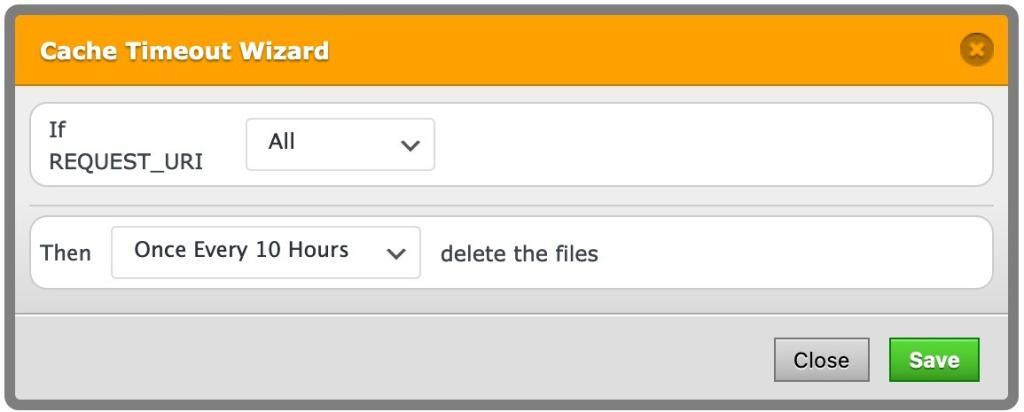
If a page is cached, the Nonce value is cached as well. If the cache is not cleared “twice a day”, the Nonce is expired so we need to add a cache timeout rule as below.

Solution

1. Open the “Delete Cache” tab

2. Set cache timeout as below
Related articles

Placeholder Image
Clear Cache After Posting Comment

The cache of the page is cleared automatically after the comment is approved of.

How to Enable Gzip Compression in WordPress

Used by more than half of all websites, Gzip Compression remains popular today.

Placeholder Image
How to Remove the Footer Comment

By default, WP Fastest Cache adds an HTML comment in the page footer that indicates when and for how long…

Ready to get started?

Purchase your first license and see why 1,500,000+ websites globally around the world trust us.