
 Windows Central Insider


HP is one of the world's top-selling laptop brands, and its expertise covers everything from budget consumer PCs to secure business devices to high-end gaming laptops.
A visit to HP's storefront reveals countless different makes and models, and attempting to find the perfect Windows laptop for your needs isn't always easy.
And because HP's laptop brands recently underwent a shift, it can be harder to decipher what's made for business, what's made for regular users, and what's made for gaming.
I'm here to decipher all of HP's new laptop brands while making some suggestions for which names are the best for certain types of users.
Update May 27, 2026: I've updated this guide with the latest information from HP's website, including new models and performance hardware. — Cale Hunt
HP's huge 2024 PC rebrand explained

HP's laptop ecosystem has changed a lot in the last year following a near-complete rebranding in May 2024.
Recognizable brands like Spectre (since 2012), Envy (since 2009), and Pavilion (since 1995) have been retired, although you can still find models for sale from before the shakeup; they're slowly being phased out.
It plays out like this: OmniBook is the new umbrella term for HP's consumer laptops. Spectre, Envy, and Pavilion now fall under this name, and HP has differentiated models with letters and numbers.
For example, the high-end Spectre lineup is now known as OmniBook Ultra, with OmniBook X sitting one tier below.
Envy and Pavilion laptops are now split into OmniBook 7, 5, and 3. The laptops get more affordable as the numbers get smaller.
In the same vein on the commercial side: HP's EliteBook laptops come in Ultra, X, 8, and 6 versions. The budget business PCs are called ProBook with 4 and 2 versions.
HP's gaming laptops haven't been rebranded, so the usual OMEN and Victus lineups are still in place.
The HP rebrand coincided with the launch of Copilot+ PCs, which brought a considerable amount of new Qualcomm Snapdragon X-powered laptops with AI tools built into Windows 11.
This wasn't an accident. As HP stated in its press release from May 2024:
"[…] as AI PCs quickly transform the personal computing landscape, we saw an opportunity to take increasingly complex technology and communicate it in a strikingly simple way.”
The rebrand is the right move for the sake of simplicity, and "OmniBook" already has a history at HP dating back to 1993.
HP's OmniBook lineup of consumer laptops
HP's simplification focus sees consumer laptops like Spectre, Pavilion, and the standard "HP Laptop" brand become OmniBook.
While it might seem at first more difficult to differentiate models, HP's numbering and lettering system is straightforward.
HP OmniBook Ultra and Ultra Flip

The OmniBook Ultra, as the top tier, is expected to deliver the best mix of design, features, display, performance, and battery life. These laptops also come with the highest price tags.
HP offers both notebook and convertible (with the Flip name added) OmniBook Ultra laptops, and at least for now, they're all sized at 14 inches. By default, they come with an OLED display.
Former Windows Central writer Zachary Boddy reviewed the OmniBook Ultra Flip 14, calling it a worthy successor to the Spectre x360 and handing it an Editor's Choice award.
All of the new OmniBook Ultra laptops are AI PCs, and the modern Intel and AMD hardware options have enough Neural Processing Unit (NPU) power to handle Copilot+ tools built into Windows 11.
If you want one of the absolute best consumer laptops HP offers, the OmniBook Ultra and OmniBook Ultra Flip laptops should be your first consideration.

HP OmniBook X

HP's OmniBook X laptops are available with Qualcomm Snapdragon X Systems-on-Chip (SoC) as well as modern Intel and AMD CPU options.
The launch of Snapdragon X Elite and Snapdragon X Plus SoCs is what kicked off the Copilot+ PC AI revolution, and the ARM64 chips are snappy with awesome efficiency.
As long as you're OK with some of the limitations around Windows on ARM, OmniBook X laptops should be a top choice for those who value battery life and competitive pricing.
And if you do want a standard Windows experience, the AMD and Intel models are standing by. All have access to Copilot+ AI tools.
Be sure to check out my comparison of HP OmniBook X vs. OmniBook Ultra to get a better idea of which PC is better for you.
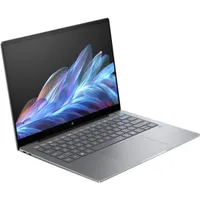
HP OmniBook 7, 5, 3
After OmniBook Ultra and OmniBook X, HP splits its more affordable laptops into OmniBook 7, 5, and 3 lineups.
OmniBook 7 is one step down from Ultra/X, with prices currently starting at about $1,199. They're full AI PCs with Intel Core Ultra and AMD Ryzen chips, and they have enough NPU power to be included under the Copilot+ umbrella.
OmniBook 7 is available in notebook and convertible models, with the latter taking on the "Flip" name, just like OmniBook Ultra.
OmniBook 5 laptops are one step down, with prices starting at about $899. They're equipped with Snapdragon, Intel, and AMD processors, and most (but not all) have an NPU with enough power for Copilot+.
OmniBook 3 laptops are slowly taking over for the HP Essential lineup, and it's where you'll find some of the most affordable HP PCs around. They range in size from 14 inches up to 17.3 inches, with a mix of AMD, Intel, and Snapdragon hardware.
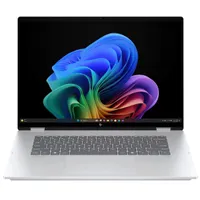
HP's gaming laptops

Whereas HP's consumer line underwent some major changes in the past year, the company has preserved its OMEN and Victus gaming brands.
For OMEN, the brand is now spread out into four different sectors, including OMEN MAX, OMEN Slim, OMEN Transcend, and regular OMEN.
HP OMEN MAX
This most recent addition to the OMEN gaming laptop lineup is designed for gamers who want the absolutely best features and performance.
The OMEN MAX is a 16-inch device with up to a QHD+ OLED display with a 240Hz refresh rate and 0.2ms response time.
You can configure it with up to an Intel Core Ultra 9 275HX or AMD Ryzen AI 9 HX 375 CPU and NVIDIA RTX 5090 Laptop GPU, as well as up to 64GB of DDR5 RAM and a 2TB M.2 PCIe 4.0 NVMe SSD.
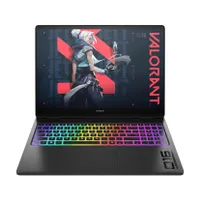
HP OMEN Transcend
OMEN Transcend laptops sit somewhere between the standard OMEN and OMEN MAX stables, designed to deliver high-end features and strong performance in a slim chassis that's easier to carry around.
OMEN Transcend laptops come in 14- and 16-inch sizes, and they run on Intel Core Ultra CPUs and NVIDIA RTX 50-series Laptop GPUs.
Transcend laptops generally cost more than their standard OMEN counterparts due to the more portable design.

HP OMEN and OMEN Slim
OMEN is HP's core lineup of gaming laptops, designed to deliver strong performance and a great set of features at a lower price than MAX and Transcend.
HP OMEN comes in 14- and 16-inch sizes, and they're configurable with the latest Intel and AMD CPUs. NVIDIA's RTX 50-series laptop GPUs are also available.
OMEN is where I recommend most PC gamers look first, as it generally offers the best balance of price, performance, and features. If you like OMEN but want something just a bit more portable, OMEN Slim might be more to your liking.
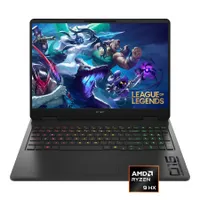
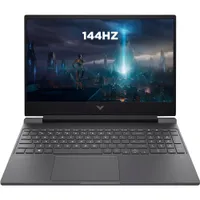
HP Victus

Victus PCs are usually the most affordable way to land one of HP's gaming laptops, but they come with some concessions.
Build quality is generally not as impressive as OMEN, with some extra corners cut on complementary hardware (webcam, speakers, ports, etc.).
However, with prices starting at about $1,099 (with frequest discounts), you can shop without overspending on a laptop that will run most modern games.
You can find Victus gaming laptops in 15.6-inch sizes, and there are Intel or AMD CPU options available with NVIDIA RTX GPUs.
HP's business and enterprise laptops
The business side of HP's laptop portfolio underwent some big changes as well, and the new lineup for mainline business users now consists of EliteBook, EliteBook X, and EliteBook Ultra.
There's also HP's Zbook brand, which hasn't changed and still represents the most powerful mobile workstations the company has to offer.
And for budget shoppers, HP ProBook remains the go-to selection.
HP EliteBook Ultra, EliteBook X, and more

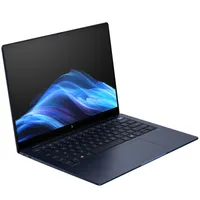
HP's new EliteBook business laptops are available with Intel, Qualcomm, and AMD CPUs, giving you plenty of options when it comes time to configure. They're designed for busy professionals who need extra security measures, a more durable design, long battery life, and snappy performance.
EliteBook X, at the time of my latest update, represents the latest hardware and design. You can get these PCs in notebook or convertible form factors, and as usual at HP, there are a ton of config options available.


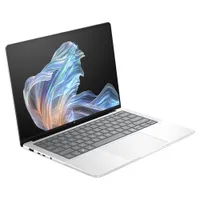
HP's ProBooks are a staple for many business users, and they're available in countless different configurations. Modern Intel chips go into many of these PCs, buy you can also select AMD Ryzen CPUs. Most are AI PCs with a powerful NPU inside.
ProBook sizes ranger from 14 to 16 inches, and they're only available as notebooks.
HP's mobile workstations

Beyond laptops made for general use by professionals, HP has a lineup of ZBook mobile workstations that push performance to a level suitable for creators and developers.
The ZBook lineup wasn't part of HP's big 2024 rebrand, so the mobile workstations remain mostly the same.
That is to say, they're the best option for anyone who wants a secure and durable PC with exceptional CPU performance, more potent graphics, and high-res displays with accurate color reproduction.
The ZBook portfolio consists of a few different models, providing plenty of different configurations for all types of users.
HP ZBook
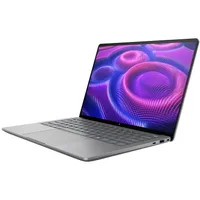
ZBook is split up into several different tiers, including ZBook X, ZBook Fury, ZBook Ultra, ZBook Power, and ZBook 8. They range from 14 inches up to 18 inches, and they pack in the latest CPUs from Intel and AMD.
Because there are mobile workstations made to replace a desktop, they also feature NVIDIA RTX PRO discrete graphics and AMD Radeon integrated GPUs.
Prices for these laptops climb incredibly high, but it's the same with any other brand of laptop that's offering this much performance, security, and ISV certification. However, ZBook 8 and ZBook Power seem to often be the most affordable options.
In any case, HP usually has these laptops on sale for thousands less than normal, so it's never a bad idea to check in and see how much you can save.
How to choose the right HP laptop
HP offers a full lineup of laptops for all types of users, and attempting to shop around in a sea of laptops isn't always conducive to finding the best option for you.
Here's a quick rundown of each of HP's laptop brands, as well as the user to whom they're intended.
- HP OmniBook: These consumer laptops are perfect for general users who don't need added business or enterprise features, and who don't plan on gaming. There's a wide range of features and prices available, and many fall under the AI PC umbrella.
- HP OMEN: HP's gaming brand is home to OMEN MAX, OMEN Transcend, OMEN Slim, and OMEN laptops, complete with displays and performance hardware aimed at powering your favorite games.
- HP Victus: HP's budget gaming might be the right choice if you want to game but don't have as much to spend. All models have a discrete GPU and a display with a high refresh rate.
- HP EliteBook: These business and enterprise laptops come with extra security and management features, stellar battery life, strong durability, and displays that are easy on the eyes. Many fall under the AI PC umbrella.
- HP ZBook: For creators, designers, and developers on the go, ZBook mobile workstations should be a top option. They're extremely powerful, they have specialized displays, and they're generally packed with high-end features.
- HP ProBook: These business laptops are usually the most affordable for pros, offering extra security and management features without the high prices seen in EliteBook and ZBook.
I recommend you head into the shopping process with a clear idea of what you'll be using the laptop for, as well as how much you want to spend.
With those two conditions in mind, you can start delving through HP's laptop lineup to pick the perfect PC.
For what purpose are you using your laptop?
Why you can trust Windows Central Our expert reviewers spend hours testing and comparing products and services so you can choose the best for you. Find out more about how we test.
You always want to have a clear idea in mind of how you'll be using your new laptop.
Most people will simply want a laptop that can handle office tasks, web browsing, productivity, homework, streaming, and other general purposes.
In that case, OmniBook deserves a look first, with EliteBook close behind for those who lean more into the professional world, where security is extra important.
Want something that will primarily be used for gaming? OMEN and Victus laptops should be considered first, with the latter being the cheapest gaming laptops from HP's table.
Need something that offers desktop-class performance in a mobile package? Often using specialized design and development software? ZBook has what you need.
What is your laptop budget?
Setting a budget and sticking to it is always recommended, and your expectations will change depending on the laptop brand you've designated as being your best option.
OmniBook, ProBook, and Victus laptops are among the most affordable, so cash-strapped shoppers should start there.
Professionals and gamers with EliteBook and OMEN in mind should be prepared to spend more, as the additional security and performance hardware doesn't come cheap.
And if you're shopping for a ZBook mobile workstation, you will quickly see prices climb into the thousands as you add more power and more features.
Do you really need an AI PC?

HP offers a relatively wide selection of AI PCs, but whether or not you need one is up to you.
If you want access to Copilot+ tools in Windows 11, I recommend opting for a Snapdragon X, Intel Core Ultra (Series 2/3), or AMD Ryzen AI 300/400 CPU with a Neural Processing Unit (NPU) capable of more than 40 TOPS of local AI power.
OmniBook and EliteBook lineups should be the first stop for an excellent AI laptop with access to Copilot+. For anyone working with or developing AI on a more regular basis, one of HP's ZBook workstations with a discrete NVIDIA GPU should be strongly considered.

Join us on Reddit at r/WindowsCentral to share your insights and discuss our latest news, reviews, and more.

