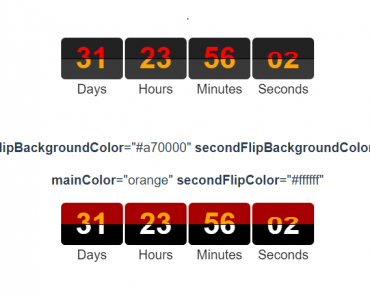
Install & Download:
# NPM
$ npm install vue-circular-count-down-timer --save
Description:
A simple configurable circular countdown timer component for Vue.js.
Features:
- Timer mode: Timer based on hour, minute and second.
- Single mode: Timber based on second (single circle without hours and minutes).
How to use it:
1. Import and register the countdown component.
import Vue from 'vue';
import CircularCountDownTimer from "vue-circular-count-down-timer";
Vue.use(CircularCountDownTimer);
2. Add the circular-count-down-timer component to the template and determine the initial value as follows:
<circular-count-down-timer
  :initial-value="360500"
></circular-count-down-timer>
3. Available component props.
containerClasses: {
  type: Array,
  default: () => []
},
circleClasses: {
  type: Array,
  default: () => []
},
interval: {
  type: Number,
  default: 1000
},
mainCircleId: {
  type: [ String, Number ],
  required: true
},
stopConditions: {
  type: Object,
  default: () => ({})
},
triggerUpdate: {
  type: Boolean,
  default: true
},
showValue: {
  type: Boolean,
  default: true
},
// Circle props
size: {
  type: Number,
  default: 0
},
strokeWidth: {
  type: Number,
  default: 10
},
strokeColor: {
  type: String,
  default: '#9d989b'
},
underneathStrokeColor: {
  type: String,
  default: '#eee'
},
fillColor: {
  type: String,
  default: '#ffffff'
},
valueFontSize: {
  type: Number,
  default: 20
},
labelFontSize: {
  type: Number,
  default: 15
},
labelPosition: {
  validator: function (value) {
    return [ 'top', 'bottom' ].indexOf(value) !== -1;
  },
  default: 'bottom'
},
circles: {
  type: Array,
  default: () => []
}
4. Available props for the circle.
size: {
  type: Number,
  default: 0
},
strokeWidth: {
  type: Number,
  default: 10
},
strokeColor: {
  type: String,
  default: '#9d989b'
},
underneathStrokeColor: {
  type: String,
  default: '#eee'
},
fillColor: {
  type: String,
  default: '#ffffff'
},
valueFontSize: {
  type: Number,
  default: 20
},
labelFontSize: {
  type: Number,
  default: 15
},
steps: {
  type: Number,
  default: 60
},
value: {
  type: Number,
  default: 10
},
label: {
  type: String,
  default: ''
},
labelPosition: {
  validator: function (value) {
    return [ 'top', 'bottom' ].indexOf(value) !== -1;
  },
  default: 'bottom'
},
showValue: {
  type: Boolean,
  default: true
}
5. Update the countdown timer manually.
methods: {
  updateCountdown: () => {
    this.$refs.countdown.updateTime(10)
  }
}
6. Events.
finished: () => {
  console.log('finished');
},
updated: (status) => {
  console.log(status);
  //{"value": 144, "seconds": 24, "minutes": 2, "hours": 0}
}
Preview:

Changelog:
v2.0.0 (12/13/2021)
- Allow to add any number of circles
- Allow to change arrangement of circles
- Allow to change font sizes
- Allow to change label position
- Allow to count incremental or decremental
09/17/2021
- Add options for increment and hiding value display