Python Random Module
In Python, the Random Module is a built-in module that enables us to generate random numbers. The Random Module generates Pseudo-random numbers, which means that those numbers are technically not random. Random objects like numbers, strings or a list can be generated by the Random Module in Python.
What is the Seed value in the Python Random Module?
The Seed value is a number in the Random Module that generates a fixed set of Random numbers.
Let's see some examples to understand the use of Seed values in the Python Random Module:
Example: Usage of Seed Values
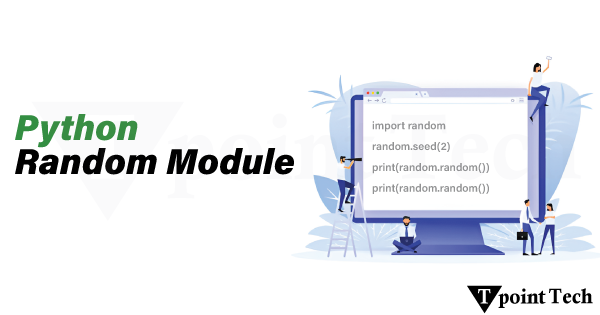
Let us take an example to demonstrate the use of seed value in Python Random Module.Example
Output:
0.13436424411240122
0.8474337369372327
0.763774618976614
Explanation:
We printed random numbers using the seed value. It does not matter how many times you run the code; it will give you the same value. However, if you add another print(random.random()) statement, it will print a different value, and when you run the code again with that added statement, the output won't change.
Let's add another print(random.random()) statement to this code
Example
Output:
0.6229016948897019
0.7417869892607294
0.7951935655656966
0.9424502837770503
#running the code 2nd time
0.6229016948897019
0.7417869892607294
0.7951935655656966
0.9424502837770503
Explanation:
Here we have printed random numbers using the Random Module with the seed value set to 5. As we can see, when we added another print(random.random()) statement, it produced a new random value. But now, even if we run it multiple times, the output won't change.
Functions in the Python Random Module
There are various types of functions available in the Python Random Module. Let's have a look at them:
| S No. | Functions | Description |
|---|---|---|
| 1) | seed() | It generates a fixed set of random numbers |
| 2) | getstate() | It gives the current internal state of the random number generator. |
| 3) | getrandbits() | Generates random number bits |
| 4) | randrange() | Generates random numbers within a specified range |
| 5) | randint() | It also generates random numbers within a given range. |
| 6) | setstate() | It restores the internal state of the random number generator. |
| 7) | choice() | It gives a random number from a sequence. |
| 8) | choices() | It gives multiple numbers from a sequence |
| 9) | shuffle() | This function shuffles the items in a sequence |
| 10) | sample() | This function returns a given sample of a sequence |
| 11) | random() | This function returns a random float number between 0 and 1 |
| 12) | uniform() | Returns a random float number between two given parameters |
| 13) | triangular() | Returns a random float number between two given parameters. You can also set a mode parameter to specify the midpoint between the two other parameters. |
| 14) | betavariate() | It gives a random float number between 0 and 1 on the basis of the Beta distribution. |
| 15) | expovariate() | It gives a random float number on the basis of the Exponential distribution. |
| 16) | gammavariate() | It gives a random float number on the basis of the Gamma distribution. |
| 17) | gauss() | This function generates a random floating-point number based on the Gaussian distribution. |
| 18) | lognormvariate() | This function gives a random float number based on a log-normal distribution. |
| 19) | normalvariate() | This function gives a random float number based on the normal distribution |
| 20) | vonmisesvariate() | This function returns a random float number based on the Von Mises distribution. |
| 21) | paretovariate() | This function returns a random float number based on the Pareto distribution. |
| 22) | weibullvariate() | This function returns a random float number based on the Weibull distribution. |
Examples of the Python Random Module
Several examples of the Python Random Module are as follows:
Using the randint() function
We can print the random integers using the random.randit() function. Let's see it using an example:
Example
Output:
8
Explanation:
In the above example, we have imported the random module and used the randint() function to print a random integer value in the range of 1 to 15, including both numbers.
Using the randrange() function
We can print the random integers from a specified range using the random.randrange() function. We can also include a step value, which would provide us with more control of printing random numbers with particular intervals. Let's understand this with an example:
Example
Output:
#first run
7
#second run
1
#third run
13
Explanation:
Here, we have used the randrange() function to print a random integer within a specified range, setting the step value to 2. The step value would provide random integers in the interval of 2, excluding 15.
For example, using the step value = 2, we would get numbers from these numbers only:
Example to Generate a Random Float between 0 and 1
To generate a random float number between 0 and 1, we use the random() function. In the code, we write it as random.random(), let's use it in an example:
Example
Output:
0.6231843843709984
Explanation:
In the above example, we used the random() function to print a random float number between 0 and 1. In code, write it as random.random()
Example to Randomly Select from List, String, and Tuple
Here we will use the choice() function to randomly select the elements from List, String and Tuple. Let's understand this using an example:
Example
Output:
6
o
9
Explanation:
In this example, we used random.choice() function to return the random elements from List, String and Tuple.
Example to Shuffle Elements in a List
The shuffle() function is used to shuffle or change the position of the elements randomly. It is done by using random.shuffle() method.
Let's see some examples to see how the shuffle() function works:
Example 1: Shuffling the numbers
Let us take an example to demonstrate how to shuffle the numbers in a Python List.
Example
Output:
After shuffle :
[3, 9, 7, 8, 1, 4, 2, 5]

Second shuffle :
[8, 3, 1, 7, 9, 5, 4, 2]

Third shuffle :
[7, 2, 4, 8, 9, 5, 3, 1]
Explanation:
In the above example, we used the random.shuffle() function shuffles or changes the positions of the elements randomly.
Similarly, we can also use the random.shuffle() function to shuffle the strings randomly, but after putting them in a list. Let's learn from an example below:
Example 2: Shuffling the Strings
We are using the random.shuffle() function shuffles the strings randomly.
Example
Output:
After shuffle :
['point', 'T', 'Tech']

Second shuffle :
['point', 'Tech', 'T']

Third shuffle :
['T', 'point', 'Tech']
Explanation:
In the above example, we used the random.shuffle() function shuffles or changes the positions of the strings randomly after putting them in a List, as random.shuffle() only works on mutable sequences like lists.
Applications of the Python Random Module
There are several applications of the Python Random Module, such as:
- Generating Random Numbers - This can be used in games or lotteries.
- Shuffling - It can be used in Card Shuffling and other activities.
- Creating Random Passwords - We can create Random Passwords, which would enhance the security.
- Machine Learning and Data Science - Training datasets randomly.
Conclusion
The Python Random Module is a built-in module that enables us to generate random numbers. It generates Pseudo-random numbers, which means that those numbers are technically not random. Objects like numbers, strings or a list can be generated by the Random Module.
There are also several applications of the Python Random Module, such as Generating Random numbers, shuffling, creating random passwords and pins. It is also used in Machine Learning to train datasets in random ways.
Subscribe to Tpoint Tech
We request you to subscribe our newsletter for upcoming updates.

We deliver comprehensive tutorials, interview question-answers, MCQs, study materials on leading programming languages and web technologies like Data Science, MEAN/MERN full stack development, Python, Java, C++, C, HTML, React, Angular, PHP and much more to support your learning and career growth.
Contact info
G-13, 2nd Floor, Sec-3, Noida, UP, 201301, India
Follow us


