Python Comments
In Python, comments are the lines in the source code that the interpreter ignores during the execution of the program. These are programmer-readable explanations or annotations added to the code with the purpose of making it easier for humans to understand. Comments improve the readability of the code, help in debugging, and serve as documentation for future developers.
Let us see a simple example showing how comments work in Python.
Example
Execute NowOutput:
Welcome to Tpoint Tech to learn Python
Explanation:
In this example, we have added a comment using a hash '#' symbol. We can also see that the Python interpreter has ignored the commented part during the execution of the program.
Types of Comments in Python
There are primarily three types of comments used in Python, such as:
- Single-line Comments
- Multi-line Comments
- Docstrings
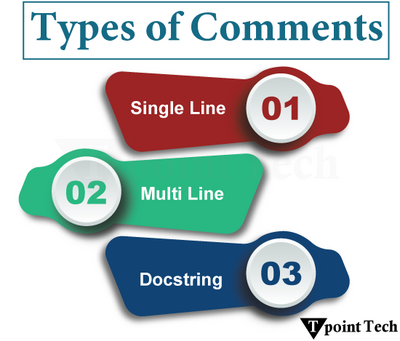
Let us discuss these types with the help of examples:
1. Python Single-line Comments
In Python, a single-line comment starts with a hash '#' symbol, and Python will ignore it. The single-line comments are utilized to provide short explanations or notes about the code.
Let us see a simple example of single-line comments in Python.
Example
Execute NowOutput:
Welcome to Tpoint Tech!
Explanation:
In the above example, we have added a single-line comment using the hash '#' symbol. As a result, the Python interpreter ignored this line of code and executed the next line of code to print a statement.
Inline Comments
An inline comment is a type of single-line comment that appears on the same line as a statement and is used to explain a particular segment of that line.
Here is an example of inline comments in Python.
Example
Execute NowOutput:
Welcome to Tpoint Tech!
Explanation:
In the above example, we have added an inline comment using the hash '#' symbol after the print() function. Python interpreter has ignored the commented segment from the line of code.
2. Python Multi-line Comments
Unlike other programming languages like C, C++, and Java, Python does not have a dedicated way of writing multi-line comments.
However, a similar effect can be achieved using the following ways:
Multiple Single-Line Comments
One of the basic ways of adding multi-line comments to the source code is by stacking single-line comments with the help of hash symbols '#' on each line.
Take a look at the following example to write multi-line comments using multiple hash symbols:
Example
Execute NowOutput:
Welcome to Tpoint Tech!
Explanation:
Here, the multiple single line comments are stacked together to make it look like a multi-line comment.
Using Triple Quoted Strings
We can simulate multi-line comments in Python, with the help of triple quoted strings (''' or """). Even though they are technically multi-line strings, we can use them as comments.
Here is a simple example showing the way of adding multi-line comments to the code using the triple-quoted strings.
Example
Execute NowOutput:
Welcome to Tpoint Tech!
Explanation:
Although triple quotes are not technically comments, but in the above example, we have used it as a comment for quick notes or debugging.
3. Python Docstrings
Docstrings, short for documentation strings, are special multi-line strings in Python that we can utilized in order to document functions, classes, methods, and modules.
Unlike regular comments, docstrings are stored at runtime. We can access them using the built-in help() function or the __doc__ attribute. This makes them incredibly helpful in building a well-documented, maintainable code.
Here's a quick example to understand the working of docstrings in Python.
Example
Execute NowOutput:
Hello, John!, Welcome to Tpoint Tech.
Docstring:
  This function prints a
  welcome message for the user
Explanation:
Here, the docstring is stored in the memory during the runtime. And when we called the __doc__ attribute, the stored docstring is returned.
Best Practices to Write Comments
The following are some tips one can follow in order to make their comments effective:
- The code should be self-explanatory. It is recommended to write comments to explain why something is done a certain way.
- Always keep the comments concise, to the point, and easy to scan.
- Outdated comments can be misleading and harmful. Therefore, it is a good practice to update or remove comments if any changes are made to the code.
- Use proper grammar and capitalization to keep the comments more professional and easier to read.
- PEP 8 suggests that inline comments should have at least two spaces before the hash '#' symbol. Therefore, it is recommended to follow the PEP 8 spacing rule.
Conclusion
In Python, commenting is a vital skill as it enhances the readability and maintainability of the code. Whether we are writing a simple script or developing a complex application, clear and meaningful comments make the code more professional and easier to understand. In this tutorial, we have learned how to add comments to Python programs. We also discussed the different types of comments we have in Python with the help of various examples.
Subscribe to Tpoint Tech
We request you to subscribe our newsletter for upcoming updates.

We deliver comprehensive tutorials, interview question-answers, MCQs, study materials on leading programming languages and web technologies like Data Science, MEAN/MERN full stack development, Python, Java, C++, C, HTML, React, Angular, PHP and much more to support your learning and career growth.
Contact info
G-13, 2nd Floor, Sec-3, Noida, UP, 201301, India
Follow us


