Is your Snap streak lost? Are you worried about Snapstreak recovery? Discover the legitimate ways to restore Snapchat streak for free without paying even a penny:
Snapchat is probably my favorite social media platform, and snapstreak is a major reason. My friends and I have spent days, months, and years exchanging snaps with each other, all to keep our streaks alive and burning hot. That said, there came a time when I had to log off the platform for a while.
This, unfortunately, led to me losing my streak, which I had worked so hard to maintain. It was devastating. Words can’t describe the sheer heartbreak I felt seeing my streak just vanish.
Table of Contents:
Snapstreak Recovery: How to Restore Snap Streak

In my desperation, I searched the depths of the Internet for anything — a tip, a trick, any solution that could help me recover or restore Snapchat streak.
Thankfully, I could get my lost snap streak back. I don’t want you to go through the same frustration that I went through. As such, I’ll be sharing what I’ve learned about snapstreak recovery.

You don’t need countless video tutorials and online guides. Refer to this article to understand the ways to restore Snapchat streak, and you’ll know how to recover your streak easily in no time.
The video below shows how Snapchat Streaks work:
So, without much further ado, let’s dive in.
What is a Snapstreak
Before we jump into the meat and bones of this article, let’s understand what a Snapstreak is. A Snapstreak or Snapchat streak is perhaps the most ingenious feature ever conceived by any social media platform out there. I say this because of the level of engagement this feature encourages on the platform.
A Snapstreak means you’ve been active on the platform, exchanging snaps (not chats) with your friends for 3 consecutive days. Your streak will begin as soon as the third snap exchange happens.
When a small fire emoji appears next to your friend’s username on Snapchat, know that your streak has now officially begun.
To keep this streak going, you’ll need to send a snap within 24 hours, and your friend must reply to it in the same timeframe. Miss this deadline, and your streak will disappear.
Also Read => How to get Snapchat on Windows
Snapstreak Symbols Explained
To keep a streak burning, you need to first understand what the various symbols associated with it mean.
#1)  – The Streak is On
This flame means you are now on an active Snapstreak. You’ll see this flame appear next to your friend’s username on Snapchat after three straight days of exchanging snaps with each other.
#2) 20 – The Streak Has Now Continued for 20 Days
You’ll soon see a number appear next to your flame. It shows how many days your streak has been alive. If you pass the 100-day mark, you’ll also see the  emoji.
#3)  Your Steak Is About to Expire
Now, this is a symbol you should be cautious about. It tells you your streak is about to expire. It will appear 2-3 hours before your streak is about to end. If you see the hourglass, my suggestion would be to drop everything you’re doing and send a snap.
Major Reasons Behind Snapstreak Loss
Snapstreaks can only be maintained if you’ve sent a snap (video or photo) to your friend, and your friend replied with a snap of his/her own within 24 hours. If you and your friend miss even a single day of exchanging snaps, the streak will reset. Although this is the primary reason behind a broken streak, it isn’t the only thing that can affect it.
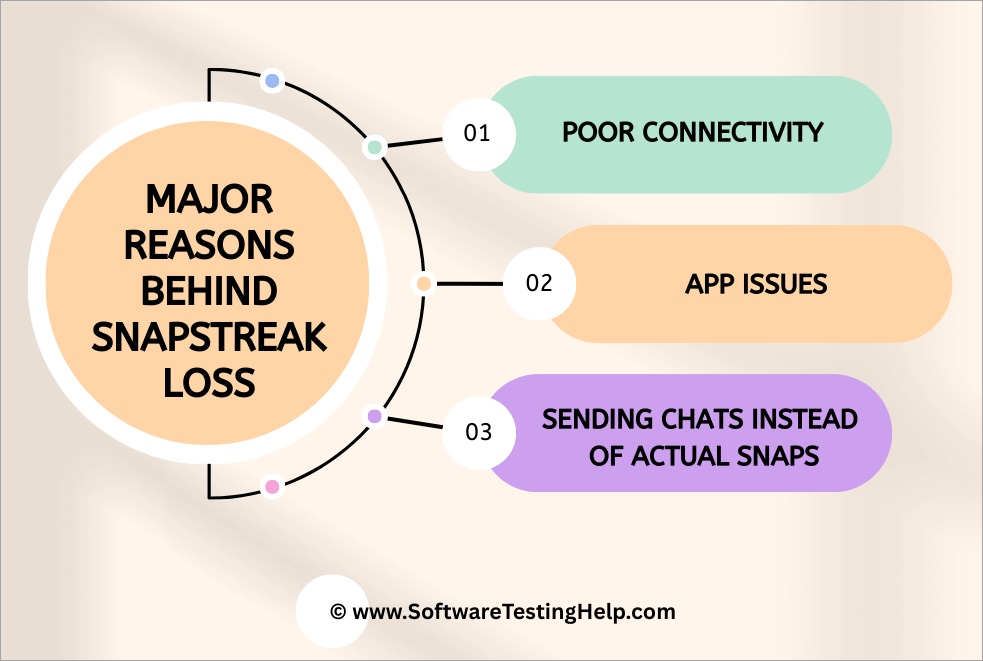
Other things completely out of your control can also result in the loss of a streak:
#1) Poor Connectivity: If you are relying on a poor internet connection, you are going to have trouble sending a snap. You could hit the send button, ready to send a snap to your friend, but network issues will stop the snap in its tracks. As your friend never received the snap, they didn’t reply, and because they didn’t reply, your streak was lost.
#2) App Issues: Snapchat is a good app with little to no performance issues. However, nothing on this earth is infallible. Snapchat is no exception. This app is also afflicted with bugs. I’ve experienced my fair share of crashes. These issues can prove detrimental to your streak. Any glitch or sudden crash could result in the app failing to register your snaps.
#3) Sending Chats Instead of Actual Snaps: There is a common misconception among Snapchat users that mere chatting will keep a streak alive. This is not true. Only a snap (photo or video) made using Snapchat’s built-in camera counts. Sharing emojis or texting will be ineffective.
Further Reading => How to Get Emojis on Windows & Mac
I’ve known many people who’ve lost their streaks because they weren’t familiar with this one, a very crucial condition.
Regardless of what caused the loss, the good news is that you can recover it. So, let’s understand how a lost snap streak can be restored.
How to Restore Snapchat Streak
Recovering a Snap streak is easy.
You just have to follow the step-by-step guide below to Restore Snapchat Streak:
- Open Snapchat on your phone.
- Look for a “
 Restore” button next to the chat that was on a streak.
 - This prompt means your streak is eligible for a recovery.
- Simply hit “ Restore” button for easy snap streak restore.
Snapchat offers all users one free restore option. After that’s used up, you’ll have to pay for any subsequent restore attempts.
If you don’t see this message, that’s Snapchat’s way of saying your streak cannot be recovered. Don’t lose heart just yet. There is still a way for you to recover your Snap streak through the app’s official support channel without paying a dime.
Further Reading => Does Your Snap Score Increase with Chats – Know More
Here’s how you do it:
#1) Go to Settings.
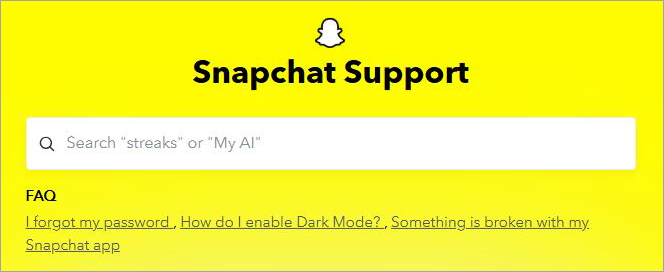
#2) Scroll down to Support > I Need Help
#3) Now, tap on “I lost my Streak”.
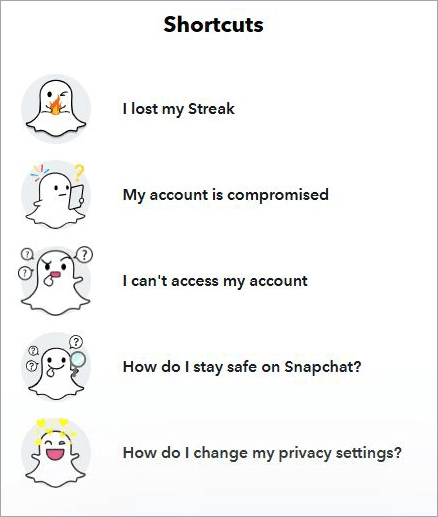
#4) Fill out the form on the next page. The form will have the following fields:
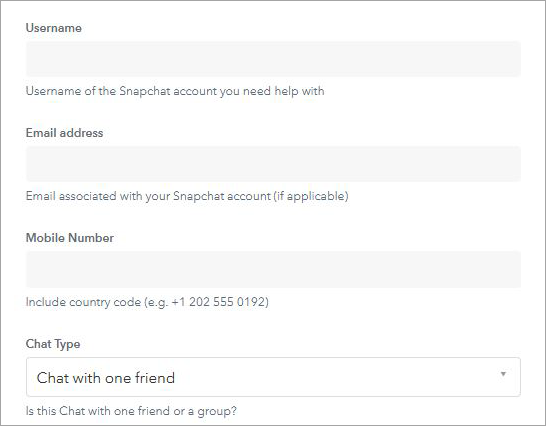
- Username
- Email address
- Mobile number
- Chat Type
- Friend’s username
- Description box.
Hit the submit button and wait a few business days.
Enter all relevant details being asked and be honest when describing your situation. Hopefully, the support team responds and helps you with the snap streak recovery.
You’ll need to explain that the streak was lost because of an issue with the app and not because you forgot to send a snap. Snapchat support can restore your streak for free if they’re convinced.
Things to Consider Before Snapchat Streak Restore
Although the steps you can take to recover a streak are easy to follow, there are still certain things you should know before contacting support.

#1) Recovery Only Possible for the Most Recent Streak: Snapchat will only restore the most recent streak that you’ve lost. If you’ve lost multiple streaks recently, Snapchat will only revive one of these streaks, and it will be the most recent of the bunch.
#2) Be Very Honest: Be clear and honest when describing your situation to the support team. Remember that Snapchat is tracking your snap activity. The app has logs of every snap you’ve exchanged. It will know when a gap occurred.
So, explain exactly what happened without exaggeration. With a hint of dishonesty, Snapchat will reject your request and approach future requests with caution. I would only suggest requesting a restore if the streak was lost because of a bug, poor network connection, or an app crash.
#3) Don’t Send Requests Repeatedly: If you’ve sent a request, wait patiently for a few business days. Do not spam Snapchat’s support team by sending one ticket after another. When you do get in touch with the team, do so politely. This will increase the chances of getting back your streak.
#4) Act Fast: You have very little time to restore a streak once it’s gone. Do not waste any time and approach the support team immediately. Do not let too much time pass from the moment your streak disappeared. Snapchat’s support team is likely to respond kindly to a streak lost very recently as opposed to one lost days ago.
Tips to Keep a Streak Alive
Losing a streak can be daunting, and recovering it can be frustrating. As such, I’d always recommend doing everything you possibly can to keep your streak alive and well.
Here’s what you can do to ensure your streak is never lost.
#1) Keep a Regular Schedule
Days get busy, and sometimes we just forget things. Forgetting to send a snap will result in your streak being broken. To ensure that’s not the case, arrange a snap-sending schedule with your friend and commit to it.
You could decide to send a schedule every day after lunch or in the evening, right after the sun sets. This will ensure you never forget to send snaps each day.
Further Reading => Explore All About Snapchat Planet Order
#2) Sending a Generic Snap is Fine
It is not always possible to be creative when sending snaps. There might be days when you have no idea what snap to send. Instead of sending nothing, just send a generic snap simply to keep a streak alive.
#3) Update Your App: Like I said before, app crashes can break your streak. So, it is important you to keep Snapchat bug-free. Do not miss out on any updates. This will ensure your Snapchat’s performance is top-notch, always.
FAQs on Snapstreak Restore
1. I lost my streak? How do I restore it?
Well, if you see a “ Restore” button next to the chat that was on a streak with you, the streak can be recovered. If not, you’ll need to raise a ticket by contacting support.
2. How much does it cost to restore a snap streak?
Snapchat offers one free restore option to all users. Once the free option is used up, you’ll need to pay for every subsequent restore attempt. The price will be what’s shown on the app for you.
The price you pay will vary depending on your location. Each restore attempt after you’ve exhausted the free restores will cost you $0.99.
3. What qualifies as a snap to maintain a streak?
A snap is a video or photo captured by Snapchat’s built-in camera. A chat, sticker, or emoji will not count. To keep the streak alive, one user must send the snap, and the other must respond within 24 hours.
4. Can a lost snap streak be recovered more than once?
Only one streak is restored per request. Furthermore, your request must be valid. The streak should recover if the problem was a simple bug or technical glitch.
5. When do snapstreaks expire?
A streak ends when no snap is exchanged between users for the entire day. When a streak is about to end, you’ll see an hourglass emoji appear next to the chat that’s on a streak. To keep the streak alive, my advice would be to exchange snaps every day without fail.
6. How to see Snapchat streak restore history?
Snapchat doesn’t have a feature that allows you to check your streak restore history. However, you will know whether a streak can be restored if there is a “ Restore” button next to the chat that was on a streak with you.
7. Can I restore my snap streak after blocking someone?
Blocking someone will end your snap streak with them. Unblocking them will not reverse the end of this streak. You’ll need to start over.
8. How long does the last on Snap?
This essentially indicates that your streak is about to expire. It will appear about 4 hours before the streak is set to end. Take it as a sign to exchange a snap with your friend before it is too late. You have very little time to save your streak after the shows up.
Conclusion
Imagine spending days trying to keep a streak going only for it to suddenly vanish because of one reason or another. Losing a streak on Snapchat can be heartbreaking. However, it is a loss you can restore by simply reaching out to Snapchat’s support team and explaining your side of the story.
That said, prevention will always be better than a cure. As such, just be consistent with your friend when exchanging snaps. Keep a schedule, send a generic snap on days you aren’t feeling creative, and always keep your Snapchat up-to-date.
Snapstreak recovery is simple, but keeping a streak going is simpler. I would suggest staying steadfast with the latter to avoid going through the tedium of recovering a lost snap streak.
Was this helpful?
Recommended Reading
-

This tutorial will quickly educate you on how to deactivate Snapchat and delete your account across various platforms and devices with step-by-step screenshots of Snapchat deactivation: Snapchat has been a very popular social media app since its launch in 2011. For over a decade, there has been a sanctum of…
-
Through this tutorial, get to know the best possible ways to address your query: How to Get Snapchat on Windows 10: Three former students developed Snapchat, a communication app at Stanford University. It is only used on mobile devices. But can you get Snapchat on a computer? Yes, there are…
-
Read this review to compare and select the top app to Hack into Someones's Snapchat. Also, understand the steps to hack Snapchat with these apps: Snapchat is a popular application that allows its users to share photos and videos that immediately disappear after they are posted. It is perhaps one…
-
Create your own Disney world with Snapchat's Cartoon filters. Explore the simple and fun-filled ways to send a snap with the cartoon face lens in Snapchat using your iPhone and Android from this guide: I would argue that no other social media platform today embodies the idea of pure fun…