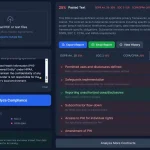
Scribe is a free AI YouTube transcription tool that transcribes any YouTube video into clear, well-formatted text and audio.
This tool is helpful for complex topics or longer videos. You can quickly scan the transcript to find key points, skip ahead, or review specific chapters.
In addition, Scribe allows you to read the full transcript while listening to the video’s audio in perfect sync – as if it were a well-written audiobook.
How to use it:
1. Visit the Scribe web app and paste the link of the YouTube video you wish to transcribe.

2. Scribe’s AI will get to work, transcribing the video into organized text and synchronized audio.
3. Once complete, you can copy the transcript in various formats like Markdown, HTML, plain text, or print it as a PDF.

4. Click on any segment of the text to play the audio from that point, or use the ‘Play’ button to start from the beginning at your chosen speed.

5. The generated table of contents from video chapters allows for quick navigation, which is especially useful for lengthy videos.

6. Highlight important points! Scribe’s text highlighter lets you mark key sections for easy reference.

7. For frequent YouTube transcribers, consider installing the Chrome Extension or iOS app for a better user experience. The Chrome extension, for example, lets you transcribe directly on the YouTube page without switching tabs.