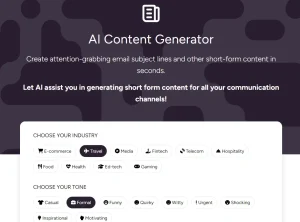
Email AI is a free AI-powered email generator that generates beautiful, responsive HTML emails through simple text prompts. It’s perfect for marketers, business owners, and content creators who lack design expertise or coding skills.
You no longer need to wrestle with complex HTML code or worry about compatibility issues. Email AI handles the technical aspects and generates HTML codes compatible with all major email clients like Gmail, Outlook, and Apple Mail.
I used Email AI to create a welcome email for my AI Tools newsletter. After entering the prompt “Best AI Tools newsletter welcome email,” the AI quickly generated a complete solution.
The AI produced a clean, professional welcome email for a newsletter about AI tools. The template featured proper spacing, responsive design elements, and a clear hierarchy of information. It included sections for welcoming new subscribers, outlining what to expect from the newsletter, and a prominent call-to-action button.

The HTML code worked perfectly when tested across different email clients. The generated email included pre-header text for improved inbox visibility, properly styled content sections, and mobile-responsive design elements. The template maintained its integrity across devices, with no display issues or formatting problems.
See It In Action
Features
- Natural language prompting: Simply describe the type of email you want to create, and the AI generates it for you.
- Responsive design: All generated emails automatically adapt to different screen sizes and devices.
- Client compatibility: The HTML code works reliably across major email clients including Gmail, Outlook, and Apple Mail.
- Preview functionality: View your email exactly as recipients will see it before sending.
- Plain text versions: Automatically generates plain text alternatives for accessibility and deliverability.
- Direct HTML access: Copy the complete HTML code to paste directly into your email marketing platform.
- Zero design skills required: Create professional-looking emails without any design or coding knowledge.
- Fast generation: Receive your custom email template in seconds after entering your prompt.
Use Cases
- Newsletter Creation: Quickly generate engaging newsletter emails to keep your audience informed and interested in your latest updates.
- Welcome Emails: Design compelling welcome emails for new subscribers to make a strong first impression.
- Promotional Campaigns: Develop eye-catching promotional emails to announce sales, discounts, or new product launches.
- Announcement Emails: Create clear and effective announcement emails for important updates or company news.
- Transactional Emails: Generate professional transactional emails like order confirmations or shipping updates.
How To Use It
- Visit the Email AI website and enter a natural language description of the email you want to create. Be specific about the purpose, style, and any key elements you want to include.
- Wait a few seconds while the AI processes your request and generates your custom email.
- Review your email in the Preview form to see exactly how it will appear to recipients.
- If needed, access the Plain Text version to see or copy the text-only version of your email.
- Copy the HTML code from the HTML form when you’re satisfied with the result.
- Paste the code directly into your email marketing platform or email client (Gmail, Outlook, Apple Mail, etc.).
- Send your professional-looking email to your recipients.
Pro Tips: For best results, include specific details in your prompt about the purpose of your email, key sections you want to include, and the tone you prefer. The more guidance you provide, the better the AI can tailor the result to your needs.
Pros
- Without manual HTML debugging
- Fully responsive and mobile-friendly
- Free for unlimited use
- Exports production-ready HTML code
- Requires no design experience
Cons
- Limited template customization options
- No A/B testing features
- Branding elements like logos need manual insertion
FAQs
Q: What types of emails can I create with Email AI?
A: You can create various types of emails, including newsletters, welcome emails, promotional emails, announcements, and transactional emails.
Q: How quickly can Email AI generate an email?
A: Email AI generates HTML emails almost instantly, typically within seconds of submitting your prompt.
Q: Can I customize the emails after they’re generated?
A: While Email AI doesn’t include a visual editor, you can customize the generated HTML code if you have HTML knowledge. Alternatively, you can try different prompts to get closer to your desired result.
Q: How do I add my own images to the email templates?
A: The generated HTML includes placeholder images that you can replace with your own by editing the image source URLs in the HTML code before sending.
Q: Can Email AI help with email deliverability?
A: Email AI creates properly structured HTML emails that follow best practices, which can help with deliverability. However, other factors like sender reputation and content quality also affect whether emails reach the inbox.
Visit Email AI now and create your first professional HTML email in seconds. Experience how simple email design can be when powered by AI.
Share your experience with Email AI in the comments below. Has it changed how you approach email marketing? What types of emails have you created with it?