iBrief is a 100% free AI-powered article summarization tool that converts lengthy web articles into concise summaries in seconds.
You give it a link, and it gives you the key points back in a structured format. There are no bells and whistles, and that’s its biggest strength. It’s built for speed and simplicity.
Features
- URL-based summarization: Simply paste any article URL and get instant summaries without copying text
- Structured output: Summaries are organized into logical sections rather than random bullet points
- Speed: Generates comprehensive summaries within 3-5 seconds
- No registration required: Access the tool immediately without creating accounts
- Context preservation: Maintains important background information and connections between ideas
- Clean interface: Simple design focused on functionality over flashy features
Use Cases
- News consumption: Quickly scan multiple news articles to stay informed without spending hours reading
- Research preparation: Get overviews of academic papers or industry reports before deciding which deserve full attention
- Content curation: Generate summaries for newsletters, social media posts, or team updates
- Meeting prep: Summarize background articles before client calls or strategy sessions
- Learning: Break down complex topics into digestible chunks for better comprehension
- Competitive analysis: Monitor industry publications and competitor content more efficiently
Case Studies
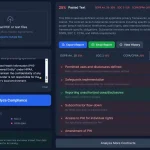
I tested iBrief with a Yahoo News article about California earthquake risks. The original article was roughly 800 words of detailed reporting about a 5.4 magnitude earthquake near Ferndale, California.
iBrief’s output organized the information into four clear sections:
- Earthquake Details covered the technical specs – magnitude, location, depth, and USGS data. This section extracted the hard facts without editorial commentary.
- Impact and Response summarized the immediate aftermath, noting no injuries or major damage while mentioning emergency services’ alert status.
- Historical Context explained why this region experiences frequent seismic activity, referencing the Mendocino Triple Junction where three tectonic plates meet.
- Public Advisory outlined safety recommendations and ongoing monitoring efforts.
The summary captured all essential information in about 150 words versus the original 800, maintaining accuracy while eliminating redundant details and filler content that often padded news articles.
How to Use It
- Find an online article you want to summarize.
- Copy the full URL from your browser’s address bar.
- Go to the iBrief website (ibrief.co).
- Paste the URL into the large text field on the homepage.
- Click the Get Summary button. Your structured summary will appear on the next page.
Note that it works best with public articles and blog posts. It won’t be able to access content behind a hard paywall or a login screen.
Pros
- No account required: Start using immediately without email signup or registration hassles
- Quality output: Summaries maintain context and logical flow rather than just extracting random sentences
- Free access: No usage limits or premium tiers blocking basic functionality
- Clean formatting: Well-organized sections make summaries easy to scan and reference
- Broad compatibility: Works with most major news sites and publication platforms
Cons
- URL dependency: Cannot summarize text you paste directly – must be from a live web page
- Limited customization: No options to adjust summary length or focus on specific aspects
- No offline capability: Requires internet connection for both accessing the tool and processing articles
- Newer platform: Less established than competitors like QuillBot or Grammarly’s summarizer
FAQs
Q: What kind of content does iBrief work best with?
A: It performs best with standard online news articles, blog posts, and informational web pages that have a clear text structure.
Q: Can I summarize a YouTube video or a PDF file?
A: No, iBrief is designed to work with article URLs only. It does not process video content or standalone document files like PDFs.
Q: How accurate are the summaries?
A: In my tests, the summaries were highly accurate and captured the main points of the source article correctly. However, for critical information, you should always treat the summary as a starting point and refer back to the original source for confirmation.
Q: Can I adjust the length of summaries?
A: Currently, iBrief doesn’t offer customization options for summary length or style. The tool automatically determines the appropriate level of detail based on the source article’s content and structure.