
Seamlessly integrate Intercom with Salesmsg to send and receive SMS, automate messaging, sync contacts, and give your support and sales teams a native texting experience — all connected to your Intercom inbox in real time.
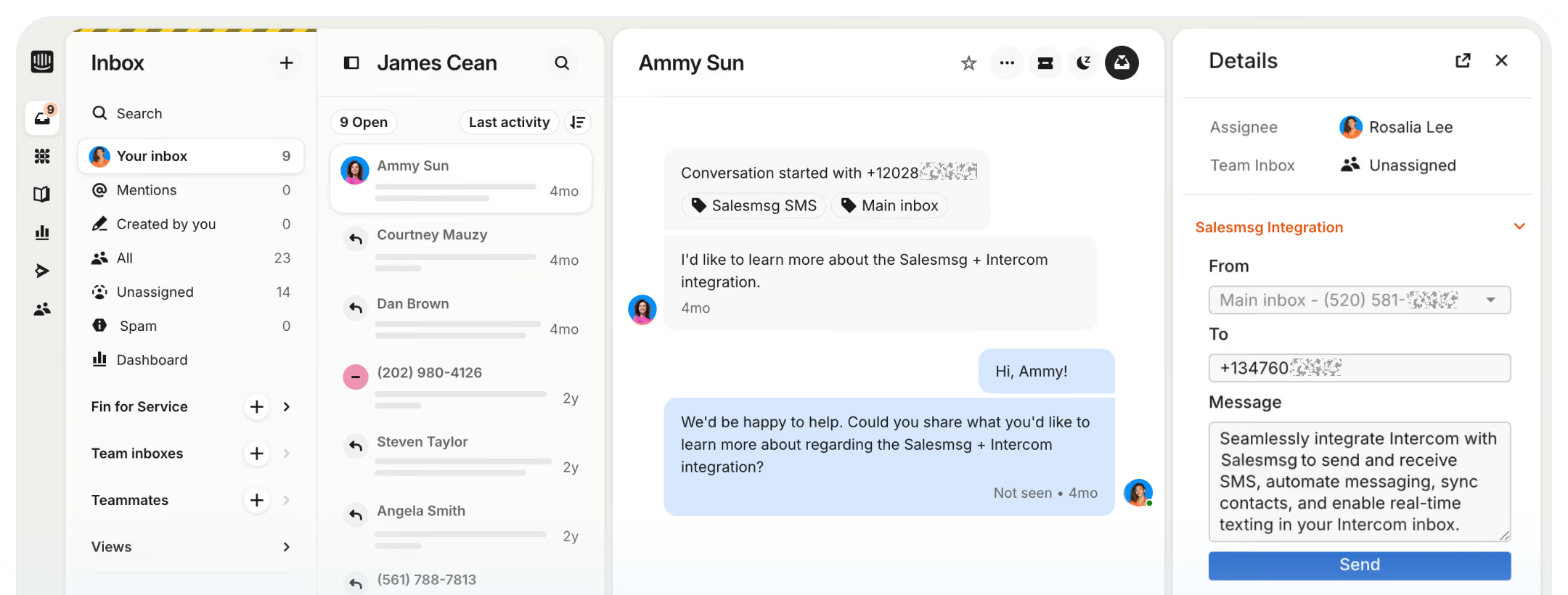

Send and receive SMS and MMS directly from your Intercom inbox — without switching tools. Every inbound text creates a conversation in Intercom, tagged and routed to the right team.

Salesmsg automatically syncs your Intercom contacts, maps default and custom fields, and creates new contacts for unknown senders.

Every inbound SMS automatically tags conversations with the inbox name — making it easy to route conversations using Intercom's Smart Rules and keep your team organized.

Effortlessly send, receive, automate, and manage text conversations — all from your Intercom inbox, all in one place.


.svg)


.svg)

Trusted by some of the best companies in the world...


CEO, CO-FOUNDER
For my mother-in-laws dance studio, we tried everything: local ads, Instagram, Facebook ads, Yelp, even the Yellow Pages, but it wasn't until we started texting with Salesmsg that everything changed. We TRIPLED the business in less than 60 days!


.svg)


Looking for more information about the Salesmsg and Intercom integration? We've shared some answers below to get you on your way efficiently and effectively! Got More Questions? Text “ASK” to (888) 409-2298
Go to the App Marketplace inside your Intercom account and install the Salesmsg app. Once connected, map your Salesmsg inboxes to your Intercom workspace and configure your user mapping and contact sync settings.
Every inbound text message to your mapped Salesmsg inboxes automatically creates a new conversation in Intercom, tagged with "Salesmsg SMS" and the inbox name — making it easy to route using Intercom's Smart Rules.
Add the Salesmsg widget to your Intercom inbox by clicking "Edit Apps" and pinning Salesmsg. From there, select the mapped inbox you want to send from — the recipient's number is automatically populated based on the conversation you're in.
Yes. In addition to default fields like name, phone, and email, you can map any custom Intercom attributes - such as subscription status, account type, or last interaction date — to keep your contact data aligned and power personalized automation.
Yes. When an inbound SMS comes in from an unknown number, Salesmsg automatically creates a new contact — so no lead or customer ever gets left behind.


