- 入门教程
- 参考手册
 《Numpy入门教程》
 NumPyMatplotlib直方图

NumPy具有numpy.histogram()函数,该函数是数据频率分布的图形表示,水平大小相等的矩形对应于称为bin的类区间,而可变高度则对应于频率。
numpy.histogram()
numpy.histogram()函数将输入数组和bin作为两个参数。bin数组中的连续元素充当每个bin的边界。
import numpy as np

a=np.array([22,87,5,43,56,73,55,54,11,20,51,5,79,31,27])
np.histogram(a,bins=[0,20,40,60,80,100])
hist,bins=np.histogram(a,bins=[0,20,40,60,80,100])
print hist
print bins
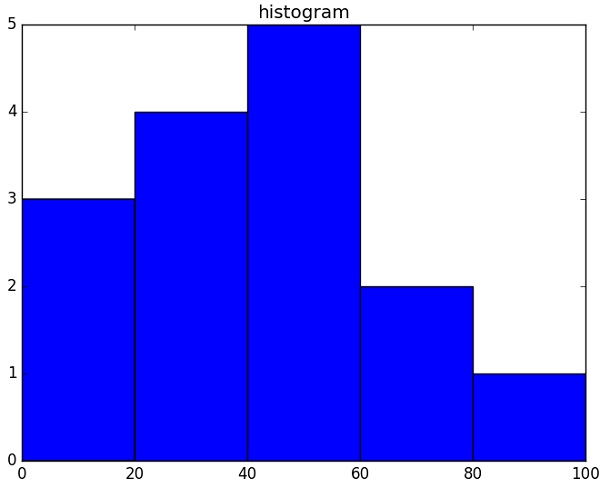
[3 4 5 2 1]
[0 20 40 60 80 100]
plt()
from matplotlib import pyplot as plt
import numpy as np

a=np.array([22,87,5,43,56,73,55,54,11,20,51,5,79,31,27])
plt.hist(a, bins=[0,20,40,60,80,100])
plt.title("histogram")
plt.show()
它应该产生以下输出-
祝学习愉快!(内容编辑有误?请选中要编辑内容 -> 右键 -> 修改 -> 提交!)
好记忆不如烂笔头。留下您的足迹吧 :)