


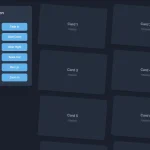
A smooth scrolling interaction concept that zooms & fades in/out elements on vertical page scrolling using the requestAnimationFrame API and CSS3 transforms.
See It In Action:
See the Pen
Smooth card scrolling interaction! ✨ by Colin van Eenige (@cvaneenige)
on CodePen.
How to use it:
1. Create elements on the page.
<div class="box">Box 1<div>
<div class="box">Box 2<div>
<div class="box">Box 3<div>
<div class="box">Box 4<div>
<div class="box">Box 5<div>
...
2. The main JavaScript to enable the smooth scrolling interactions on the elements.
requestAnimationFrame(() => {
  const boxes = document.querySelectorAll(".box");
  function getIntersectionRatio(i) {
    const a = [window.scrollY, window.scrollY + window.innerHeight];
    const b = [boxes[i].offsetTop, boxes[i].offsetTop + boxes[i].clientHeight];
    const max = Math.max(a[0], b[0]);
    const min = Math.min(a[1], b[1]);
    return Math.max(0, (min - max) / (b[1] - b[0]));
  }
  function onScroll() {
    const boxes = document.querySelectorAll(".box");
    for (let i = 0; i < boxes.length; i += 1) {
      const intersection = getIntersectionRatio(i);
      const top = boxes[i].offsetTop - window.pageYOffset < 0;
      boxes[i].firstChild.style.cssText = `
        transform-origin: ${top ? "center center" : "top center"};
        position: ${top ? "fixed" : "absolute"};
        transform: scale(${intersection});
        opacity: ${intersection};
      `;
    }
    requestAnimationFrame(onScroll);
  }
  onScroll();
});
See Also:
 Modern Vanilla JS Library for Scrollytelling – Scrolleo
 Animate Elements On Scroll With Parallax Effect – locomotive-scroll
 Lightweight & Performant JavaScript Animation Library – MotionFlow
 Lightweight Modern Animation on Scroll Library (5.7KB) – aos.js
 Animate On Scroll Using CSS @keyframes – Scrollerful.js
 High-Performance CSS Scroll Animations with MOS.js
 Lightweight Animation Library for Modern Web – CSS Motion
 Performance-First Scroll Animation Library – WavBlock