


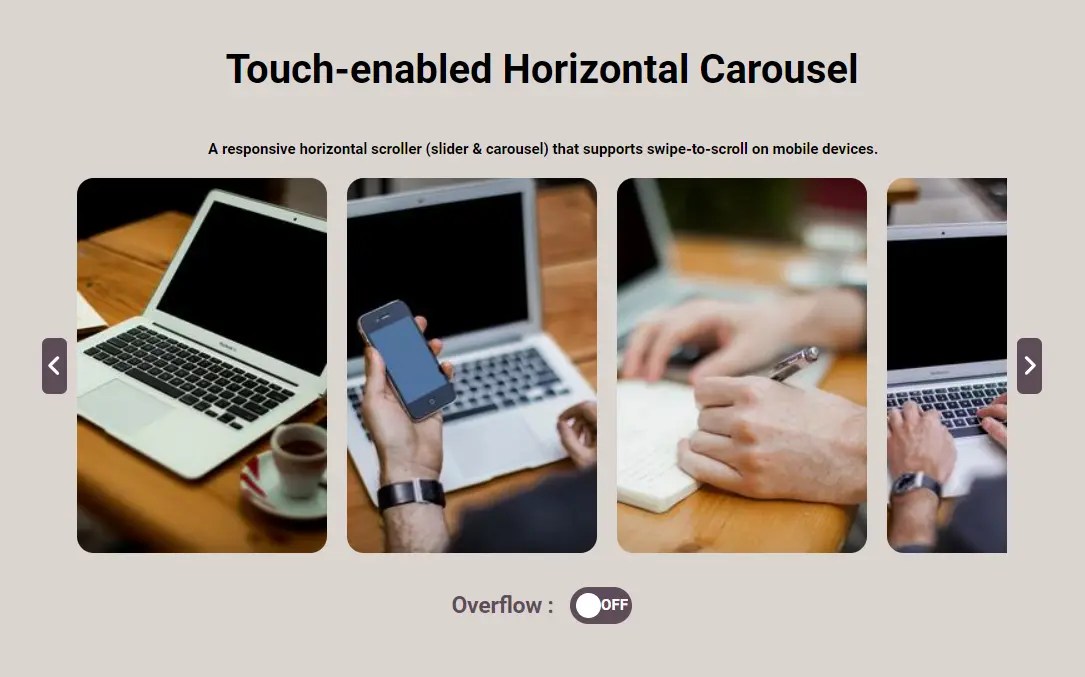
A responsive horizontal scroller (slider & carousel) that supports swipe-to-scroll on mobile devices.
How to use it:
1. Code the HTML for the carousel.
<section class="carousel-wrapper">
  <!-- Left Button -->
  <button type="button" class="arrows left-arrow arrow-inactive" aria-label="Arrow Left">
    <svg xmlns="http://www.w3.org/2000/svg" viewBox="0 0 256 512">
      <path d="M192 448c-8.188 0-16.38-3.125-22.62-9.375l-160-160c-12.5-12.5-12.5-32.75 0-45.25l160-160c12.5-12.5 32.75-12.5 45.25 0s12.5 32.75 0 45.25L77.25 256l137.4 137.4c12.5 12.5 12.5 32.75 0 45.25C208.4 444.9 200.2 448 192 448z" />
    </svg>
  </button>
  <!-- Carousel Items -->
  <section class="carousel">
    <div class="carousel-item">
      <img src="1.jpg" alt="Working">
    </div>
    <div class="carousel-item">
      <img src="2.jpg" alt="Working">
    </div>
    <div class="carousel-item">
      <img src="3.jpg" alt="Working">
    </div>
    <!-- More Items Here -->
  </section>
  <!-- Right Button -->
  <button type="button" class="arrows right-arrow" aria-label="Arrow Right">
    <svg xmlns="http://www.w3.org/2000/svg" viewBox="0 0 256 512">
      <path d="M64 448c-8.188 0-16.38-3.125-22.62-9.375c-12.5-12.5-12.5-32.75 0-45.25L178.8 256L41.38 118.6c-12.5-12.5-12.5-32.75 0-45.25s32.75-12.5 45.25 0l160 160c12.5 12.5 12.5 32.75 0 45.25l-160 160C80.38 444.9 72.19 448 64 448z" />
    </svg>
  </button>
</section>
2. The required CSS styles.
.carousel-wrapper {
  display: flex;
  justify-content: space-between;
  gap: 0.5em;
  max-width: 800px;
  width: 90%;
}
.wrapped-container {
  display: flex;
  overflow: hidden;
  width: 95%;
  justify-content: center;
}
.carousel {
  width: 100%;
  height: 100%;
  position: relative;
  overflow-y: hidden;
  display: flex;
  gap: 1em;
  scrollbar-width: none;
}
.carousel {
}
.arrows {
  width: 20px;
  height: 45px;
  outline: none;
  border: none;
  background-color: #5e4c5a;
  border-radius: 5px;
  display: flex;
  align-items: center;
  justify-content: center;
  align-self: center;
  opacity: 1;
  cursor: pointer;
  transition: all 0.1s ease;
  padding: 0;
  pointer-events: all;
}
.arrows:hover {
  background-color: #5e4c5a;
  transform: scale(1.1);
}
.arrows svg {
  width: 1.5em;
  height: 1.5em;
  fill: white;
}
.arrow-inactive {
  opacity: 0.5;
  cursor: auto;
}
.arrow-inactive:hover {
  transform: none;
}
.carousel-item {
  width: 200px;
  height: 300px;
}
.carousel-item img {
  border-radius: 10pt;
}
.carousel-wrapper ::-webkit-scrollbar {
  height: 0px;
}
3. Add the following JS snippets into your document. That’s it.
function scrollEv(leftArrow, rightArrow, carousel) {
  if (carousel.scrollLeft <= 0) {
    leftArrow.classList.add("arrow-inactive");
  } else {
    leftArrow.classList.remove("arrow-inactive");
  }
  if (carousel.scrollLeft >= carousel.scrollWidth - carousel.offsetWidth - 1) {
    rightArrow.classList.add("arrow-inactive");
  } else {
    rightArrow.classList.remove("arrow-inactive");
  }
}
function clicleftArrow(carousel, rectList) {
  let shiftScroll;
  for (let i = 0; i < rectList.length; i++) {
    if (carousel.scrollLeft > rectList[rectList.length - 1]) {
      shiftScroll = rectList[rectList.length - 1];
    } else if (
      carousel.scrollLeft > rectList[i] &&
      carousel.scrollLeft <= rectList[i + 1]
    ) {
      shiftScroll = rectList[i];
    }
  }
  carousel.scrollTo({
    left: shiftScroll,
    behavior: "smooth"
  });
}
function clickRight(carousel, rectList) {
  let shiftScroll;
  for (let i = 0; i < rectList.length; i++) {
    if (
      carousel.scrollLeft >= rectList[i] - 1 &&
      carousel.scrollLeft < rectList[i + 1]
    ) {
      shiftScroll = rectList[i + 1];
    }
  }
  carousel.scrollTo({
    left: shiftScroll,
    behavior: "smooth"
  });
}
function listRectCarousel(carouselNumber, carousels) {
  let divs = carousels[carouselNumber].getElementsByClassName("carousel-item");
  let rectList = [];
  let rectGauche = carousels[carouselNumber].getBoundingClientRect().left;
  for (let i = 0; i < divs.length; i++) {
    let rect = divs[i].getBoundingClientRect();
    rectList.push(rect.left - rectGauche);
  }
  for (let i = rectList.length - 1; i >= 0; i--) {
    rectList[i] = rectList[i] - rectList[0];
  }
  return rectList;
}
function autoSlidePosLeft(carouselNumber, carousels, leftArrows) {
  let rectList = listRectCarousel(carouselNumber, carousels);
  leftArrows[carouselNumber].addEventListener("click", () => {
    clicleftArrow(carousels[carouselNumber], rectList);
  });
}
function autoSlidePosRight(carouselNumber, carousels, rightArrows) {
  let rectList = listRectCarousel(carouselNumber, carousels);
  rightArrows[carouselNumber].addEventListener("click", () => {
    clickRight(carousels[carouselNumber], rectList);
  });
}
window.onload = () => {
  let leftArrows = document.getElementsByClassName("left-arrow");
  let rightArrows = document.getElementsByClassName("right-arrow");
  let carousels = document.getElementsByClassName("carousel");
  for (let i = 0; i < leftArrows.length; i++) {
    autoSlidePosLeft(i, carousels, leftArrows);
    window.onresize = () => {
      autoSlidePosLeft(i, carousels, leftArrows);
    };
  }
  for (let i = 0; i < rightArrows.length; i++) {
    autoSlidePosRight(i, carousels, rightArrows);
    window.onresize = () => {
      autoSlidePosRight(i, carousels, rightArrows);
    };
  }
  for (let i = 0; i < carousels.length; i++) {
    carousels[i].addEventListener("scroll", () => {
      scrollEv(leftArrows[i], rightArrows[i], carousels[i]);
    });
  }
  for (let i = 0; i < carousels.length; i++) {
    scrollEv(leftArrows[i], rightArrows[i], carousels[i]);
    window.onresize = () => {
      scrollEv(leftArrows[i], rightArrows[i], carousels[i]);
    };
  }

};
See Also:
 Infinite Scrolling Carousel with Momentum Physics – Grab-n-Drag Infinite Carousel
 Lightweight Pure CSS 3D Carousel with Fade in/out Effects
 Tiny Touch Carousel Web Component for Modern Apps – Pure Swipe Slider
 Fast, Extensible, Touch-enabled Carousel & Slider JS Library – Smooothy
 Mobile-Friendly Carousel Slider with Responsive Breakpoints – SuperSlider
 Modern Image Carousel with Thumbnail Transitions
 Touch-Responsive Card Carousel: Swipe, Drag & Kinetic Scroll
 Responsive, Mobile-friendly Carousel Slider with CSS Grid – GridSlider