


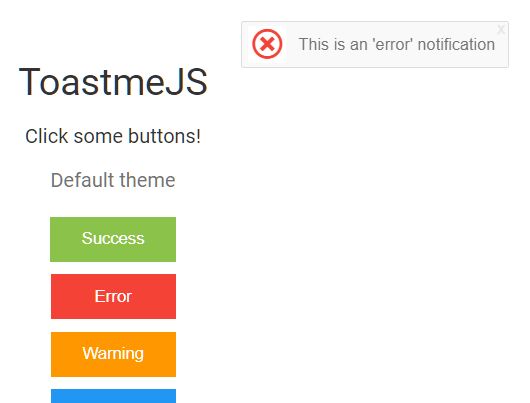
toastmejs is a lightweight, easy, flexible, customizable toast notification library in vanilla JavaScript.
Features:
- Plain and light themes.
- Custom icons.
- Position variables.
- Custom timeout.
- Success/Error/Warning/Info types.
How to use it:
Install & import.
# NPM
$ npm install toastjs --save
import toastme from 'toastjs'
Or directly load the following JS & CSS files in the document.
<link rel="stylesheet" href="./dist/css/toastme.css"/>
<script src="./dist/js/toastme.js" ></script>
Create a new toastme instance.
const myToast = new Toastme();
Create the toast notification.
myToast.default("This is a 'default' notification")
myToast.success("This is a 'success' notification")
myToast.error("This is an 'error' notification")
myToast.warning("This is a 'warning' notification")
myToast.info("This is an 'info' notification")
Config the toast notification by overriding the default parameters as follows:
const myToast = new Toastme({
      timeout: 5000,
      distanceX: 15,
      distanceY: 15,
      positionY: "bottom", // or 'top'
      positionX:" right", // or 'left', 'center'
      zIndex: 100,
      ligh: false // light theme?
});
Changelog:
v1.2.7 (09/03/2021)
- HotFix: Fix wrong export
v1.2.5 (08/30/2021)
- Hotfix: Remove deprecated browserList config
v1.2.4 (08/17/2021)
- Fix: Dialog height broken
- Fix: Default list-style showing in some browsers
- Updated: Notification and dialog styles
v1.2.3 (05/07/2019)
- CSS Rules fixes and updates
v1.2.1 (05/07/2019)
- Added: babel transpiler
- Fix: change notification box size according to the text
v1.2.0 (05/03/2019)
- Improve CSS Positioning
v1.1.0 (05/03/2019)
- Added stackable notification support.
05/01/2019
- Added missing default notification
04/30/2019
- Various fixes and improvements
04/18/2019
- Add dialog
See Also:
 Modern JavaScript Toast Notification & Modal Popup Library – JSPT
 Lightweight Toast & Growl Notifications Inspired by macOS – Toastify
 Framework-Agnostic Toast Notifications with TypeScript – NotifyX
 Material Design Toast & Snackbar Library with Action Buttons – MiniSnackbar
 shadcn/ui Sonner-style Toast Notification Library – toast-queue
 Advanced Alert Notification System For Bootstrap 5 – AvalynxAlert.js
 Customizable Toast Notifications with Burning Fuse Countdown Animations – FuseNotify
 Modern Notification Library for Web Apps – FlashyJS