


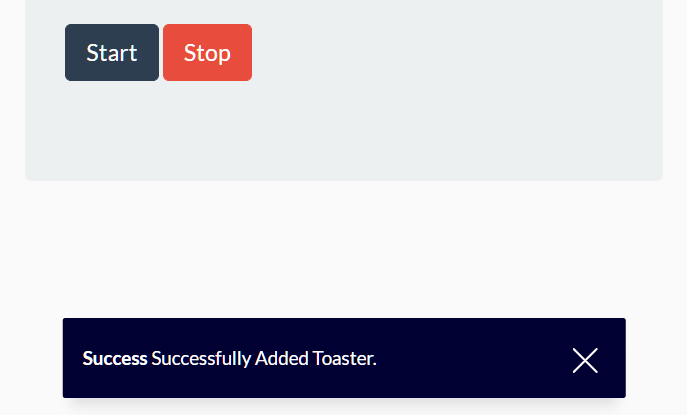
A minimal yet configurable toast JavaScript library for creating toast-like notification boxes with slide and fade animations on the page.
Features:
- Supports HTML content.
- Configurable delay timeout.
- Custom close icon.
- Custom position.
- Shows the toast notification on page load or not.
How to use it:
1. Load the stylesheet toaster-box.css and JavaScript toaster-box.js in the HTML document.
<link rel="stylesheet" href="toaster-box.css" />
<script src="toaster-box.js"></script>
2. Display a basic toast notification on the page. The message supports both plain text and HTML content:
new ToasterBox({
    msg: 'Toast Message Here'
});
new ToasterBox({
    msg: '<strong>Toast</strong> Message Here',
    html : true
});
3. Determine the delay timeout in ms. By default, the toast notification will auto dismiss after 3 seconds.
new ToasterBox({
    msg: 'Toast Message Here',
    duration: 5000
});
4. Determine whether to show the close button. Default: true.
new ToasterBox({
    msg: 'Toast Message Here',
    closeButton: false
});
5. Customize the close icon.
new ToasterBox({
    msg: 'Toast Message Here',
    closeIcon: '<img src='./close.svg' alt='close icon' width='20' class='inverted'/>'
});
6. Determine whether to show the toast notification on page load. Default: true.
new ToasterBox({
    msg: 'Toast Message Here',
    autoOpen: false
});
7. Determine the position of the toast notification: ‘top-left’, ‘top-center’, ‘top-right’, ‘bottom-left’, ‘bottom-center’, ‘bottom-right’.
new ToasterBox({
    msg: 'Toast Message Here',
    position: 'bottom-center'
});
8. Set the max width of the toast notification. Default: 450.
new ToasterBox({
    msg: 'Toast Message Here',
    maxWidth: 350
});
9. Apply additional CSS class to the toast notification.
new ToasterBox({
    msg: 'Toast Message Here',
    className: 'your classes here'
});
See Also:
 Modern JavaScript Toast Notification & Modal Popup Library – JSPT
 Lightweight Toast & Growl Notifications Inspired by macOS – Toastify
 Framework-Agnostic Toast Notifications with TypeScript – NotifyX
 Material Design Toast & Snackbar Library with Action Buttons – MiniSnackbar
 shadcn/ui Sonner-style Toast Notification Library – toast-queue
 Advanced Alert Notification System For Bootstrap 5 – AvalynxAlert.js
 Customizable Toast Notifications with Burning Fuse Countdown Animations – FuseNotify
 Modern Notification Library for Web Apps – FlashyJS