


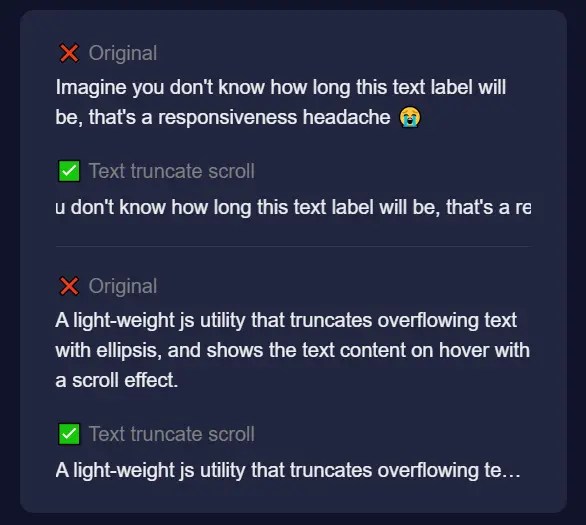
We often need to deal with overflowing text in containers, such as titles, descriptions, and captions. Truncating text with ellipsis is a common approach to solve this problem, but it can limit the user’s ability to read the full text. A better approach is to show the full-text content on hover with a scroll effect, which allows the user to see the full content without sacrificing the design.
The Text Truncate Scroll library trims your long text into a single-line paragraph and shows the full content on hover with a scroll effect. Written in TypeScript and works on any devices.
How to use it:
1. Install and import the Text Truncate Scroll.
# Yarn
$ yarn add text-truncate-scroll
# NPM
$ npm i text-truncate-scroll
// ES Module
import { activateTextTruncateScroll } from "text-truncate-scroll"
// Browser
<script src="https://unpkg.com/text-truncate-scroll/lib/index.js"></script>
2. Wrap your content into an element with the CSS class of ‘text-truncate-scroll’.
<p class="text-truncate-scroll">
  Your Content Here
</p>
3. Initialize the Text Truncate Scroll.
activateTextTruncateScroll()
4. Available options.
activateTextTruncateScroll({
  className: 'text-truncate-scroll',
  scrollSpeed: 60,
  timeoutBeforeInit: 800,
})
See Also:
 Long Content Truncation With Show More/Less Links – show-more
 Smooth, Infinite Scrolling Marquees in Vanilla JavaScript – marquee6k
 Smooth, Infinite, Horizontal Scroller with Progress Tracking
 Pure CSS Responsive Infinite Logo Carousel with Fade Effects
 Smooth Responsive Read More JavaScript Plugin – Readmore.js
 Create Infinite Scrolling Ribbons with ribbon-tile Web Component
 Dynamic Marquee-like Text Scroller In Vanilla JavaScript
 CSS-only Horizontal Image Scroller with Vertical Scroll Pause