


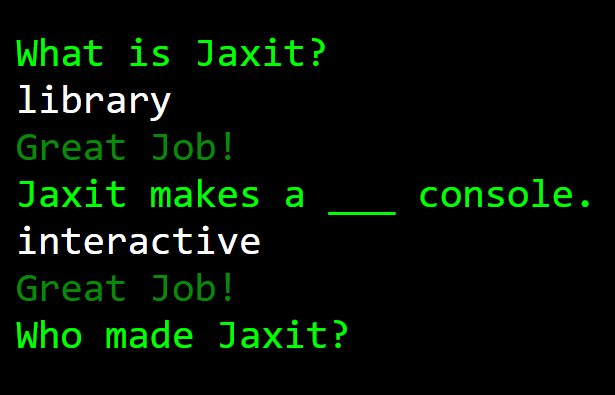
A lightweight JavaScript library to create a configurable, customizable, interactive bash terminal (also called web console) on the page.
How to use it:
1. Import the Jaxit library.
<link rel="stylesheet" href="jaxit.css" />
<script src="jaxit.min.js"></script>
// or
import {createJaxit} from './jaxit.module.min.js';
@import url('./jaxit.css');
2. Initialize the Jaxit.
var jax = createJaxit();
jax.init();
3. Apply default styles to the terminal.
jax.defaultStyle();
4. Print something on the terminal.
// jax.print(string, color);
jax.print('CSSScript.com', '#ffffff');
5. Monitor and react to user input.
// jax.scan(question, text1Color, text2Color, ParseInputIntoInteger, callback)
jax.scan('Your Question', "red", "white", false, function(userInput) {
  jax.print(userInput);
});
6. Clear the terminal.
jax.clear();
7. Change the location of the terminal:
- top
- right
- bottom
- left
- fullscreen
jax.changeLocation('fullscreen');8. Delay the output.
jax.delay(function() {
  jax.print('Hello World!');
}, 3);
9. Slowprint the message for added effect
jax.slowprint('Hello World', 400, "green", function() {
  jax.print('Finished the slowprint!');
});
10. Style the terminal using your own CSS.
.jaxit-console {
  ...
}
11. Or via JavaScript.
jax.jaxconsole.style.styleName = VALUE;
12. More API methods.
// set the font family
// google fonts are supported
jax.changeConsoleFont(newfont);
// set the background color
jax.changeConsoleColor(newcolor);
// set the gradient
jax.changeConsoleColorGradient(arr, type, direction);
// change the size
jax.changeConsoleSize(wantedwidth, wantedHeight, width_measurement_type, height_measure_type);
// change location
// loc: top, bottom, left, right, or fullscreen
jax.changeLocation(loc);
Changelog:
04/15/2022
- update JS
See Also:
 Terminal-Inspired CSS Library for Retro Web UI – WebTUI
 Terminal Style CSS Framework – terminal.css
 Build Terminal UI with Terminal.css CSS Framework
 Emulating A Shell Environment With The ttty.js Library
 Create Custom Terminals With Pure JavaScript And CSS – shell.js
 Vanilla JavaScript Shell Terminal Emulator With Async/Await Functions – jsShell.js
 Minimal Interactive Terminal In JavaScript – Terminal.js
 Powerful And Intuitive Web Terminal Component – Termino.js