


An easy and fast JavaScript library for paginating and filtering tabular data in an HTML table.
How to use it:
1. Add a pager element to the bottom of the table.
<table id="easy-table">
  Your Table Data
</table>
<div id="paginator"></div>
2. Create a text field to filter the tabular data.
<input type="text" onkeyup="filter(event)" />
3. Prepare your tabular data in an array of JS objects.
[
    {
        "id": 0,
        "name": "Carl",
        "last_name": "Morrison",
        "country": "England",
        "age": 13
    },
    {
        "id": 1,
        "name": "Peter",
        "last_name": "Kane",
        "country": "Canada",
        "age": 22
    },
    {
        "id": 2,
        "name": "Anne",
        "last_name": "Thompson",
        "country": "Spain",
        "age": 89
    },
    // ...
]
4. Include the main script on the page.
<script src="js/script.js"></script>
5. Initialize the ECJSTable and populate the table with the data you just defined.
const options = {
// table ID
tableId:'easy-table',
// Initial Page
currentPage:1,
// Number of pages
perPage:10,
// Auto show headers
autoHeaders:true,
// Custom text
arrowUp:'⇑',
arrowDown:'⇓',
previousText:'❮',
nextText:'❯',
}
setTable(data, options);6. Customize the pagination links.
.paginator-button {
  margin: 5px;
}
See Also:
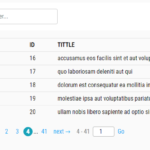 Create Pagination And Filter For HTML Table – Ligne PaginateJs
 Real-Time Table Search Library Under 1KB – Searchable
 Add Sortable and Filterable Functionalities to HTML Tables with the Action Table Web Component
 Filter Table Data Using Form Controls – SV-Filtable
 Add Customizable Pagination to Any Content with the pure-paginator JS Library
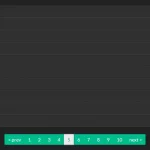 Bootstrap Compatible Pagination Component – easyPagination.js
 Universal Data Pagination Component – Pagination System
 Easy Fast Table Pagination JavaScript Library – paginationTable.js