


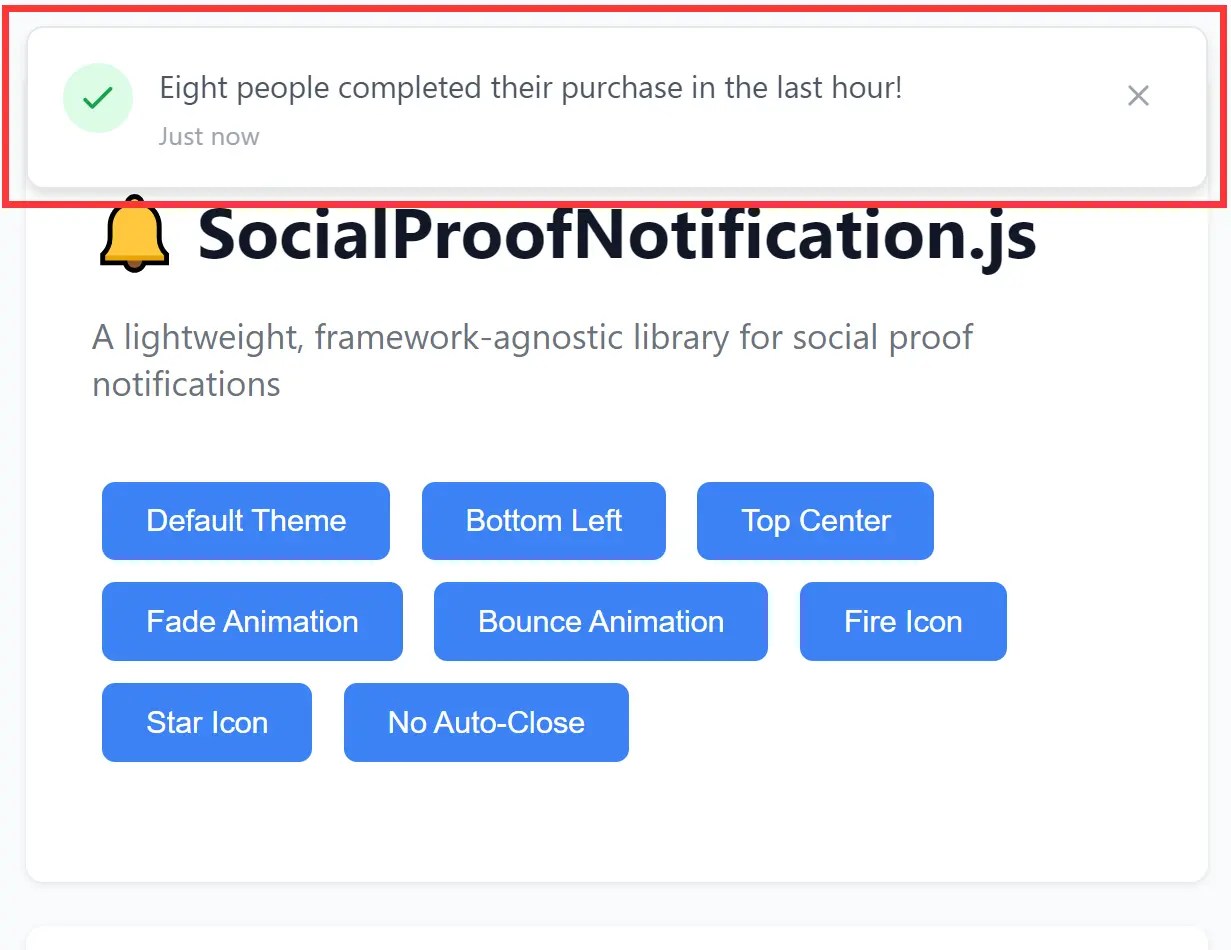
This is a lightweight social proof notification library that creates small, customizable pop-ups to display real-time user activity on your website.
You can use the library to showcase recent sales, sign-ups, or other positive actions to build trust, create a sense of urgency, and encourage more visitors to convert.
Features:
- Framework-agnostic: Works with vanilla JavaScript, Bootstrap 5, Tailwind CSS, or any CSS frameworks.
- 6 Positioning Options: Supports six screen positions, including all corners and centered top/bottom placements with responsive mobile adaptations.
- Animation System: Includes slide, fade, and bounce animation options with configurable duration and the ability to disable animations entirely.
- Flexible Data Source: Accepts local data arrays or fetches from API endpoints with automatic fallback to generated notifications.
- LocalStorage Caching: Implements frequency control to prevent notification overload by tracking display times and enforcing minimum intervals between shows.
Use Cases:
- E-commerce Conversion Optimization: Display recent purchase notifications to create urgency and social validation on product pages where conversion rates need improvement.
- SaaS Signup Validation: Show real-time signup activity on landing pages to demonstrate product popularity and reduce prospect hesitation during the consideration phase.
- Course Enrollment Tracking: Present enrollment notifications on educational platforms to leverage social proof during promotional periods or limited-time offers.
- Live Activity Feeds: You can use it to create a simple, non-intrusive feed of user actions, like “John from New York just posted a comment”.
How To Use It:
1. Download and import the SocialProofNotification.js library into your project.
# NPM
$ npm install social-proof-notification
<!-- Self-hosted -->
<script src="/path/to/social-proof-notification.min.js"></script>
<!-- CDN-->
<script src="https://cdn.jsdelivr.net/gh/iamdlm/social-proof-notification/social-proof-notification.min.js"></script>
2. Create a new SocialProofNotification instance with the create method and call init to start the notification cycle.
const notifier = SocialProofNotification.create({
  // options here
});
notifier.init();
3. For static notifications, define an array of notification objects through the localData parameter:
The library selects notifications randomly from the array. Each notification object requires a message string and an optional timestamp string.
const notifier = SocialProofNotification.create({
  dataSource: 'local',
  localData: [
    {
      message: 'Over 100 people are viewing this product right now',
      timestamp: 'Just Now'
    },
    {
      message: 'Someone just registered for our free trial',
      timestamp: '5 seconds ago'
    },
    {
      message: 'A customer just left a 5-star review',
      timestamp: '5 minutes ago'
    }
  ]
});
4. For dynamic content that reflects actual user activity, configure an API endpoint that returns notification data:
The API endpoint must return JSON with a message field and optional timestamp field. The library handles fetch errors by falling back to generated notifications automatically.
const notifier = SocialProofNotification.create({
  dataSource: 'api',
  apiUrl: '/path/to/notifications',
});
5. Customize the message format with the messageFormat parameter. It accepts placeholders that the library replaces with random values. The {count} placeholder generates number words like “Two” or “Five”. The {action} placeholder selects from actions like “bought this” or “enrolled”. The {timeframe} placeholder produces phrases like “recently” or “in the last hour”:
const notifier = SocialProofNotification.create({
  messageFormat: '{count} developers {action} {timeframe}',
  iconType: 'star'
});
6. More configuration options to customize your notifications:
| Parameter | Type | Default | Description |
|---|---|---|---|
| position | string | ‘bottom-right’ | Screen position: ‘top-left’, ‘top-right’, ‘top-center’, ‘bottom-left’, ‘bottom-right’, ‘bottom-center’ |
| autoClose | boolean | true | Enables automatic notification dismissal |
| autoCloseTimeout | number | 8000 | Milliseconds before auto-close triggers |
| initialDelay | number | 10000 | Delay before first notification appears |
| dataSource | string | ‘local’ | Data source type: ‘local’ or ‘api’ |
| apiUrl | string | null | API endpoint URL when using ‘api’ source |
| localData | array | [] | Array of notification objects for local source |
| saveToStorage | boolean | true | Persists display time to localStorage |
| minTimeBetween | number | 9 | Minimum hours between notification displays |
| theme | string | ‘default’ | Theme option: ‘default’, ‘bootstrap’, ‘tailwind’, or custom class name |
| showIcon | boolean | true | Controls icon visibility |
| iconType | string | ‘checkmark’ | Icon type: ‘checkmark’, ‘fire’, ‘star’ |
| animation | string | ‘slide’ | Animation effect: ‘slide’, ‘fade’, ‘bounce’, ‘none’ |
| animationDuration | number | 300 | Animation duration in milliseconds |
| closeButton | boolean | true | Shows close button |
| pauseOnHover | boolean | false | Pauses auto-close timer on mouse hover |
| maxNotifications | number | 1 | Maximum notifications per session |
| messageFormat | string | ‘{count} people {action} {timeframe}!’ | Template for generated messages |
const notifier = SocialProofNotification.create({
  position: 'bottom-right',
  autoClose: true,
  autoCloseTimeout: 8000,
  initialDelay: 10000,
  dataSource: 'local',
  apiUrl: null,
  localData: [],
  saveToStorage: true,
  minTimeBetween: 9,
  theme: 'default',
  showIcon: true,
  iconType: 'checkmark',
  animation: 'slide',
  animationDuration: 300,
  closeButton: true,
  pauseOnHover: false,
  maxNotifications: 1,
  messageFormat: '{count} people {action} {timeframe}!',
});
7. API methods.
- init(): Initializes the notification system and shows the first notification after the configured
initialDelay. This method respects theminTimeBetweensetting whensaveToStorageis enabled. - show(): Displays a notification immediately without waiting for
initialDelay. This method bypasses the localStorage check but still respectsmaxNotifications. - hide(): Dismisses the currently visible notification with the configured animation. The method clears any active auto-close timers.
- destroy(): Removes the notification, clears timers, and resets the notifications shown counter. This method prepares the instance for garbage collection.
FAQs:
Q: How do I prevent notifications from showing too frequently and annoying users?
A: Configure the minTimeBetween parameter to set minimum hours between displays. Setting this to 24 hours with saveToStorage: true ensures each user sees notifications at most once per day.
Q: What happens if my API endpoint fails or returns invalid data?
A: The library catches fetch errors and falls back to generating random notifications using the messageFormat template. This ensures users still see social proof even when backend systems experience issues. The error logs to the console for debugging purposes. To prevent fallback behavior, ensure your API returns properly formatted JSON with at least a message field.
Q: Why do notifications appear under my sticky header or modal overlays?
A: The library applies z-index 9999 to position notifications above most page elements. Increase this value by adding custom CSS targeting .spn-container if your sticky elements use higher z-index values. Check that parent elements do not create new stacking contexts with position, transform, or filter properties that could isolate the notification layer.
See Also:
 Small Fast Accordion Plugin In Pure JavaScript – CFAccordion
 Lightweight Responsive SVG Charts with CSS Transitions – Beaned-Charts
 Encode/Decode Strings, Bytes, and Integers With Base62
 Vanilla JS Carousel Slider With Modern Look and Auto-Play
 Pure CSS Material Morphing Menu
 Minimal Canvas Based Bar & Line Chart Library – TChart.js
 CSS Only Floating Label For Form Fields
 Background-size: Cover Like Responsive Image Solution – CoverImage