


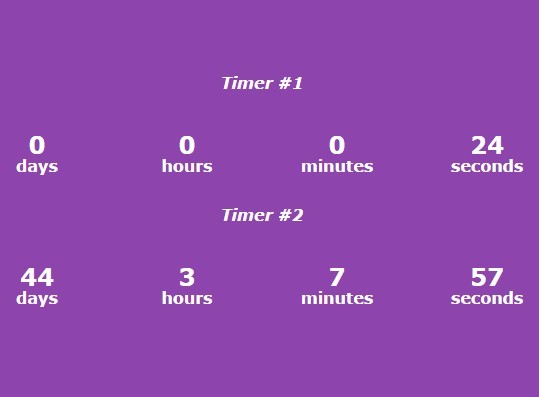
A simple, unobtrusive JavaScript library for create a countdown timer which allows you to count down (up) from (to) a specific time.
How to use it:
Include the pure-js-timer.js on the html page.
<script src="js/pure-js-timer.js"></script>
Create an empty container for the countdown timer.
<div id="timer">
  ...
</div>
Create a new countdown timer.
pureJSTimer({
  container  : '#timer',
  endDate    : '2015 october 3',
  afterUpdate: function(startDate, endDate, currentDate) {
    //
  },
  onFinish   : function(startDate, endDate) {
    //
  }
});
Create a new count-up timer.
pureJSTimer({
  container  : '#timer',
  addYears   : 1,
  addMonths  : 2,
  addDays    : 45,
  addHours   : 5,
  addMinutes : 30,
  addSeconds : 47,
  countUp    : true,
  afterUpdate: function(startDate, endDate, currentDate) {
    //
  },
  onFinish   : function(startDate, endDate) {
    //
  }
});
Add your own styles to the countdown timer.
.pure-js-timer-days:after { content: "days"; }
.pure-js-timer-hours:after { content: "hours"; }
.pure-js-timer-minutes:after { content: "minutes"; }
.pure-js-timer-seconds:after { content: "seconds"; }
.pure-js-timer-container {
  margin-bottom: 30px;
  padding-bottom: 16px;
  text-align: center;
}
.pure-js-timer-unit {
  display: inline-block;
  font-size: 24px;
  font-weight: 700;
  position: relative;
  width: 150px;
}
.pure-js-timer-unit:after {
  bottom: -16px;
  font-size: 16px;
  left: 0;
  position: absolute;
  text-align: center;
  width: 100%;
}
See Also:
 Countdown Timer Plugin With Pure JavaScript – TimezZ
 Minimalist Countdown Timer In D:H:M:S Format – countdown-js
 Simple Countdown Timer In Vanilla JavaScript – ysCountDown.js
 Basic Countdown Timer In Plain JavaScript – Countdown.js
 Modern Countdown Timer In Vanilla JavaScript – Ls Countdown
 Circular Countdown Timer In JavaScript And CSS3
 Count Down To A Date With Custom Until/End Messages – sv-countdown
 Animate Numbers With A Rolling Effect – number-flip