


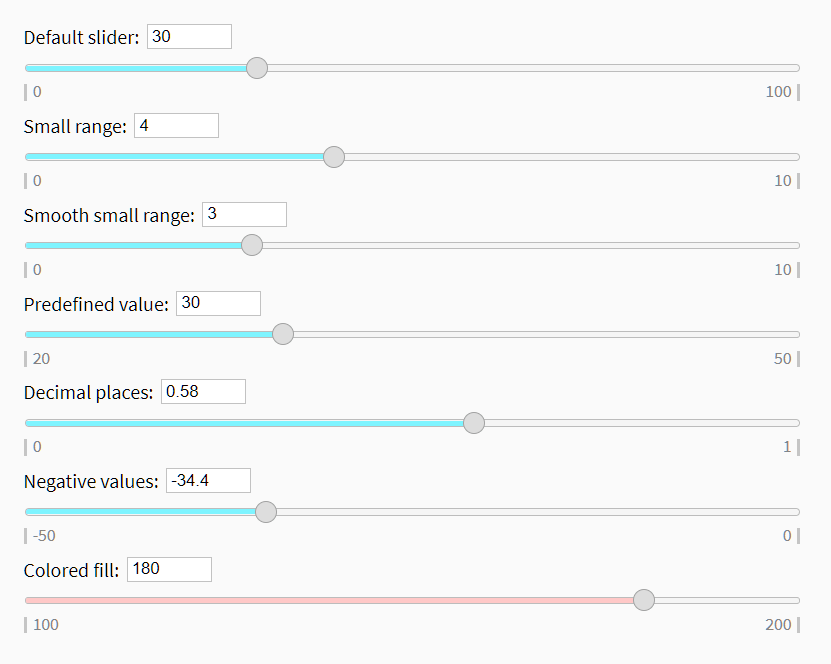
Yet another JavaScript plugin that converts regular text input fields into custom range slider controls.
How to use it:
1. Insert the necessary JavaScript and CSS files into the HTML.
<link rel="stylesheet" href="slider.css" />
<script src="sliders.js"></script>
2. Create a basic custom range slider.
<input type="text" name="value1" text="Default slider:" />
3. Specify the min/max values.
<input type="text" name="value1" text="Default slider:" min=0 max=10 />
4. Enable a smooth move experience.
<input type="text" name="value1" text="Default slider:" smooth=yes />
5. Customize decimal places.
<input type="text" name="value1" text="Default slider:" round=2 value=0.58 />
6. Specify the fill color.
<input type="text" name="value1" text="Default slider:" color="#ffc8c7" />
See Also:
 Build Custom Circular Range Sliders with CircularRange Web Component
 Accessible Dual-Handle Range Slider Library – range-slider.js
 Accesible Range Slider Custom Element
 Accessible Dual-Thumb Range Slider for Web & Mobile – DoubleRange
 Modern Range Sliders Based On Native Range Inputs – dual-range-input
 Highly Customizable Range Slider In JavaScript – Slider89.js
 Interactive Range Slider with Tooltip Using Pure CSS
 Stylish Range Slider With Tooltips And Continuous Scale