


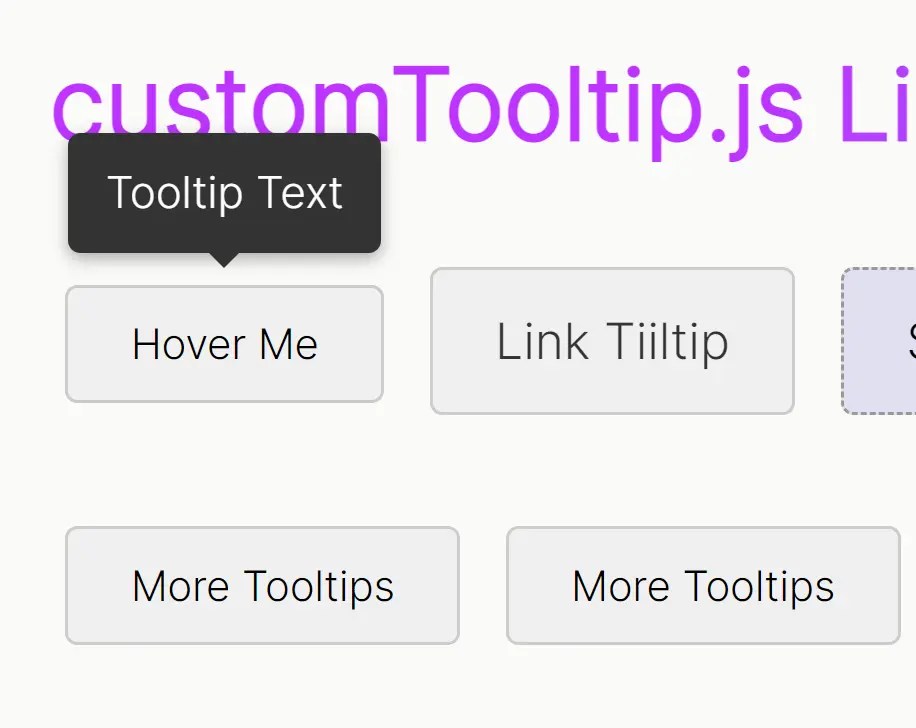
customTooltip.js is a lightweight JavaScript library that allows you to add beautifully customized tooltips to any element on your webpage using the simple data-tooltip attribute.
How to use it:
1. Add the customTooltip.css stylesheet and customTooltip.js script to your HTML file.
<link rel="stylesheet" href="customTooltip.css">
<script src="customTooltip.js"></script>
2. Attach the data-tooltip attribute to any HTML element that you want to have a tooltip. Set its value to the text you want to display.
<button data-tooltip="This is a tooltip">Hover Me</button>
<a href="#" data-tooltip="This is a long tooltip.">Hover Me</a>
3. You can easily customize the tooltip’s look and feel by modifying the CSS file, customTooltip.css.
.custom-tooltip {
  position: fixed;
  z-index: 1001;
  background-color: #333;
  color: #fff;
  padding: 8px 12px;
  border-radius: 4px;
  font-size: 14px;
  opacity: 0;
  transition: opacity 0.15s ease-in-out;
  pointer-events: none;
  box-shadow: 0 2px 5px rgba(0, 0, 0, 0.3);
}
.custom-tooltip.tooltip-visible {
  opacity: 1;
}
.custom-tooltip::after {
  content: "";
  position: absolute;
  top: 100%;
  left: 50%;
  margin-left: -5px;
  border-width: 5px;
  border-style: solid;
  border-color: #333 transparent transparent transparent;
  opacity: 0;
  transition: opacity 0.15s ease-in-out;
}
See Also:
 Pure HTML5 / CSS Tooltip Solution
 60+ Responsive Professional CSS Blocks For Tailwind.css – Tailblocks
 Beautify Native Select Elements With JavaScript – nativejs-select
 Smooth Drag And Drop Library – dragdrop.js
 Configurable Sprite Based Animations In JavaScript – jSprite
 Accessible Pie Menu In Vanilla JavaScript – Radial Menu
 Interactive Diagonal Image Comparison With JavaScript
 Easy Carousel Slider With Vanilla JavaScript – tCarousel.js