


SiteGuard is a lightweight JavaScript library that helps you protect your web content through JavaScript security measures.
It blocks unauthorized access and prevents content copying through multiple protective layers:
- Developer Tools Detection: Blocks access by monitoring performance metrics
- Element Protection: Prevents content dragging
- Middle-Click Prevention: Stops new tab exploitation
- Right-Click Protection: Blocks context menu access
- Keyboard Security: Disables development-related shortcuts
- Text Selection Prevention: Restricts content copying
How to use it:
Copy the script and place it directly before the closing <head> tag in your HTML document. This placement prevents users from easily blocking the script and ensures that there are no traces left if content is cleared automatically.
<script>
/*!-----------------------------------------------------------------------------
* SiteGuard - Version 1.1.2
* License: Apache License Version 2.0
* Repository: https://github.com/luizbizzio/siteguard
* Published: 2024-11-08
* -------------------------------------------------------------------------- */
function af(){var e=!1;setInterval(function(){var t=performance.now();console.profile(),console.profileEnd(),console.clear&&console.clear(),10<performance.now()-t&&!e&&(e=!0,document.documentElement.innerHTML="",location.reload())},1)}af(),document.addEventListener("dragstart",e=>e.preventDefault()),document.addEventListener("auxclick",e=>{1===e.button&&(e.stopPropagation(),e.preventDefault())}),document.addEventListener("contextmenu",function(e){e.preventDefault()}),document.onkeydown=e=>{[{ctrl:!0,shift:!0,code:"KeyI"},{ctrl:!0,shift:!0,code:"KeyJ"},{ctrl:!0,shift:!0,code:"KeyV"},{ctrl:!0,shift:!0,code:"KeyC"},{ctrl:!0,code:"KeyU"},{ctrl:!0,code:"KeyP"},{ctrl:!0,code:"KeyS"},{ctrl:!0,code:"KeyJ"},{ctrl:!0,code:"KeyF"},{code:"F12"}].some(t=>!!t.ctrl===e.ctrlKey&&!!t.shift===e.shiftKey&&e.code===t.code)&&e.preventDefault()},document.addEventListener("DOMContentLoaded",function(){document.body.style.setProperty("user-select","none","important");let e=document.createElement("style");e.type="text/css",e.media="print",e.innerHTML="* { display: none !important; }",document.head.appendChild(e);let t=document.createElement("style");t.type="text/css",t.innerHTML="body {-webkit-touch-callout: none; -webkit-user-select: none; -khtml-user-select: none; -moz-user-select: none; -ms-user-select: none; user-select: none;}",document.head.appendChild(t)});
</script>
Changelog:
v1.0.0 (02/18/2026)
- Best-effort DevTools timing checks
- Blocking of common browser interactions (right-click, selection, shortcuts)
- Optional content hiding during print
See Also:
 Block Dev Tools, Right-Click & Text Selection with PageProtector.js Library
 Protect Email Addresses Using ROT13 Substitution Cipher – email-protector.js
 Content Protection And Content Locking – NoPrint.js
 Protect Images From Theft Using The ProtectImage.js Library
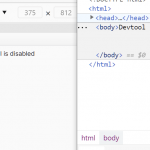 Protect Your Site By Disabling The Browser Devtool (F12) – console-ban
 Protect Images From Being Stolen Using Hotlink Blocker
 Mobile-friendly Popup Notification Library – minitoast
 Lightweight & Fast Image Cropper In Vanilla JavaScript – Truecropper.js