


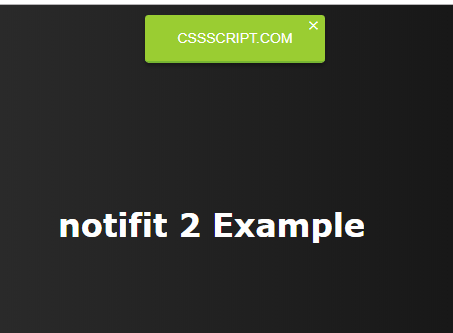
This is the upgraded and vanilla JavaScript version of the jQuery notify plugin that shows minimal, clean, customizable notifications to end users.
How to use it:
Insert the notifit 2 plugin’s files into the html file.
<link rel="stylesheet" href="notifIt.css">
<script src="notifIt.js"></script>
Create a default notification on the page.
var n = notif({
    'msg': 'Your Own Message Here'
})
Set the position of the notification. Available positions: ‘left’, ‘center’, ‘right’ (default), ‘bottom’.
var n = notif({
    'msg': 'Your Own Message Here',
    'position': 'center'
})
Change the default theme of the notification. Available themes: ‘default’, ‘success’, ‘error’, ‘warning’, ‘info’.
var n = notif({
    'msg': 'Your Own Message Here',
    'type': 'info'
})
Insert a close button into the notification.
var n = notif({
    'msg': 'Your Own Message Here',
    'clickable': true
})
Set the CSS z-index & opacity properties of the notification.
var n = notif({
    'msg': 'Your Own Message Here',
    'opacity': 1,
    'zindex': null
})
Execute a function after the notification is closed.
var n = notif({
    'msg': 'Your Own Message Here',
    'callback': null
})
See Also:
 Check & Uncheck All Checkboxes With A Single Click – SelectAllCheckbox
 iOS 7 Style Switches with Pure CSS/CSS3
 Pure CSS/CSS3 Fly-out Drawer Menu
 Filterable Contact List With JavaScript
 Modern Image Carousel with Thumbnail Transitions
 Sliding Accessibility Settings Panel In JavaScript
 Cryptocurrency Image Library – Crypto Awesome
 Boost Your Website’s User Accessibility With The Accessibility Plugin