


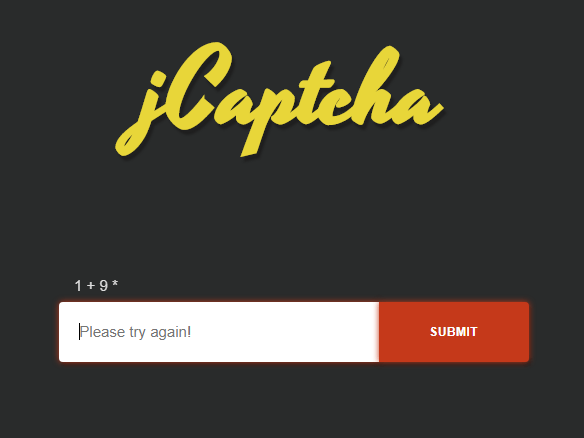
jCaptcha.js is a lightweight, vanilla JavaScript plugin that creates a simple, random, <canvas> based math captcha to protect against spam.
How to use it:
Insert the minified version of the jCaptcha.js library into the web page.
<script src="dist/index.min.js"></script>
Create an html form where you want to generate the math captcha.
<form class="form" action="">
  <input class="jCaptcha" type="text" placeholder="Type in result please">
  <button class="button" type="submit">Submit</button>
</form>
Initialize the math captcha.
var myCaptcha = new jCaptcha({
    // set callback function
    callback: function(response, $captchaInputElement) {
        if (response == 'success') {
            $captchaInputElement[0].classList.remove('error');
            $captchaInputElement[0].classList.add('success');
            $captchaInputElement[0].placeholder = 'Submit successful!';
        }
        if (response == 'error') {
            $captchaInputElement[0].classList.remove('success');
            $captchaInputElement[0].classList.add('error');
            $captchaInputElement[0].placeholder = 'Please try again!';
        }
    }
});
Validate the math captcha on form submit.
document.querySelector('form').addEventListener('submit', function(e) {
  e.preventDefault();
  // captcha validate
  myCaptcha.validate();
});
Possible options with default values.
var myCaptcha = new jCaptcha({
    // CSS class of input field
    el: 'jCaptcha',
    // character for required value
    requiredValue: '*',
    // reset on error
    resetOnError: true,
    // focus on the input on error
    focusOnError: true,
    // clear on submit
    clearOnSubmit: true,
    // CSS class of canvas
    canvasClass: 'jCaptchaCanvas',
    // canvas styles
    canvasStyle: {
      width: null,
      height: null,
      font: '',
      fillStyle: '',
      textAlign: '',
      textBaseline: ''
    }
});
Changelog:
v1.3.0 (05/25/2020)
- Updated options
- Resolved issue with multiple instances
- Code improvements
- Drop support for IE10
01/02/2020
- Update
11/13/2018
- Minor updates
05/28/2018
- v1.1.0
See Also:
 Lightweight, Self-Hosted CAPTCHA Solution – xsukax JS CAPTCHA
 Simple Numeric Captcha In Pure JavaScript – JS-Captcha
 Emoji Captcha Verification System – eCaptcha
 DOOM Video Game Captcha In JavaScript
 Image Rotation Captcha (Human Verification) Library – RVerify.js
 Full-feature Online Spreadsheet In Vanilla JavaScript – Luckysheet
 Bind Keyboard Shortcuts With Pure JavaScript – keycuts
 Bubble Confetti Effect For Button
Hi, I downloaded, but files are missing, where is jCaptcha.min.js ?
The folder structure has been changed. Please check out the doc for details.