


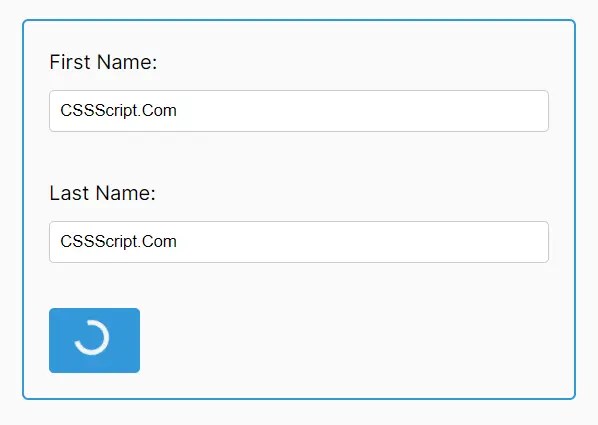
SpinOnSubmitJS is a tiny JavaScript library that shows a loading spinner on submit button while submitting a form (e.g. logins and signups are processing data). This reassures users their input has been received, and the system is responding.
How to use it:
1. Install and import the spinonsubmitjs.
# NPM
$ npm i spinonsubmitjs
import { createSpinnerButton } from 'spinonsubmitjs';2. Attach the createSpinnerButton to your form’s submit button and define a callback function representing the asynchronous action performed when the button is clicked.
createSpinnerButton('submitBtn', 'myForm', (data) => {
  return new Promise((resolve) => {
    setTimeout(() => {
      alert(`Submitted!\nUsername: ${data.username}\nEmail: ${data.email}`);
      resolve();
    }, 3000);
  });
});
3. The callback additionally receives the form data as its first argument, liberating you from manually gathering the data. You can also specify an error callback as a fourth argument to elegantly handle errors if your main callback encounters an issue or rejects a promise.
createSpinnerButton('submitBtn', 'myForm',
  (data) => {
    return new Promise((resolve, reject) => {
      setTimeout(() => {
        if (data.username === '') {
          reject('Username is required!');
        } else {
          alert(`Submitted!\nUsername: ${data.username}\nEmail: ${data.email}`);
          resolve();
        }
      }, 2000);
    });
  },
  (error) => {
    alert(`Error: ${error}`);
  }
});
4. Moreover, you can customize the loading spinner’s styles by passing a fifth argument to createSpinnerButton. This should be an object where keys are CSS property names and the values are your desired styles.
createSpinnerButton('submitBtn', 'myForm',
  (data) => {
    return new Promise((resolve, reject) => {
      setTimeout(() => {
        if (data.username === '') {
          reject('Username is required!');
        } else {
          alert(`Submitted!\nUsername: ${data.username}\nEmail: ${data.email}`);
          resolve();
        }
      }, 2000);
    });
  },
  (error) => {
    alert(`Error: ${error}`);
  },
  {
    backgroundColor: 'red',
    borderRadius: '50%',
    color: 'white'
  }
});
Changelog:
02/13/2025
- JS Update
See Also:
 Touchable & Accessible Slider JavaScript Library – galleryLib.js
 Customizable Bubble Animation With JavaScript And Canvas – bubbly-bg
 Responsive Photo Gallery with Smart Row Layout – Lumosaic
 Configurable Text Typing Effect In Pure JS – AutoTyper.js
 Multi-level Bootstrap Navbar In Pure CSS
 Pure CSS/CSS3 Off-screen Side Navigation
 Create Custom Scrollbars With Pure JavaScript – scrollBot
 Tab Bar Style Navigation Menu