


A native JavaScript popup component that help developer create iOS style loading spinners and alert & confirmation dialog boxes on the web application.
How to use it:
1. Load the Popup.js component in the document and you’re ready to go.
<script src="js/component.js"></script>
2. Create a toast like loading indicator on the screen. Live Demo
let toast = new ToastClass();
toast.onShow = function () {
  // on show
};
toast.onHide = function () {
  // on hide
};
function showToast () {
  toast.show({
    loading: true,
    onShow: function(){
      setTimeout(function(){
        toast.show({
          text: 'Loading Completely',
          duration: 2000,
          onHide: function(){
            // do something
          }
        })
      }, 3000)
    }
  })
}
3. Create an alert dialog. Live Demo
let alert = new AlertClass();
alert.onShow = function () {
  console.log ('Internal onShow');
  console.log ('Global onShow')
};
alert.onHide = function () {
  console.log ('Global onHide')
};
function showAlert () {
  alert.show({
    title: 'Alert Title',
    content: 'Alert Message',
    btnText: 'I Understand',
    onShow: function(){
      console.log('Alert!')
    },
    onHide: function(){
      console.log('Hide!')
    }
  })
}
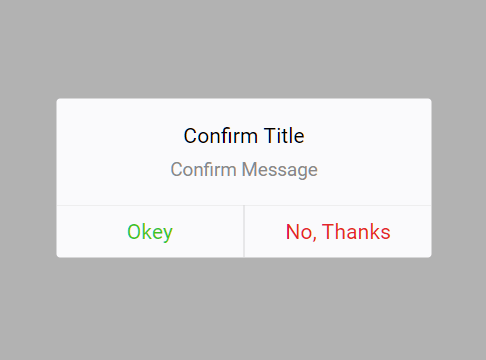
4. Create a confirmation dialog.
let confirm = new ConfirmClass();
confirm.onShow = function () {
  // do something
};
confirm.onHide = function () {
  // do something
};
function showConfirm () {
  confirm.show({
    title: 'Confirm Title',
    content: 'Confirm Message',
    btns: [{
      callback: function(instance){
        instance.close = false;
        console.log('Clicked Close Button');
      }
    }, {
      text: 'No, Thanks',
      callback: function(){
        console.log('Clicked No Button');
      }
    }],
    onShow: function(){
      console.log('Open!')
    }
  })
}
See Also:
 Elegant Notification Popup JavaScript Library – Notiflix
 Notification/Dialog/Loading Indicator JavaScript Library – Fnon
 Build Interactive Customizable Popups And Alerts with AsPopup.js
 Create Dynamic Draggable Alert/Confirm Popups – webcimes-modal
 Customizable Alert/Confirm Modal Library – modal-alert.js
 Lightweight JavaScript Notification System – Simple Display Alert
 Minimal Alert & Confirmation Modals in JavaScript – PopupJs.js
 Create Custom Stylish Dialogs with SnapDialog JavaScript Library