



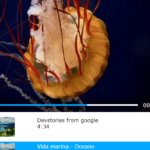
ivid is an interactive, accessible HTML5 video player that you can select other videos in the current video.
Keyboard interactions:
- space: Play/Pause
- m: Mute/Unmute
- f: Fullscreen toggle
- up/down: Volume up/down
- right/left: Forward/backward
How to use it:
Installation:
# NPM
$ npm install @ividjs/ivid --save
Import the ivid’s files into the html document.
<script src="//unpkg.com/@ividjs/ivid@latest" type="module" async></script>
Import the optional stylesheet to style the HTML5 video player.
<link href="//unpkg.com/@ividjs/ivid@latest/dist/ivid.min.css" rel="stylesheet">
Import the optional Material Icons for the controls.
<link href="//fonts.googleapis.com/icon?family=Material+Icons" rel="stylesheet">
The HTML.
<i-video id="ivid-example" controls autoplay playsinline></i-video>
Specify the videos.
let video1 = {
    uid: 111,
    src: "1.mp4"
};
let video2 = {
    uid: 222,
    src: "2.mp4"
};
let video3 = {
    uid: 333,
    src: "3.ogv"
};
let video4 = {
    uid: 444,
    src: "4.ogv"
};
video1.options = {
  choices: {
    [video2.uid]: 'A cat', // ... the first choice will be the default fallback
    [video3.uid]: 'A troiKat',
  },
}
// The next video can be set directly
video2.options = {
  choices: { // By displaying "choices"... or forcing them through
    [video3.uid]: 'troikating...'
  }
}
video3.options = {
  fallback: video2.uid // Or seamlessly
}
// Or setting everything up, for a better control
video4.options = {
  choices: {
    [video1.uid]: 'Meow',
  },
  fallback: video3.uid
}
Create a model object. Each model attribute is a videoUID of value: the video itself.
let model = {
    [video1.uid]: video1,
    [video2.uid]: video2,
    [video3.uid]: video3,
    [video4.uid]: video4
};
Add model to iVid component (as a JSON string).
document.getElementById("ivid-example").setAttribute("model", JSON.stringify(model));See Also:
 Custom Media Player Controls Using Web Components – media-chrome
 Custom HTML5 Video/Audio And Youtube/Vimeo Players – vLite.js
 Accessible Custom HTML5 Video Player – XdPlayer
 Custom Fullscreen HTML5 Video Player In JavaScript
 Custom HTML5 Video Player Optimized For Movies – moovie.js
 Web Component Helper For HTML5 Videos – Video Radio Star
 Beautiful HTML5 Video Player In Pure JavaScript – Ckin-Video-Player
 Dynamic Video Playlist Player In JavaScript