


glitch.js is a javascript library that applies interactive glitch & nose effects to images, backgrounds, and text.
Easy to customizable via data attribute. Also works with the HTML5 canvas element.
Glitch Effects Included:
- vhs-effect
- twitch-effect
- crash-effect
- split-effect
How to use it:
1. Load the minified version of the glitch.js library in the HTML page.
<link rel="stylesheet" href="./dist/css/styles.css" />
<script src="./dist/js/styles.min.js"></script>
2. Apply a hover-triggered glitch effect of your choice to your text and determine the interference intensity using the following CSS classes:
- hard
- medium
- few
<div class="glitch text hover vhs-effect hard" data-text="CSSScript.Com">
  CSSScript.Com
</div>
<div class="glitch text hover twitch-effect medium" data-text="CSSScript.Com">
  CSSScript.Com
</div>
<div class="glitch text hover crash-effect few" data-text="CSSScript.Com">
  CSSScript.Com
</div>
3. You can also create a glitch effect on an HTML5 canvas element:
<canvas class="glitch text split-effect hover few"
        data-text="hello world hello world hello world"
        data-font="120px"
        data-color="#ff0000"
        width="900px"
        height="300px"
>
</canvas>
4. Create a noise background.
<div class="glitch back noise"> </div>
More Previews:

Noise Background
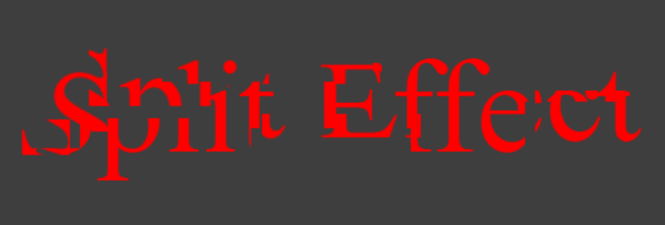
Split Effect
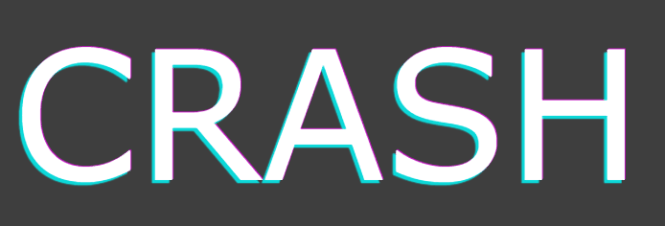
Crash Effect

Twitch Effect
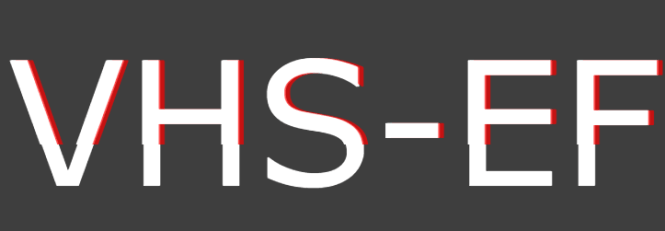
VHS Effect
See Also:
 3KB JS Library for Randomized Glitch Animations – Glitchium
 Glitch Images Using CSS Animations – PowerGlitch
 Add Digital Glitch Effects to Images with Pure JavaScript – GlitchEffect
 Text Glitch & Skew Effects In CSS
 Text Glitch Effect Using Only CSS
 Cyberpunk 2077 Style Glitch Button In Pure CSS
 Text Glitch (Distortion) Animation On Hover – Glitch.css
 Liquid & Glitch Effects For Images – LiquidEffect.js