


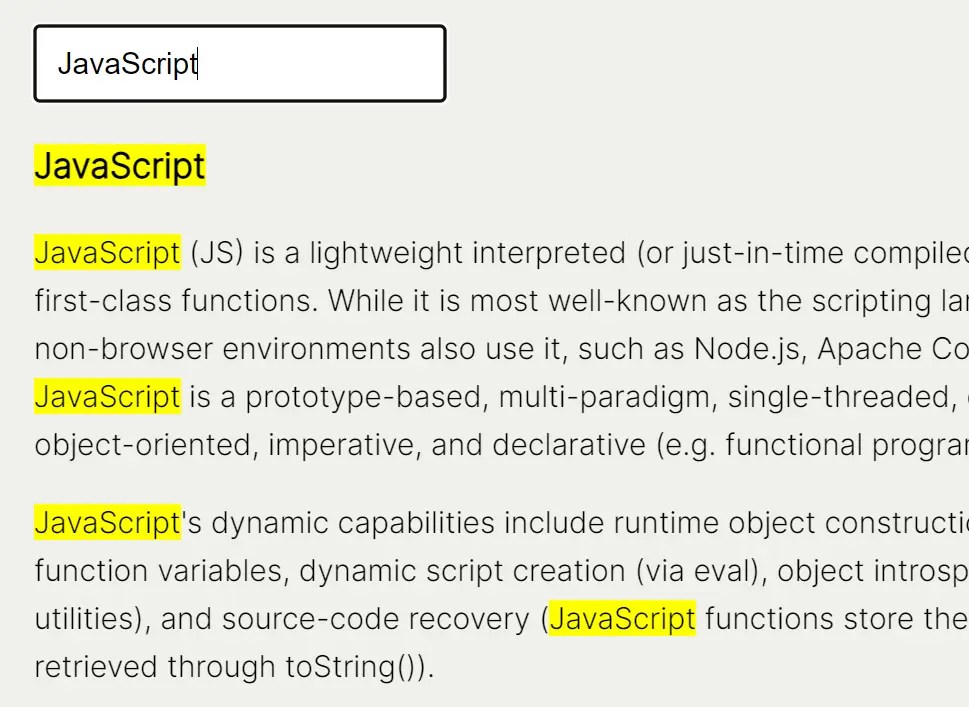
Highlight Search Term is a small and fast JavaScript library to dynamically highlight specific words or phrases within a page based on user input.
It’s compatible with vanilla JavaScript and popular frameworks like React, Vite, and Angular. Can be useful in search-intensive websites, knowledge bases, document viewers, and more.
How it works:
The ‘Highlight Search Term’ library functions by identifying and marking text that matches a user-defined search term within specified elements.
If a browser does not support the necessary CSS Custom Highlight API, the feature is disabled.
Upon input, the library searches for the term across the specific elements and creates text ranges that are then highlighted through CSS.
How to use it:
1. Install ‘Highlight Search Term’ via NPM.
# NPM
$ npm install highlight-search-term
2. Import it into your JavaScript:
import { highlightSearchTerm } from "highlight-search-term";3. For browser usage, include:
<script type="module">
import { highlightSearchTerm } from "https://cdn.jsdelivr.net/npm/highlight-search-term/src/index.js";
</script>
4. Create a search input field in your HTML:
<input type="text" id="search" value="" />
5. Attach an event listener to the search input to trigger the highlighting process:
const search = document.getElementById("search");
search.addEventListener("input", () => {
  highlightSearchTerm({
    search: search.value,
    selector: ".content", // Replace ".content" with your desired container
    customHighlightName: "search" // Optional: Customize highlight name
  });
});
6. Customize the appearance of highlighted terms using CSS:
::highlight(search) {
  /* your CSS styles here */
}
Changelog:
v1.0.3 (08/19/2024)
- Fix “Unexpected Token Export” error when using the package as CJS
v1.0.2 (08/08/2024)
- Bugfixes
See Also:
 Modern Text Search and Highlight Library Using CSS Custom Highlight API
 Interactive Guided UI Tours with Target-Highlight.js
 Highlight Ranges Within HTML Textareas – Lightweight Textarea Highlighter
 Quickly Search And Highlight Specific Text Within A Paragraph – Search-Text-Highlighter.js
 Highlight Text Matches With The Orama Highlight JavaScript Library
 Highlight Text Within Textarea – texthighlighter.js
 Underline/Highlight/Strike Text With The textAnnotator Library
 JavaScript Library For Search Query Matching and Highlighting – highlight-words