


Yet another JavaScript library that helps developers create guided tours to drive the user’s focus across the web application.
Features:
- Supports unlimited steps.
- Custom trigger events to go to the next step.
- Custom step styles.
- Fast and simple to use.
How to use it:
Link to the steps.js library and we’re ready to go.
<script src="build/stepsjs.min.js"></script>
Create steps with element ID, titles, descriptions and custom trigger events as follows:
var steps = [
    {
        elementId: 'email',
        title: 'Step 1: Type your email',
        description: 'Type your email to go to the next step',
        triggerNext: ['change', 'keydown']
    },
    {
        elementId: 'pwd',
        title: 'Step 2: Enter the password',
        description: 'Enter the password to go to the next step',
        triggerNext: ['change', 'keydown']
    },
    {
        elementId: 'finish',
        title: 'Step 3: Finish the tour',
        description: 'Click on the "Submit" button to finish the tour',
        triggerNext: ['click', 'touchstart']
    }
];
Initialize the library to start the tour.
var myTour = new StepsJs(steps);
Available options to customize the guided tour.
var myTour = new StepsJs(steps,{
    duration: 300, // in ms
    styles: {
      frame: {
        customClass: '',
        borderWidth: 3,
        borderColor: '#ff0000'
      },
      hint: {
        customClass: '',
        borderWidth: 1,
        borderColor: '#00ff00',
        borderRadius: 5,
        backgroundColor: '#dbffdb'
      }
    }
});
Force the tour to go to the next step.
myTour.processStep('next');See Also:
 Easy Guided Tour Plugin For Bootstrap 5 – bs5-intro-tour
 Interactive Walkthrough Plugin In Vanilla JavaScript – Steptip.js
 Create A Multi-Step Form In Bootstrap 5 – Enchanter
 Lightweight Vanilla JS Library for Interactive Guided Tours – Boarding.js
 Interactive Guide For Web App – Driver.js
 Lightweight User Tour/Onboarding Library for Web Apps – CodingIntroJS
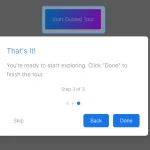 Build Interactive Product tours & User Onboarding with Cue.js
 Interactive Guided UI Tours with Target-Highlight.js