


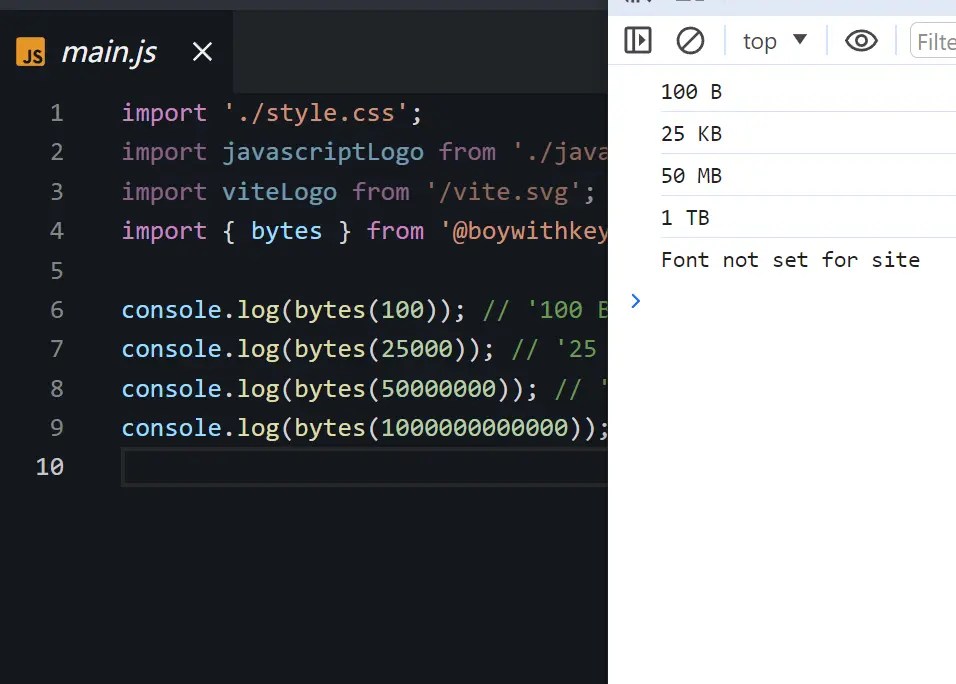
Bytes.js is a tiny utility library that converts raw byte values into user-friendly formats like “100 KB” or “50 MB”, and vice versa.
It can be useful when you need to display file sizes, data usage, or any other byte-related information in a human-readable format.
How to use it:
1. Install and import the Bytes.js with NPM.
# NPM
$ npm install @boywithkeyboard/bytes
import { bytes } from '@boywithkeyboard/bytes'2. The bytes() function is the core of this library. It takes a number or a string as an argument and returns a formatted size string or an array, depending on your preferences. For example, bytes(25000) will output 25 KB, while bytes('50 MB') will return 50000000.
// 50 MB
bytes(50000000);
// 50 Megabytes
bytes(50000000, {
  long: true
});
// 50*1000*1000
bytes('50 Megabytes');
Changelog:
v6.0.1 (06/21/2024)
- fix realease
v6.0.0 (05/16/2024)
- A rewrite of bytes with an even smaller package size and optimized parsing.
v5.0.0 (03/21/2024)
- This package is now pure ESM.
See Also:
 Format Numbers with Metric Prefixes in JavaScript – UnitFormat.js
 Convert Unicode Characters to Numbers with JavaScript – unicode-number.js
 Easy Number Validation & Formatting – Numeric Input
 Convert Large Numbers Into Words – digit.js
 Real-Time Number/Currency Formatting With liveNumberFormat.js Library
 Transform Words into Numbers with JavaScript – numbers-from-words
 Integer Range Merging With simplify-ranges JavaScript Library
 Convert Words To Numeric Digits – Numberify-Text