


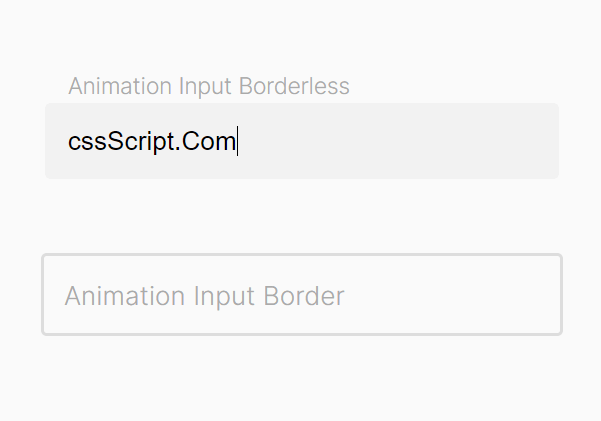
A pure CSS implementation of the Float Lable Pattern as seen in Android & iOS.
How to use it:
1. Wrap your input field together with a placeholder to a label element as follows:
<label class="custom-field">
  <input type="text" required/>
  <span class="placeholder">Animated Placeholder</span>
</label>
2. Style the custom input field and move the placeholder to the top of that input field. Done.
.custom-field {
  position: relative;
  font-size: 14px;
  padding-top: 20px;
}
.custom-field input {
  border: none;
  -webkit-appearance: none;
  -ms-appearance: none;
  -moz-appearance: none ;
  appearance: none;
  outline: none;
  background-color: #f2f2f2;
  padding: 12px;
  border-radius: 3px;
  width: 250px;
  font-size: 14px;
}
.custom-field .placeholder {
  position: absolute;
  left: 12px;
  top: calc(50% + 10px);
  transform: translateY(-50%);
  color: #aaa ;
  transition:
      top 0.3s ease-in-out,
      font-size 0.3s ease-in-out,
      color 0.3s ease-in-out;
}
.custom-field input:valid + .placeholder,
.custom-field input:focus + .placeholder {
  top: 10px;
  font-size: 12px;
  color: #aaa;
}
See Also:
 Animated Floating Input Placeholder In Pure CSS
 Create Bootstrap 4 Form Controls With Floating Labels
 Pure JavaScript Float Label Pattern For Form Fields – float-labels.js
 Float Label Pattern Implemented In JavaScript – Floatl
 CSS Only Floating Label For Form Fields
 Nice Animated Input Labels with Pure CSS
 Pure CSS Floating Labels For Input Fields
 Animated Input Labels with Pure CSS/CSS3