


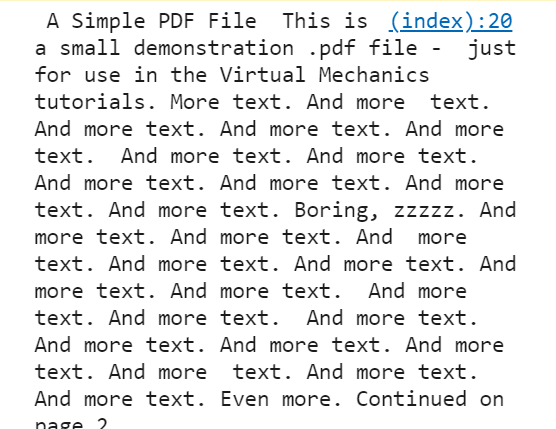
An easy-to-use documentation to text converter that makes it possible to extract text from documents like PDF and MS Word/Excel/PowerPoint files.
Supported file types: doc, docx, xls, xlsx, ppt, pptx, pdf, and hwp.
How to use it:
1. To get started, load the JavaScript file docToText.js in the document.
<script src="docToText.js"></script>
2. Create a new instance of the DocToText.
const docToText = new DocToText();
3. Exact text from a file you specify.
docToText.extractToText('example.pdf', 'pdf')
.then(function (text) {
  console.log(text)
}).catch(function (error) {
  console.log(error)
});
4. Exact text from a file you choose from local.
const file = files[0];
const {name} = file;
const ext = name.toLowerCase().substring(name.lastIndexOf('.') + 1);
docToText.extractToText(file, ext)
.then(function (text) {
  console.log(text)
}).catch(function (error) {
  console.log(error)
});
5. You can also exact from multiple files bundled in a zip.
docToText.extractZipToText('file.zip')
.then(function (text) {
  console.log(text)
}).catch(function (error) {
  console.log(error)
});
// from a local file
const file = files[0];
const docToText = new DocToText();
docToText.extractZipToText(file)
.then(function (text) {
console.log(text)
}).catch(function (error) {
console.log(error)
});See Also:
 Customizable Select Box & Input Field Enhancement Library – Choices.js
 Minimal Dark Mode Toggler With CSS Variables – darken.js
 Tiny Image & Video Image Gallery Lightbox In JavaScript – Bilderrahmen
 Float Label Pattern Implemented In JavaScript – Floatl
 Zooming Images Just Like Medium.com – ZOOOM.js
 Modern CSS Framework – aqua.css
 Client Side Image Processing Library – imazing
 Client-side Non-Blocking Notification Library – Notification.js
Hey
There is one issue while extracting text. Text has many , how can I remove.