


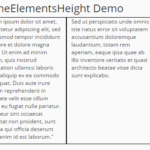
With a little Javascript and CSS codes, you can easily equalize the heights of any group of Html elements to create a neat web layout. Works well with responsive design.
How to use it:
Create a group of container elements with different heights of contents.
<div class="boxes">
  <div> ... </div>
  <div> ... </div>
  <div> ... </div>
</div>
Style the container elements via CSS.
.boxes > * {
  width: 200px;
  float: left;
  padding: 12px;
  margin: 6px;
  background: #707f8e;
  box-sizing: border-box;
  color: #fff;
}
The javascript to make the container elements in the container ‘boxes’ have the same height.
function equalize(sel) {
  var els = Array.prototype.slice.call(document.querySelectorAll(sel));
  var row = [];
  var max;
  var top;
  function setHeights() {
    row.forEach(function(e) {
      e.style.height = max + 'px';
    });
  }
  for (var i=0; i < els.length; i++) {
    var el = els[i];
    el.style.height = 'auto';
    if (el.offsetTop !== top) {
      // new row detected
      setHeights();
      top = el.offsetTop;
      max = 0;
      row = [];
    }
    row.push(el);
    max = Math.max(max, el.offsetHeight);
  }
  setHeights(); // last row
}
// you might want to use addEventListener instead!
window.onload = window.onresize = function() {
  equalize('.boxes > *');
};
See Also:
 Responsive Equal Height Plugin In Pure JavaScript – Responsive AutoHeight
 Equal Height Borders For Bootstrap Columns
 Equal Height Columns In JavaScript – equalizer.js
 Creating Equal Height Grid In Pure JavaScript – equaldiv
 Responsive Equal Height Plugin With Pure JavaScript – right-height
 Responsive Equal Height Columns In Pure JavaScript
 Equalize The Height Of Columns By Group – Matchbox
 Pure JavaScript Library For Equal Height Block Elements – AlignJS