


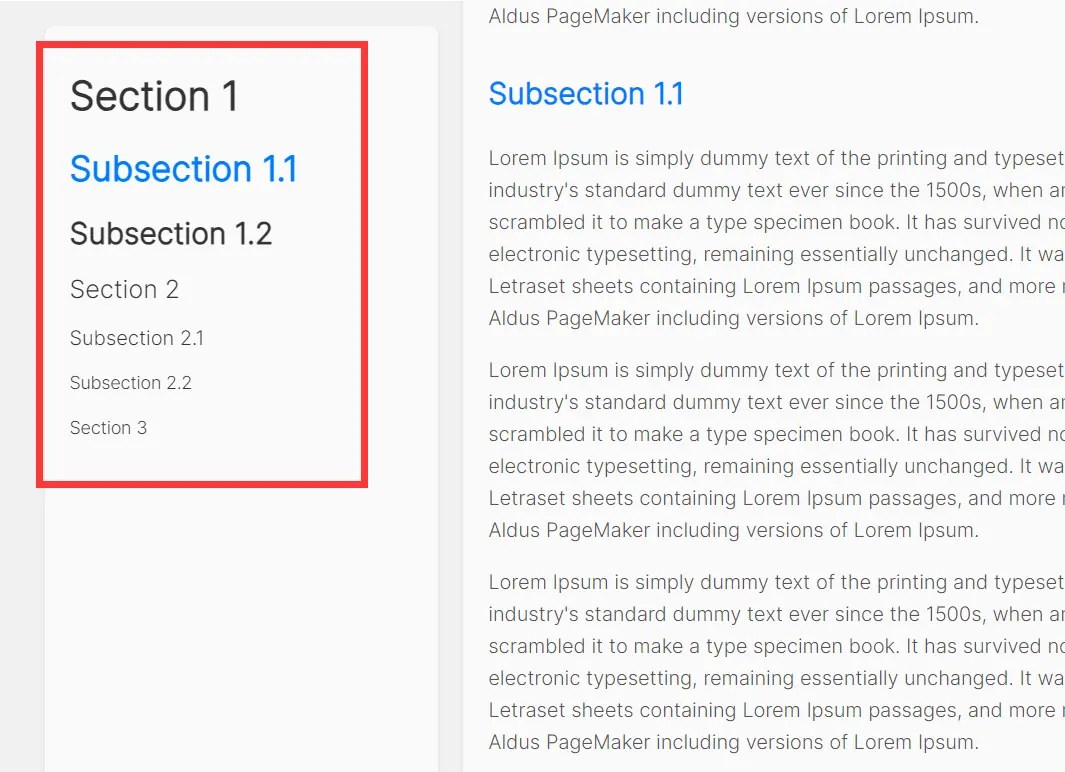
Anchor.js is a lightweight JavaScript library that automatically generates a table of contents (TOC) based on the headings within the container you specify.
This library automatically scans for heading elements like <h1>, <h2> and creates a list-based navigation menu with smooth scroll and scrollspy support.
Features:
- Automatic generation of navigation menus from page headings
- Active class highlighting that tracks the current section
- Smooth scrolling functionality between page sections
- Support for multiple heading levels (
<h1>through<h6>) - Customizable styling options for both menus and headings
- Adjustable scroll offset positioning
- Font size and weight customization for different heading levels
How to use it:
1. Download and add Anchor.js to your HTML page.
<script src="anchor.js"></script>
2. Add an empty unordered list where you want the table of contents to appear:
<ul id="toc"></ul>
3. Organize your content with heading elements as follows:
<div class="container">
  <h1>Title 1</h1>
  <p>Section 1...</p>
  <h2>Title 1.1</h2>
  <p>Section 1.1...</p>
  <h1>Title 2</h1>
  <p>Section 2...</p>
</div>
4. Create a new Anchor object, targeting your list and specifying the headings.
const anchor = new Anchor('#toc', {
  contentClass: 'container',
  listHead: ['h1', 'h2'],
});
5. Customize the Anchor with the following options:
const anchor = new Anchor('#toc', {
  contentClass: 'container',
  listHead: ['h1', 'h2'],
  activeClass: 'active',
  headClass: 'highlight',
  defaultFontSize: {
    h1: '48px',
    h2: '36px'
  },
  defaultFontWeight: {
    h1: 'bolder',
    h2: 'bold'
  },
  offsetTop: 70
});
Changelog:
06/12/2025
- Refactor Anchor JS and add Vue & React versions
See Also:
 Highly Customizable Table Of Contents Generator – Tocbot
 Floating Table Of Contents In JavaScript – Ootliner
 Collapsible Side Table Of Contents In JavaScript – DocumentOutline
 Minimal Table of Contents Generator In JavaScript – Tocbase
 Generate List Based Table Of Contents For Long Document – html-contents
 Hierarchical Table Of Contents In JavaScript – Easy-TOC
 Basic Table Of Contents Generator In JavaScript – table-of-contents.js
 Sticky Navigation With ScrollSpy Using Intersection Observer API