


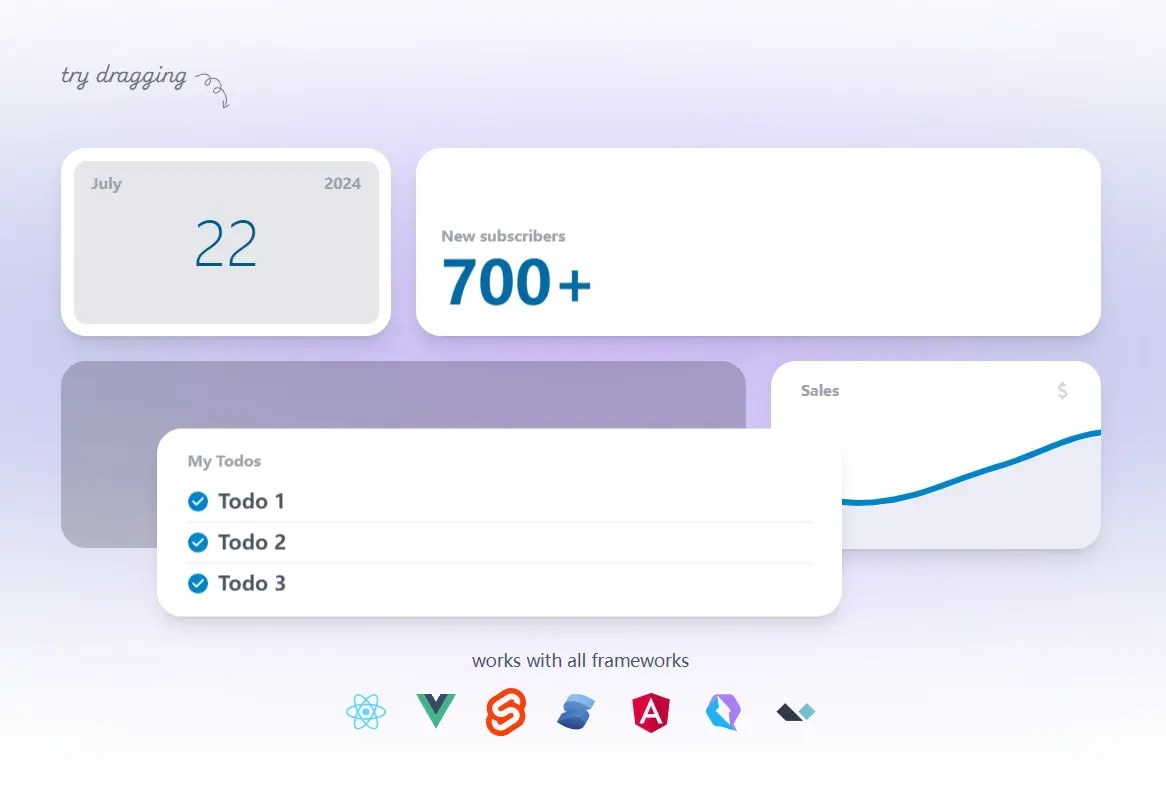
Swapy is a JavaScript library for creating dynamic and interactive layouts on the web.
Your users can easily rearrange elements within your layout using drag’n’drop or touch gestures.
Imagine a project management dashboard where users can rearrange tasks according to priority or a personalized news feed where users can prioritize content sources.
Compatible with various frameworks, including Vanilla JavaScript, React, Vue.js, and Svelte.js.
How to use it:
1. Install and import Swapy using a package manager:
# Yarn
$ yarn add swapy
# NPM
$ npm install swapy
# PNPM
$ pnpm install swapy
import { createSwapy } from 'swapy'2. Or include the UMD version directly in your HTML file:
<script src="/dist/swapy.min.js"></script>
3. Select the container element holding the grid items you want to make draggable and pass it to the createSwapy() function:
<div class="container example">
  <div class="slot a" data-swapy-slot="1">
    <div class="item a" data-swapy-item="a">
      <div class="handle" data-swapy-handle></div>
      <div>A</div>
    </div>
  </div>
  <div class="second-row">
    <div class="slot b" data-swapy-slot="2">
      <!-- <div class="item b" data-swapy-item="b">
        <div>B</div>
      </div> -->
    </div>
    <div class="slot c" data-swapy-slot="3">
      <div class="item c" data-swapy-item="c">
        <div>C</div>
      </div>
    </div>
  </div>
  <div class="slot d" data-swapy-slot="4">
    <div class="item d" data-swapy-item="d">
      <div>D</div>
    </div>
  </div>
</div>
// ES Module
const swapy = createSwapy(document.querySelector('.example'), {
// options here
})
// Browser
const swapy = Swapy.createSwapy(document.querySelector('.example'), {
// options here
})4. Exclude certain items to improve performance using the ‘data-swapy-exclude’ attribute:
<div data-swapy-item="5">
  <div data-swapy-no-drag></div>
  <button data-swapy-no-drag></button>
</div>
5. Set the swapping modes: hover, stop, and drop.
const swapy = createSwapy(document.querySelector('.example'), {
  swapMode: 'drop'
})
6. Configure the animation style:
const swapy = createSwapy(document.querySelector('.example'), {
  // or 'spring', 'none'
  animation: 'dynamic'
})
7. Start the drag session after clicking and holding for a moment.
const swapy = createSwapy(document.querySelector('.example'), {
  dragOnHold: true
})
8. Enable the page auto-scroll when dragging an item near the edge.
const swapy = createSwapy(document.querySelector('.example'), {
  autoScrollOnDrag: true
})
9. Lock the drag axis to horizontal, vertical, or both.
const swapy = createSwapy(document.querySelector('.example'), {
  dragAxis: 'both', // or 'y', 'x'
})
10. Make the Swapy instance start as disabled or enabled.
const swapy = createSwapy(document.querySelector('.example'), {
  enabled: false
})
11. Track changes in element order using the following event listeners.
swapy.onSwap((event) => {
  console.log(event.newSlotItemMap.asObject)
  // {
  //   'foo': 'a',
  //   'bar': 'b',
  //   'baz': 'c'
  // }
  console.log(event.newSlotItemMap.asArray)
  // [
  //   { slot: 'foo', item: 'a' },
  //   { slot: 'bar', item: 'b' },
  //   { slot: 'baz', item: 'c' }
  // ]
  console.log(event.newSlotItemMap.asMap)
  // Map(3) {
  // 'foo' => 'a',
  // 'bar' => 'b',
  // 'baz' => 'c'
  // }
  console.log(event.fromSlot)
  // 'foo'
  console.log(event.toSlot)
  // 'bar'
  console.log(event.draggingItem)
  // 'b'
  console.log(event.swappedWithItem)
  // 'a'
});
swapy.onSwapStart(event) => {
  console.log(event.slotItemMap.asObject)
  // {
  //   'foo': 'a',
  //   'bar': 'b',
  //   'baz': 'c'
  // }
  console.log(event.slotItemMap.asArray)
  // [
  //   { slot: 'foo', item: 'a' },
  //   { slot: 'bar', item: 'b' },
  //   { slot: 'baz', item: 'c' }
  // ]
  console.log(event.slotItemMap.asMap)
  // Map(3) {
  // 'foo' => 'a',
  // 'bar' => 'b',
  // 'baz' => 'c'
  // }
  console.log(event.fromSlot)
  // 'foo'
  console.log(event.draggingItem)
  // 'a'
});
swapy.onSwapEnd(event) => {
  console.log(event.slotItemMap.asObject)
  // {
  //   'foo': 'a',
  //   'bar': 'b',
  //   'baz': 'c'
  // }
  console.log(event.slotItemMap.asArray)
  // [
  //   { slot: 'foo', item: 'a' },
  //   { slot: 'bar', item: 'b' },
  //   { slot: 'baz', item: 'c' }
  // ]
  console.log(event.slotItemMap.asMap)
  // Map(3) {
  // 'foo' => 'a',
  // 'bar' => 'b',
  // 'baz' => 'c'
  // }
  console.log(event.hasChanged)
  // false
});
swapy.onBeforeSwap(event) => {
  console.log(event.fromSlot)
  // 'foo'
  console.log(event.toSlot)
  // 'bar'
  console.log(event.draggingItem)
  // 'b'
  console.log(event.swappedWithItem)
  // 'a'
  return event.toSlot !== 'foo'
});
12. Enable & disable the draggable functionality.
swapy.enable(true)
swapy.enable(false)
13. Update the instance.
swapy.update()
14. Get current slotItemMap from a Swapy instance.
const currentSlotItemMap = swapy.slotItemMap()
console.log(currentSlotItemMap.asObject)
// {
//   'foo': 'a',
//   'bar': 'b',
//   'baz': 'c'
// }
console.log(currentSlotItemMap.asArray)
// [
//   { slot: 'foo', item: 'a' },
//   { slot: 'bar', item: 'b' },
//   { slot: 'baz', item: 'c' }
// ]
console.log(currentSlotItemMap.asMap)
// Map(3) {
// 'foo' => 'a',
// 'bar' => 'b',
// 'baz' => 'c'
// }
15. Destroy the instance.
swapy.destroy()
See Also:
Changelog:
v1.0.5 (01/19/2025)
- Fix hasChanged in swapEnd event for manualSwap
- Fix dragging handle with nested children
v1.0.3 (12/20/2024)
- Allow scroll on non-handle elements.
v1.0.2 (12/16/2024)
- Bugfixes
v1.0.1 (12/14/2024)
- Fix click interactions in items.
v1.0.0 (12/14/2024)
- Minor API Tweaks – Some event objects have been updated for better consistency and clarity. Check out the events section to learn about them.
- Zero Dependencies – Swapy is now fully written in pure JS with no external dependencies (without Veloxi).
- New Config Options – Added dragOnHold, dragAxis, and enabled to give you more control over your setup.
- Non-Draggable Areas – You can now specify areas in your items that are not draggable. Check out no-drag attribute.
- Dynamic Updates – Use the new update method to refresh your Swapy instance dynamically as the DOM changes.
- Swap Control – Now you can easily enable or disable swaps dynamically with onBeforeSwap.
- Custom Drag Styling – Customize your drag item styles using the new [data-swapy-dragging] CSS selector.
- Easier Framework Integration – New utility functions to seamlessly integrate with frameworks and dynamically add/remove items.
v0.4.2 (10/08/2024)
- Clean up event listeners when swapping with manualSwap.
v0.4.1 (09/30/2024)
- Fix hasChanged in swapEnd event
v0.4.0 (09/30/2024)
- Enabling autoScrollOnDrag in Swapy’s config options will cause the page or container to auto-scroll when dragging an item near the edge.
- The swapEnd event object now includes a new parameter, hasChanged, which indicates whether any items were swapped during the drag session.
- Bugfixes.
v0.3.1 (09/22/2024)
- Fix conflict between drop swap mode and continuous mode.
v0.3.0 (09/21/2024)
- Swapy now has 3 different swapping modes: hover, stop, and drop.
- New swap events
- Bugfixes
v0.2.1 (09/09/2024)
- Fix calling swapy.setData() error when the Swapy instance is being installed.
- Add missing TypeScript types.
v0.2.0 (09/08/2024)
- You can allow your framework to manage the swaps by using the manualSwap option.
- Swapy now includes a destroy method for cleanup.
- Allow scrolling if the item has a handle
v0.1.2 (08/28/2024)
- Support dynamic slots
- Fix drag position after scroll
v0.1.1 (08/05/2024)
- Improve performance
v0.1.0 (07/28/2024)
- Continuous Mode
- Improve performance for large datasets with data-swapy-exclude
- Disable scale animation for text
- Bugfixes
v0.0.6 (07/24/2024)
- Update root element type in createSwapy to allow for null
- Passing null to createSwapy will throw an error.
See Also:
 Responsive Hexagon Grid Layout Using CSS Grid and Container Queries
 Neat Block Grid In Pure CSS – wall.css
 Responsive Masonry Layouts with CSS Grid and Mason-it.js
 Create Flexible Hexagonal Grids with HoneyCombLayoutJs
 Create Responsive Slanted Grid Gallery With CSS Clip-path
 Responsive CSS Masonry Grid Layout – Grid Overflow
 Dynamic Grid Layout Generator – Magic Grid
 Bootstrap-like Responsive Grid Layout System – CSSColumnPro.css